UltraISO Premium 9.7.6.3860
Shareware Developer website (opens in a new tab)
UltraISO Premium is a Windows tool from EZB Systems that opens, edits and converts disc images and writes bootable USB drives, though its last update was in May 2021 and free tools like Rufus now cover most of the same jobs.
- Updated
- Size
- 4.9MB
- Downloads
- 196.5K
- This week
- 79up 48% on the week beforeSee the Top 20 downloads this week
UltraISO Premium is a paid Windows program for opening, editing and converting disc image files.
Version 9.7.6.3860, sold as 9.76 and released on 7 May 2021, is still the newest build EZB Systems offers.
It still works, but nothing has changed in over five years, and free tools now handle most of what people buy it for.
The download here is the official trial installer, uiso9_pe.exe, served from EZB Systems. The trial only works with images up to 300 MB and shows a reminder at every start, and a paid registration code removes both.
What UltraISO Does
Its party trick is editing an ISO in place. You open the image, add, delete or replace files, and save it again, without unpacking and rebuilding the whole thing.
- Converts images - ISO, BIN, IMG, NRG, DAA, DMG, UIF and its own compressed ISZ format, to and from standard ISO.
- Builds ISOs - from a folder on your hard drive or from a CD or DVD, keeping the boot information.
- Writes bootable USB drives - including UEFI-bootable Windows 10 sticks through the AutoSplit option added in 9.76.
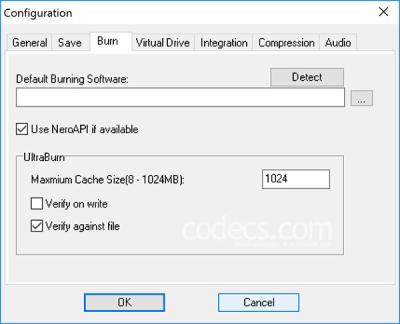
- Burns and mounts - writes images to CD, DVD and Blu-ray, and mounts them on its own virtual drive.
Why Frozen Matters
EZB's own system requirements stop at Windows 10, and no release has mentioned Windows 11. It may well install and run there, but the vendor has never said so.
Meanwhile new Windows and Linux ISOs keep arriving with nobody updating the tool to match. For a one-off edit that is fine; for writing a Windows 11 installer stick, a maintained tool is the safer bet.
The Free Tool for Each Job
Most people buy UltraISO for one of the jobs below, and each one has a free, maintained answer.
| The job | Free tool | Why it fits |
|---|---|---|
| Make a bootable USB from an ISO | Rufus | Actively updated and handles current Windows 11 and Linux ISOs |
| Several ISOs on one USB stick | Ventoy | Copy the ISOs onto the stick and pick one at boot |
| Write an image with no options to get wrong | balenaEtcher | Three clicks, and it checks the copy afterwards |
| Edit or convert an image | AnyBurn | Edits ISO contents and converts BIN, NRG and others to ISO |
| Make, extract or burn ISOs | ISO Workshop | A simple all-rounder for everyday ISO jobs |
| Turn a folder into an ISO | Folder2Iso | Does that one job and nothing else |
| Burn an ISO to CD or DVD | ImgBurn | Light, free and the disc burner most guides still use |
| Open an ISO and copy files out | Windows itself, or 7-Zip | Windows 10 and 11 mount an ISO on double-click, and 7-Zip extracts it like a ZIP |
| Mount BIN, CCD and other image types | Virtual CloneDrive | Adds a virtual drive for formats Windows will not open |
If you want one paid program that does all of this and is still updated, PowerISO covers the same ground and had a new release in 2026.
Who Should Still Use It
If you already own a licence and it does what you need, there is no reason to remove it, because registered copies keep working.
The tell that you should look elsewhere is image size. Almost every Windows or Linux ISO is far bigger than 300 MB, so without a licence the trial will not handle the file you most likely came here with.
Guides for the Same Jobs
Our walkthroughs show how to make a Windows 11 bootable USB and how to put several ISOs on one stick with Ventoy.
For discs, see burning an ISO to DVD with ImgBurn. To open images without burning anything, read our guide to mounting ISO, BIN and NRG files.
More tools sit in our HDD, SSD and USB section.
Quick Questions
Is UltraISO free?
No. The download is a free trial that only works with images up to 300 MB and shows a reminder at each start. A paid registration code removes both limits.
Is UltraISO still being updated?
No new version has appeared since 9.76, released on 7 May 2021. EZB Systems still sells it.
Does UltraISO work on Windows 11?
EZB lists Windows 10 as the newest supported version and has never confirmed Windows 11. For a Windows 11 install stick, use Rufus instead.
What is an ISZ file?
It is UltraISO's own compressed image format. UltraISO converts it back to a standard ISO that other tools can open.
UltraISO or Rufus for a bootable USB?
Rufus. It is free, updated several times a year and made for exactly that job.
Download UltraISO Premium 9.7.6.3860 if you still need it, or tell us what you used it for if you have history with it.
User reviews (2)
LU
luis
30 Jun 2026
4/5Good
muy bueno, lo recomiendo
Translate Reviewed on UltraISO 9.7.6.3860
CH
CHINTU
11 Nov 2024
5/5Excellent
This software is very helpful for me, great software
Reviewed on UltraISO 9.7.6.3860
Share your thoughts on UltraISO Premium 9.7.6.3860
Thanks, it's in!
Your review will appear once it has been checked.
Related to UltraISO
More free downloads to try-

Virtual CloneDrive Closest match
Virtual CloneDrive is a free virtual drive tool that mounts disc images in Windows as if they were real CDs, DVDs or Blu-rays.
Mentioned in our UltraISO write-up
-

ImgBurn Top rated
ImgBurn is a free, lightweight disc burner for Windows that writes ISO images to CD, DVD and Blu-ray and verifies every burn.
Mentioned in our UltraISO write-up
-

Daemon Tools Most popular
DAEMON Tools Lite is the most widely used free virtual drive emulator on Windows, letting you mount ISO, MDS, MDF, and MDX disc images as virtual CD, DVD, or Blu-ray drives.
In common: iso, image
-

ffmpegGUI
FFmpegGUI is the frozen, simplest end of the audio encoders category, kept here for people who still need its AC3 and MP2 output.
In common: last, still
-

Movavi Video Converter
Movavi Video Converter delivers fast format conversion with SuperSpeed GPU acceleration and 200+ device presets for users who need premium features.
In common: premium, converter
-

WavePad
WavePad Audio Editor is NCH Software's flagship desktop sound editor, offering a permanently free Basic Edition for non-commercial use alongside paid Standard and Master's Edition upgrades.
In common: editor, paid