Searching for Snipping Tool sent at least one Windows user to a fake download that installed a remote-control trojan through the Microsoft Store. You never need to download Snipping Tool - it is already on your PC.
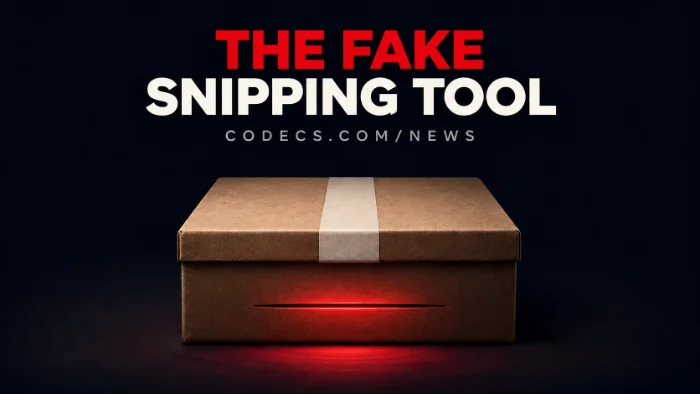
Security firm eSentire published the findings on 24 November, after investigating an infected PC in early November.
The victim searched for a snipping tool and landed on a fake download site on the codes-team.com domain, which handed over a file called Snipping-Tool.exe.
That file installed an app called Setup Assistant from the real Microsoft Store, which is why nothing looked wrong.
What Setup Assistant Actually Does
eSentire says the app, listed by a publisher called ETPS Ltd, had been in the Store since June. Once installed, it talks to the attackers' server, watches your Downloads folder and runs commands they send.
It then sets up a task that runs every 10 minutes and pulls in Vinci RAT - a remote access trojan, meaning someone else can control your PC. It can run programs, drop files and check which antivirus you use.
eSentire reported the app to Microsoft, which replied that it did not break the Store's terms. We could not confirm whether it is still listed today.
Check Your PC in Two Minutes
- Open Settings, Apps, Installed apps and search for Setup Assistant. If it is there and you didn't knowingly install it, click the three dots and choose Uninstall.
- Look in your Downloads folder for Snipping-Tool.exe and delete it.
- Open Windows Security, Virus & threat protection, Scan options and run a Microsoft Defender Offline scan. Your PC restarts and scans before Windows loads.
- For a second opinion, run the free AdwCleaner, which hunts down unwanted programs and their leftovers.
Found Setup Assistant?
Change your important passwords - email first, then banking - from a different device such as your phone. Anyone with remote control of a PC can reach whatever is on it, so treat saved passwords as exposed.
You Already Have Snipping Tool
Snipping Tool comes with Windows 10 and Windows 11, so there is no reason to download it from a website. Press Windows key + Shift + S to grab part of your screen right now.
If it is missing, reinstall it from the Microsoft Store app. Search for Snipping Tool and check the publisher reads Microsoft Corporation before you click Get.
Want more than Snipping Tool?
ShareX is free and open source, with scrolling captures, screen recording and a built-in editor. Greenshot is the lighter pick for quick screenshots with arrows and notes.
How to Spot the Next Fake
- A download for something Windows already includes is a red flag on its own.
- Check the address bar. Microsoft tools come from microsoft.com or the Store app, never from a random domain.
- Search results can lead to fakes too, so be extra careful with sponsored links at the top.
- In the Store, check the publisher name, not just the app name, before you install.
eSentire found other pages on the same domain posing as Microsoft Teams and Roblox downloads, so the same rules apply there.
Quick questions
Is the real Snipping Tool safe?
Yes. The one built into Windows, published by Microsoft Corporation in the Store, is fine. Only the fake download is the problem.
How do I open Snipping Tool without downloading it?
Press Windows key + Shift + S, or type Snipping Tool into the Start menu search.
Can Microsoft Store apps contain malware?
Rarely, but yes. eSentire says this one stayed in the Store for at least five months without being caught, so check the publisher.
Is uninstalling Setup Assistant enough?
Not on its own, because the trojan sets up its own scheduled task. Uninstall the app, then run the Defender Offline scan and a second scanner.
Has Microsoft removed the app?
We couldn't confirm that. Microsoft's reply to eSentire said the app did not break its terms.
The bottom line
Never download Snipping Tool from a website - press Windows key + Shift + S instead. If Setup Assistant is in your installed apps, remove it, run an offline scan and change your passwords from another device.



Latest news comments
What readers are saying AllI was having the same error issue with the dead playlist link the other guy above did. Thank you so much for ...
Team replied News: Free USA IPTV Playlist: The American TV That Is Really Free 2 commentsInteresting development with the Fire TV Stick 4K — losing Kodi sideloading is a big deal for a lot of users. For those ...
News: The New Fire TV Stick 4K Can't Run Kodi - Here's Which Fire Stick Still Can 3 commentsBrave just enabled it by default for stable users yesterday (1.97). Not specified is chromeOS will be passively gaining decode capability too, and ...
Team replied News: JPEG XL Is Back in Chrome: What It Means and How to Open JXL Files 1 comment