If your PC has an Nvidia graphics card on driver 621.14 or 621.24, a bug may be rewriting a log file on your SSD all day - and Nvidia has now fixed it in hotfix 621.35.
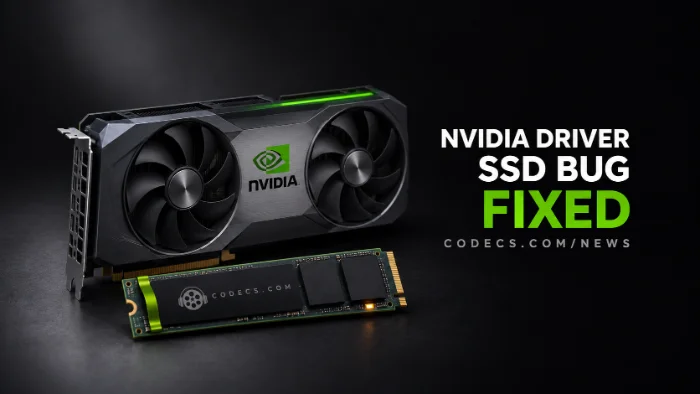
The fix arrived on 20 November, but it is a manual download that the Nvidia App will not offer you.
Not every PC with those drivers has the bug, so check yours first - it takes about two minutes.
Here is how to check, how to install the hotfix, and when it is fine to simply wait.
What Went Wrong
Every Nvidia driver runs a small background process called NVDisplay.Container.exe, the NVIDIA Display Container LS service. In 621.14 and 621.24 it started rewriting one log file over and over, even with the PC doing nothing.
The file is nvlog.nvlgstg, in C:\ProgramData\NVIDIA Corporation\nvtopps\nct. Users on Nvidia's forum reported between 3 GB and 30 GB of writes an hour on idle PCs.
One user measured 515 MB in five idle minutes on 621.14, against under 2 MB on the older 621.01. Turning off telemetry in the Nvidia App did not stop it.
The real number is smaller.
Windows counts what an app asks to write, not what reaches the drive. In the same five minutes, that user's SSD itself recorded about 270 MB, so the damage is real but well below the headline figures.
Check Whether Your PC Has the Bug
- Check your driver version. Right-click the desktop, open NVIDIA Control Panel, then Help and System Information - only 621.14 and 621.24 are affected.
- Open Resource Monitor. Press Win + R, type resmon and press Enter, then open the Disk tab.
- Leave the PC alone for a minute. Sort Disk Activity by Write (B/sec) - if NVDisplay.Container.exe keeps writing to nvlog.nvlgstg, you have the bug.
Task Manager shows which drive is busy, but only Resource Monitor names the file. To see what actually reaches the SSD, note the total host writes in the free HWiNFO, leave the PC idle for an hour, then compare.
How to Install Hotfix 621.35
- Download it from Nvidia. The hotfix lives on Nvidia's Customer Care hotfix page, for 64-bit Windows 10 and 11.
- Run the installer. Choose Custom and tick only the graphics driver if you want a lean install - our guide to installing only the Nvidia driver walks through it.
- Restart and check again. Repeat the Resource Monitor test - the steady writes should be gone.
Nvidia lists one fix in the notes: excessive writes to nvlog.nvlgstg 'may occur in the background'. Everything else is the same as 621.24, the current regular driver.
What a hotfix is.
Nvidia says hotfixes go through a shorter round of testing and they are not WHQL-certified, which is why the Nvidia App does not offer them. If your PC does not show the bug, you can skip this one and wait for the next regular driver.
Why Not Just Roll Back to 621.01?
Before the hotfix, the common advice was to go back to 621.01, which does not have the bug. That is fine on RTX 40 cards and older.
On RTX 50 cards it can bring back a different bug - Nvidia's own notes say video playback may freeze or go black after 621.01, which 621.14 was meant to fix. The hotfix avoids that trade.
Switching off the NVIDIA Display Container LS service also stops the writes. It takes NVIDIA Control Panel and the Nvidia App with it, so the hotfix is the cleaner fix.
How Worried Should You Be?
Not very. Tom's Hardware estimates around 28 TB a year from the 270 MB figure, about 5 percent of a typical 1 TB SSD rated for 600 TB.
At the worst reported 30 GB an hour, eight hours a day, it would be about 88 TB a year, closer to 15 percent. Worth fixing today, not worth panicking over - the same kind of bug hit AMD Radeon drivers earlier this month, and that article shows how to check your SSD's health in Windows 11.
Quick questions
What is nvlog.nvlgstg?
It is a log file written by NVDisplay.Container.exe, part of the Nvidia graphics driver. In drivers 621.14 and 621.24 a bug makes the process rewrite it again and again, even when the PC is idle.
Is Nvidia hotfix 621.35 safe to install?
Yes. It is an official Nvidia driver built on 621.24 with one fix added, but it has had less testing than a regular WHQL release.
Why doesn't the Nvidia App offer 621.35?
Hotfix drivers are not WHQL-certified, so the Nvidia App does not push them. You download them by hand from Nvidia's Customer Care page.
Will the Nvidia driver bug kill my SSD?
No, not quickly. It uses up a slice of the drive's rated writes, so fix it, but your SSD is not about to fail.
Should I roll back to Nvidia driver 621.01 instead?
Only on RTX 40 cards or older, if you would rather avoid a hotfix. On RTX 50 cards 621.01 can bring back video freezes and black screens, so install 621.35.
The bottom line
Check your driver version and Resource Monitor, and if NVDisplay.Container.exe is writing nonstop, install hotfix 621.35 today. If your PC looks normal, wait for the next regular driver, which should carry the fix.









Latest news comments
What readers are saying AllI was having the same error issue with the dead playlist link the other guy above did. Thank you so much for ...
Team replied News: Free USA IPTV Playlist: The American TV That Is Really Free 2 commentsInteresting development with the Fire TV Stick 4K — losing Kodi sideloading is a big deal for a lot of users. For those ...
News: The New Fire TV Stick 4K Can't Run Kodi - Here's Which Fire Stick Still Can 3 commentsBrave just enabled it by default for stable users yesterday (1.97). Not specified is chromeOS will be passively gaining decode capability too, and ...
Team replied News: JPEG XL Is Back in Chrome: What It Means and How to Open JXL Files 1 comment