Microsoft wants more of your PC's audio, camera and printer hardware running on its own built-in drivers instead of each maker's - to cut down on crashes. Here is what that means for your sound and webcam.
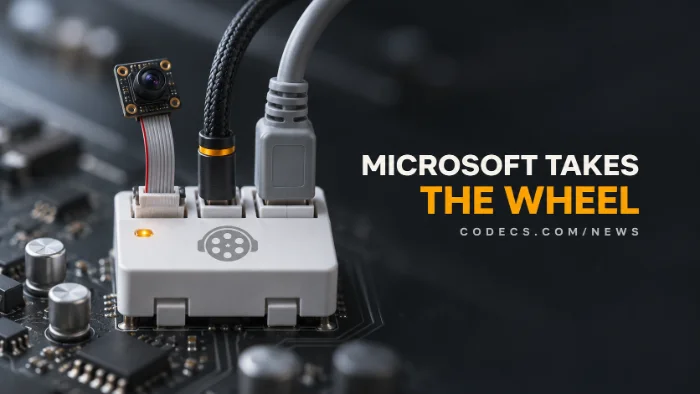
You don't need to do anything today. This is a gradual shift that PC and device makers opt into, not a switch Microsoft flips on your PC overnight.
The upside is fewer driver crashes. The possible catch is losing some extra features that come with the maker's own driver - and there are free ways around that.
What Microsoft Said
At Ignite 2026, Microsoft told hardware makers to use its own "class drivers" wherever they can. A class driver is one generic driver that Windows ships for a whole type of device, such as all USB webcams, instead of a separate driver for every model.
Microsoft's Kevin Sullivan put it plainly: "move them to user mode and class, inbox class drivers wherever you can." User mode means outside the core of Windows, where a faulty driver can crash the app instead of the whole PC.
Microsoft says the goal is "fewer crashes and attack paths, and safer servicing". It's part of the same safety push that is moving antivirus out of the Windows kernel.
Which Devices Are Affected
- Printers - furthest along. Microsoft says this is where "we've done the most".
- Audio - a new built-in driver for SoundWire, the audio connection used in many newer laptops, is now available and will ship inside Windows.
- Cameras - a class driver for MIPI cameras, the kind built into most laptops, is in the works.
- Other parts - USB Ethernet adapters and some internal connections are getting updated Microsoft drivers too, with "a couple of others" on the way.
Windows already does this for plenty of hardware. Basic USB webcams, standard keyboards and NVMe drives have used Microsoft's own drivers for years, and most people never notice.
Wi-Fi is next.
Windows Latest also reports that Microsoft plans to move Wi-Fi drivers out of the Windows core in 2027, so one bad Wi-Fi driver can no longer blue-screen your PC.
What You Could Lose
Microsoft says it isn't trying to force-replace every maker's driver, and features that need special hardware - such as lighting controls - will still use the maker's own.
The grey area is the extras bundled with audio drivers: sound enhancers, virtual surround, mic noise reduction and per-app equalisers. Microsoft hasn't said what happens to those. If a laptop maker moves to the generic driver, some of them could disappear.
Keep your sound tweaks, whatever the driver:
Equalizer APO is a free system-wide equaliser that works with any driver, including Microsoft's. For surround sound on headphones, Dolby Access adds Dolby Atmos without relying on the maker's audio app.
If Your Sound Changes After an Update
If a Windows or driver update ever leaves your audio flat, or your maker's sound app stops working, you can go back to the previous driver.
- Right-click Start and open Device Manager.
- Expand Sound, video and game controllers, right-click your audio device and choose Properties.
- On the Driver tab, click Roll Back Driver, pick a reason and restart.
If Roll Back is greyed out, Windows didn't keep the old version. Driver Store Explorer shows every driver package stored on your PC, so you can see what's there and clear out old ones.
Quick questions
Is Windows 11 replacing my audio driver?
Not automatically. Microsoft is asking PC and device makers to use its built-in drivers where they can. Your current driver stays unless an update from your maker or Windows Update changes it.
What is a class driver?
One generic Microsoft driver that works for a whole type of device, like all USB webcams, so each model doesn't need its own.
Will I lose Dolby or sound enhancement features?
Microsoft hasn't said. Features tied to a maker's driver could go if that maker switches. Equalizer APO and Dolby Access work regardless of the driver.
Are Microsoft's drivers worse than the maker's?
Not for basic use. They usually cover the essentials well and crash less, but can skip extra features the maker's driver adds.
When will this happen?
Microsoft gave no date. It's a gradual change as makers adopt the new drivers - printers are furthest along, and audio and camera drivers follow.
The bottom line
More of your hardware will run on Microsoft's own drivers, which should mean fewer crashes. If an update ever strips out your sound extras, roll back the driver or add a free equaliser that works with any driver.




Latest news comments
What readers are saying AllI was having the same error issue with the dead playlist link the other guy above did. Thank you so much for ...
Team replied News: Free USA IPTV Playlist: The American TV That Is Really Free 2 commentsInteresting development with the Fire TV Stick 4K — losing Kodi sideloading is a big deal for a lot of users. For those ...
News: The New Fire TV Stick 4K Can't Run Kodi - Here's Which Fire Stick Still Can 3 commentsBrave just enabled it by default for stable users yesterday (1.97). Not specified is chromeOS will be passively gaining decode capability too, and ...
Team replied News: JPEG XL Is Back in Chrome: What It Means and How to Open JXL Files 1 comment