AtlasOS, the free mod that strips Windows 11 down for speed, just got a one-app installer called Atlas Manager - making it far easier to install and update. It's still a big change to your PC, though, so read this first.
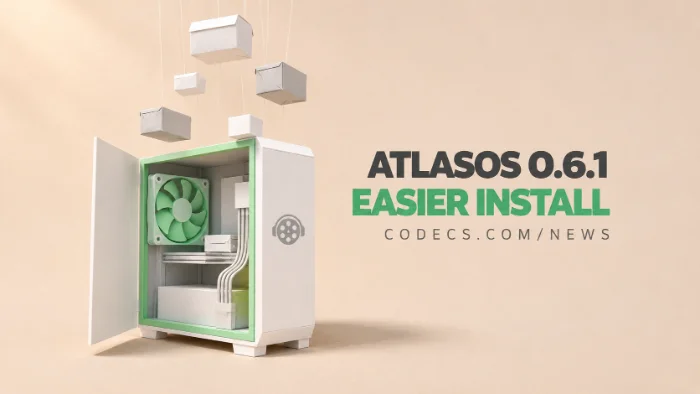
The short version: AtlasOS is fine for a gaming PC you're happy to wipe and set up from scratch. On your only PC, on Windows 11 Home, or if you just want fewer ads, a reversible tweak tool is the safer choice.
What AtlasOS Is
AtlasOS is a free, open-source modification for Windows 11. It isn't a separate operating system - it installs on top of a genuine copy of Windows and changes it.
It removes preinstalled apps such as OneDrive, turns off telemetry, ads and many background services, and aims for lower latency in games. Your apps, games, Windows Update and the Microsoft Store keep working.
What's New in 0.6.0 and 0.6.1
Version 0.6.0 arrived on 22 November, and 0.6.1 followed about three hours later to fix install failures. The big change is Atlas Manager, one app that replaces the old AME Wizard and playbook files.
- One app does everything. It checks your PC, installs pending Windows updates, walks you through your choices, then installs Atlas.
- Builds the USB for you. It can download Windows 11 from Microsoft and make an Atlas install USB without a separate tool. This part is still marked Beta.
- In-place updates. If you run Atlas 0.4.1, 0.5.0 or 0.6.0, you can update without reinstalling Windows. Atlas 0.4.0 and older still need a fresh install.
- Newer Windows. It supports Windows 11 25H2 and 26H2, and switches off newer extras such as Click to Do and the AI agent in Settings by default.
- Your choice on safety. You decide during setup whether to keep Microsoft Defender, processor protections and automatic updates.
Before You Try It
Read these first:
Windows 11 Home isn't supported - you need Pro, Education or Enterprise, plus a public release (no Insider builds). Atlas recommends a clean install, and putting it on a used PC is unsupported. And "Reset this PC" won't undo Atlas - going back means reinstalling Windows.
- Back up everything. A clean install erases your files, and OneDrive is removed, so synced files stop syncing.
- Keep Defender on. If you turn it off during setup, you're on your own for protection. Third-party antivirus isn't supported.
- Speed claims are Atlas's own. Its site claims much lower memory use and higher frame rates, but those are the project's tests on its own machines, not independent ones.
Want Less Bloat Without the Risk?
If what bugs you is ads, Copilot and preinstalled junk, you don't need to rebuild Windows. These free tools work on your current PC, Home edition included.
- FluentTweaker (formerly Winslop) removes bloatware, ads and Copilot with tweaks you can reverse.
- Wintoys switches off ads and AI features and cleans up junk, explaining every setting before you change it.
- FlyOOBE lets you skip bloat while setting up a fresh Windows 11 - and gets it onto older PCs that fail the TPM check.
Our pick:
Try a reversible tool first. If your PC still feels sluggish in games and you have a spare drive to experiment on, AtlasOS is the next step.
Quick questions
Is AtlasOS safe?
It's open source and keeps Windows Update and Defender if you choose to. The risks are needing a clean install, losing some features, and no official Microsoft support.
Does AtlasOS work on Windows 11 Home?
No. It needs Windows 11 Pro, Education or Enterprise. Home, LTSC and Server editions aren't supported.
Is AtlasOS legal?
Yes. It modifies a genuine Windows install rather than shipping a pirated copy, and you still need your own Windows licence.
How do I remove AtlasOS?
You reinstall Windows from Microsoft's own installation media. "Reset this PC" won't remove it.
Can I update AtlasOS without reinstalling Windows?
Yes, from version 0.4.1 or newer. Open Atlas Manager and choose Update to Atlas. Older versions need a fresh install.
The bottom line
Atlas Manager makes AtlasOS much easier to install and keep updated, but it's still a fresh-start mod for Pro editions. For most people, a reversible debloat tool gets the same peace and quiet with none of the risk.


Latest news comments
What readers are saying AllI was having the same error issue with the dead playlist link the other guy above did. Thank you so much for ...
Team replied News: Free USA IPTV Playlist: The American TV That Is Really Free 2 commentsInteresting development with the Fire TV Stick 4K — losing Kodi sideloading is a big deal for a lot of users. For those ...
News: The New Fire TV Stick 4K Can't Run Kodi - Here's Which Fire Stick Still Can 3 commentsBrave just enabled it by default for stable users yesterday (1.97). Not specified is chromeOS will be passively gaining decode capability too, and ...
Team replied News: JPEG XL Is Back in Chrome: What It Means and How to Open JXL Files 1 comment