Most comparisons ask you to pick a side. For media work you rarely have to, because the buttons and the black box usually run the same engine underneath.
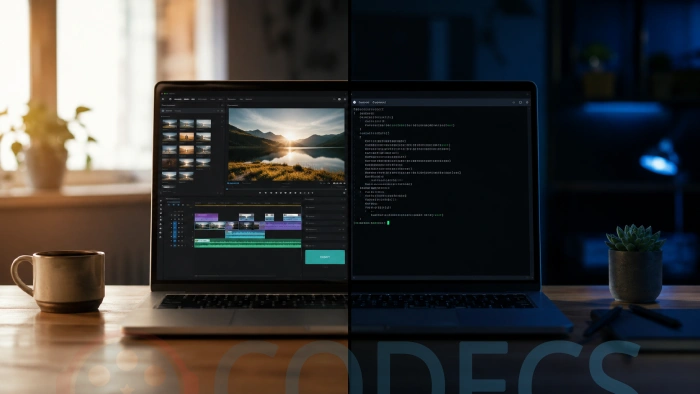
A graphical interface, or GUI, is the one with windows, menus and a preview.
A command line interface, or CLI, is a text box where you type an instruction and press Enter.
That is the entire difference.
Everything else people argue about is really a question about the job in front of you.
They Are Not Actually Rivals
Here is the part most GUI-versus-CLI articles leave out. A large share of the friendly, clickable media software on your PC is a front-end for a command-line program.
FFmpeg is the clearest example, a pure command-line engine with no window of its own.
It is also what runs quietly inside HandBrake and Shutter Encoder the moment you click Start.
The same pattern shows up in audio. LameXP is a normal Windows program with a drag-and-drop list, and what it does when you press Encode is call LAME MP3 Encoder, a command-line tool, on your behalf.
What this means for you. If you already use HandBrake, LameXP or FastFlix, you are running command-line software right now. Choosing a GUI is not a rejection of the command line, it is a decision to let someone else write the command.
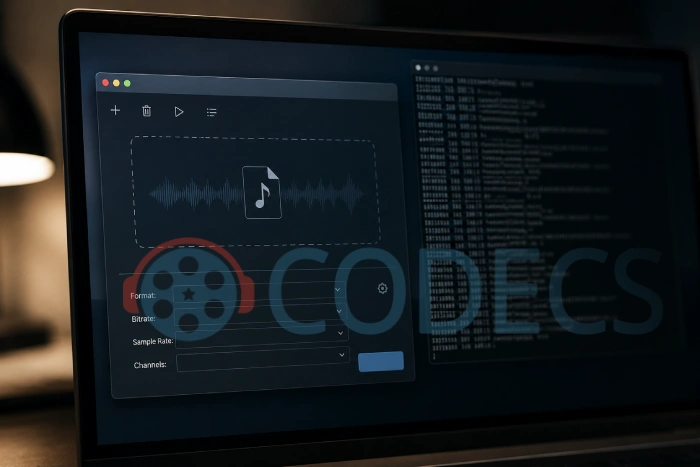
What a GUI Is Genuinely Better At
A graphical interface shows you the options. That sounds obvious, but it is the whole reason GUIs exist, and it matters most when you do not yet know what you want.
Anything involving your eyes belongs in a GUI. Judging whether a crop looks right in IrfanView, or finding the exact frame to cut in AviDemux, is a visual decision and no command can make it for you.
The same goes for anything you do once. Trimming one holiday clip in LosslessCut takes about twenty seconds, and no amount of typing beats that.
And discovery is a real feature. Presets in HandBrake or the profile list in StaxRip teach you what the settings do, which a blank prompt never will.
What the Command Line Is Genuinely Better At
The command line wins on repetition. One instruction can be pointed at four hundred files as easily as at one, and it will not get bored on file 380.
It also wins on exactness. When you need a specific setting that a GUI never exposed, typing it is the only route, which is why encoder options for x265 end up on the command line so often.
It is repeatable in a way clicking is not. A command you saved last year does exactly the same thing today, whereas a sequence of fourteen clicks is one distraction away from a different result.
And it is small. yt-dlp is a single file that needs no installer and no window manager, which is why it runs happily on machines with no screen attached.
Side by Side, by Job
Forget interface preference for a moment and look at the task instead. The answer is usually obvious once you do.
| What you want to do | Interface that wins | Why |
|---|---|---|
| Play a file that will not open | GUI | You need to see the result immediately |
| Cut one clip out of one video | GUI | Finding the right frame is a visual job |
| Convert 400 files the same way | CLI | One line covers all of them |
| Learn what a setting actually changes | GUI | Presets and tooltips explain themselves |
| Do the identical job every week | CLI | Save it once, run it forever |
| Add subtitles or drop an audio track | Either | MKVToolNix ships both, same engine |
| Fix tags across a whole album | GUI | Kid3 and MediaMonkey do batch tagging with buttons |
Three Commands Worth Knowing
You do not need to become a command-line person to benefit from three lines. These are the ones that pay for themselves.
- Change the container without re-encoding. ffmpeg -i movie.mkv -c copy movie.mp4 rewraps an MKV as MP4 in seconds, because it copies the streams instead of squashing them again.
- Download a video with its audio attached. yt-dlp "URL" fetches the best available video and audio and merges them, using FFmpeg to do the merge.
- Encode a folder of WAV files to MP3. for %f in (*.wav) do lame -V2 "%f" runs LAME over every WAV in the current folder at a good variable bitrate.
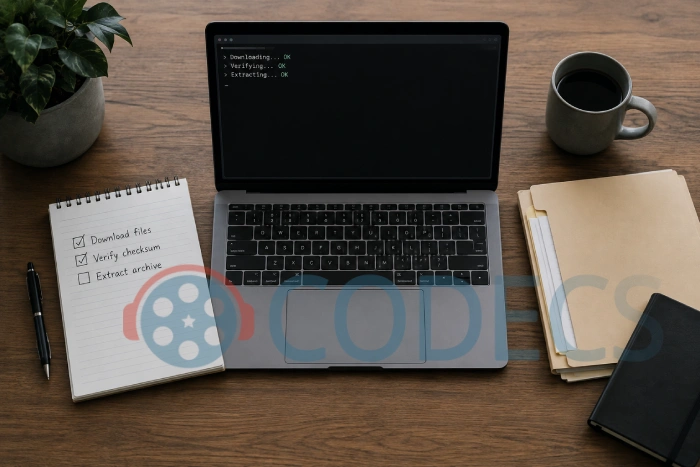
No install required. If you only need to convert a handful of audio files and would rather not download anything at all, our online audio converter runs in the browser.
The Third Category Nobody Mentions
Some software has neither interface, and this trips people up constantly. LAV Filters is the classic case.
You install it, and then nothing happens, because it is not a program you open. It is a set of decoders that sits underneath other players, so VLC Media Player or a DirectShow player becomes the interface.
Codecs generally work this way. If you are trying to work out which one a stubborn file needs, the Codec Finder will point you at it faster than reading a comparison article.
Who Should Skip the Command Line Entirely
Here is the honest tell. If you cannot describe the job as a rule that applies to more than one file, a command line will not save you anything.
"Make this look better" is not a rule. "Convert every WAV in this folder to a 192 kbps MP3" is, and that is the line where typing starts to beat clicking.
One-off creative work stays in a GUI, permanently and without apology. Editing a video in Shotcut or setting up a capture before you record your screen with VLC is not a command-line job and never will be.
One real risk. A mistyped output filename can silently overwrite the input file, and there is no recycle bin step to catch it. Write to a new folder while you are learning, and keep the originals until you have checked the result.
A Short History Lesson, Because It Explains a Lot
Older command-line tools were often the only option, not a deliberate choice. Nero AAC Codec is a good museum piece here, last updated in 2014 and usable only from a command prompt.
That era is why "CLI" still sounds like a punishment to a lot of people. It was, sometimes.
It is also why LameXP exists, and why FDK AAC Codec is the more sensible modern choice for AAC. The community built the buttons that the original authors did not.
Quick questions
Is the command line harder than a GUI?
It is harder to explore and easier to repeat. Nobody memorises FFmpeg options; people copy a command that works and keep it in a text file.
Do I need FFmpeg installed for GUI tools to work?
Usually no, because most of them bundle their own copy. yt-dlp is the common exception, and it wants FFmpeg on your system PATH to merge separate video and audio streams.
Which one is actually faster?
For a single file they are the same, since the encoding work is identical. The command line only pulls ahead once you have many files, because it does not wait for you to click.
Is LAV Filters a command-line tool?
No. It is a set of DirectShow decoders with a settings dialog, and it has no command line for normal use. Your media player is its interface.
Can I convert files without installing anything?
For audio, yes. Our browser-based online audio converter handles the common formats without a download.
What happens if I type a command wrong?
Almost always nothing, beyond an error message. The one exception worth respecting is an output filename that matches an existing file, which will be overwritten.
Pick the interface that fits the job, not the one that sounds impressive. Download FFmpeg if you want the engine itself, or HandBrake if you would rather have the buttons, and tell us in the comments which one you reached for.
For a visual summary of the differences, see this GUI vs CLI infographic, produced by educba.


How to Stream With VLC: Open a Stream URL or ...
5/5This is amazing! I could no longer afford cable so I cut the cord and started watching Hulu, Youtube, ...
Read More →Don't Open a .xmpeg File Before Reading This
3/5It's never a good sign when the potential malware you downloaded has the EXACT same filename as the example. ...
Read More →Free Popular IPTV Playlist: Where to Get Fres...
3/5How can you create a DSTV channels on IPTV?
Read More →