FLAC - the Free Lossless Audio Codec - is the open-source format that compresses audio without throwing a single bit away.
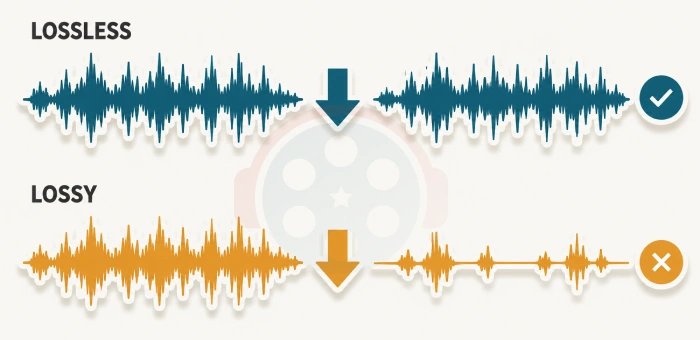
A 100 MB WAV becomes a 50-60 MB FLAC, and decoding it gives you back a byte-identical copy of the original.
Unlike MP3 or AAC, nothing is discarded along the way.
That makes it the right format for archiving music, hi-res downloads, and any library you might want to re-encode later.
It is royalty-free, formally standardised by the IETF in RFC 9639 in December 2024, and supported by virtually every player and device sold today.
How to Play FLAC Files
Most modern players handle it out of the box. VLC Media Player plays FLAC the moment it finishes installing, with nothing to configure.
foobar2000 adds gapless playback and ReplayGain, which matter once a library gets serious, and Winamp remains a popular choice for very large collections.
For system-wide support in Windows Media Player and any other DirectShow application, the K-Lite Codec Pack covers it. Windows 10 and 11 already decode FLAC natively, though, so check before installing anything - our guide to playing FLAC in Windows Media Player covers which versions need help and which do not.
On phones, MX Player decodes FLAC natively, and SpotiFLAC Mobile builds an offline lossless library without a PC in the loop.
How to Convert Audio to FLAC
For turning a folder of WAV, MP3 or AAC files into FLAC on Windows 10 or 11, X FLAC Encoder is the tool worth starting with. It is a free modern interface built around the official flac.exe reference encoder.
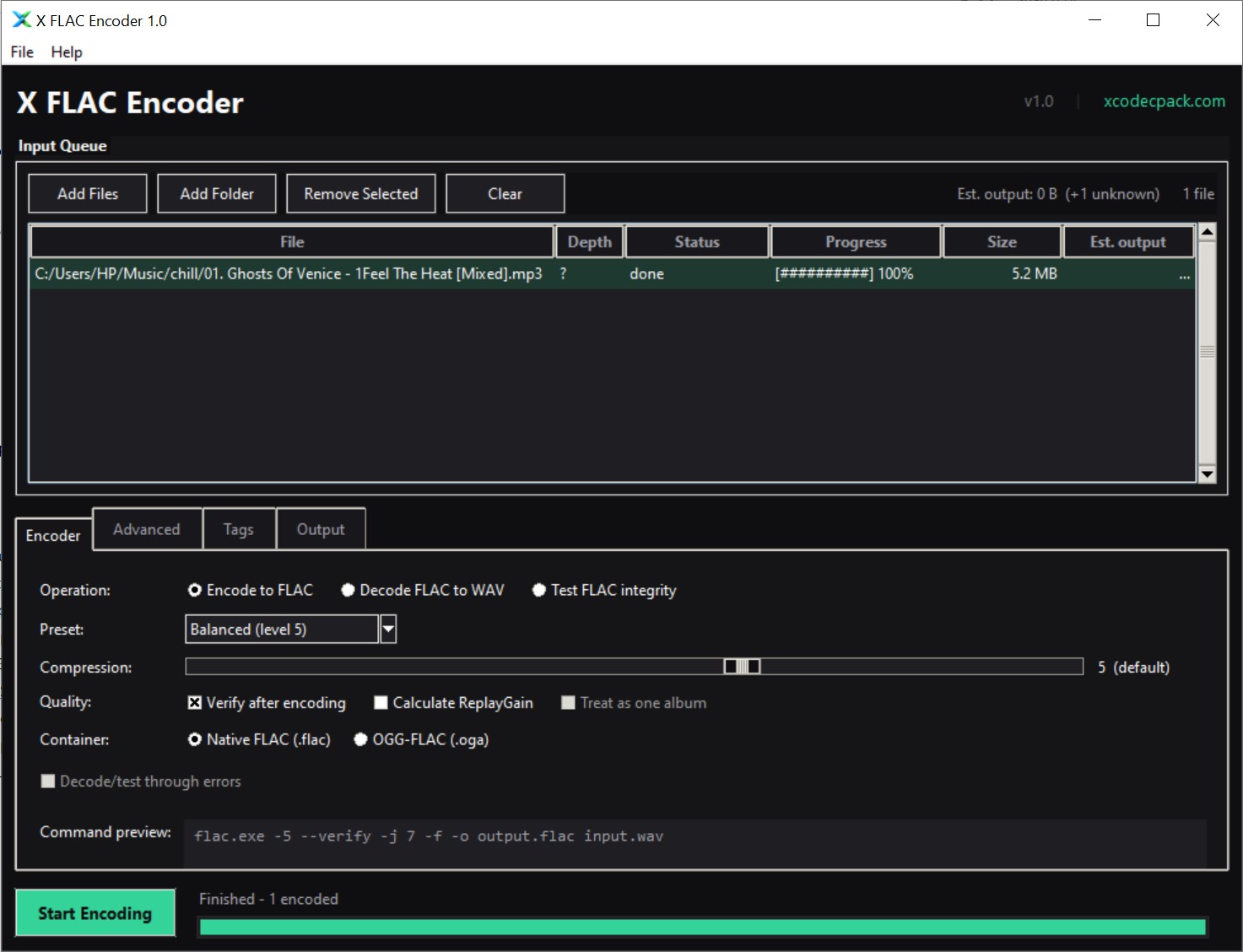
What it adds over the long-running FLAC Frontend, which has barely changed since around 2013, is the set of things a real library needs.
- Parallel batch processing. The reference encoder is single-threaded per file, so running several at once is what actually speeds up an album.
- ReplayGain in album mode. One gain value shared across a record, which keeps the loud chorus louder than the quiet intro.
- Real hi-res handling. A 24-bit master stays 24-bit through the whole round trip rather than being quietly truncated to CD quality.
- More than WAV in. MP3, AAC, ALAC, OPUS, APE and around twenty other formats, where FLAC Frontend accepts WAV only.
For ripping CDs straight to FLAC, Exact Audio Copy is still the gold standard - it reads each disc repeatedly and verifies the result against the AccurateRip database before you keep it.
CDex is the lighter, friendlier alternative, though it has been dormant since its final release in 2020, so treat it as a tool that still works rather than one that is still maintained.
For multi-format batch jobs, LameXP and the foobar2000 Free Encoder Pack both wrap FLAC alongside LAME, Opus and AAC.
Our guide to converting a library with foobar2000 walks that second route through end to end.
Just one or two files? The site's online audio converter does it in the browser with nothing installed.
Checking an Archive Is Still Intact
This is the half of the archiving argument most guides skip. Storing something for twenty years is only useful if you can tell whether it survived.
Every FLAC file carries an MD5 fingerprint of its own audio, written at encode time. That means a FLAC file can be checked against itself years later, and any bit rot, failed transfer or silent drive corruption shows up as a mismatch.
X FLAC Encoder has a Test integrity mode that runs this check across a whole folder in parallel and writes nothing. Worth doing once a year on an archive, and always after moving a library to a new drive.
If you download lossless from streaming services with something like SpotiFLAC, running the same check on the output folder before filing it away is a sensible habit.
FLAC Compared With the Alternatives
| Format | How it compares | Pick it when |
|---|---|---|
| ALAC | Same idea, narrower support outside Apple | Your library lives in the Apple ecosystem |
| Monkey's Audio | Compresses tighter, decodes slower, fewer devices | Disk space matters more than compatibility |
| Opus | Lossy, but far better than anything at low bitrates | Voice, podcasts, streaming on a tight connection |
| MP3 | Lossy and dated, and still plays absolutely everywhere | The file has to work on unknown hardware |
Monkey's Audio is the one people ask about most, and the honest answer is that the extra compression rarely justifies the compatibility you give up.
Opus sounds dramatically better than any lossless format at 64-96 kbps, because at that bitrate lossless is not an option at all - it is simply a different job.
And LAME MP3 remains the universal common denominator for anything leaving your own machine. The FLAC vs MP3 in 2026 guide goes properly into that trade-off.
Who Should Use FLAC
- Anyone archiving a CD collection. You are digitising those discs once, and a lossy rip is a decision you cannot reverse.
- Anyone with hi-res downloads. Paying for 24-bit audio and storing it lossily is throwing away exactly what you paid for.
- Anyone editing or mastering. Every lossy re-encode compounds the damage of the last one.
- Anyone who might re-encode later. Keep one lossless master and you can generate MP3, Opus or AAC copies from it forever without loss stacking up.
For everyday listening on phone speakers or cheap earbuds, FLAC is overkill and nobody should feel bad about that. But for any source you only digitise once, it is the only format worth using.
Quick questions
Is FLAC really lossless, or just very high quality?
Genuinely lossless. Decoding a FLAC file returns audio that is bit-for-bit identical to what went in, which is why every file carries a fingerprint you can verify against.
How much smaller is FLAC than WAV?
Roughly 40 to 50 percent smaller, so a 100 MB WAV usually lands between 50 and 60 MB. Busy, loud recordings compress least.
Does a higher compression level hurt quality?
No. Levels 0 to 8 only trade encoding time against file size, and the audio is mathematically identical at every one of them. Level 5 is the sensible default.
Can I hear the difference between FLAC and a good MP3?
On most equipment, usually not. The reason to keep FLAC is that it is a master you can re-encode from later, not that it sounds better through phone speakers today.
Do iPhones and Android phones play FLAC?
Android has for years, and modern iPhones handle it in the Files app. On Android, MX Player decodes it natively if your default player will not.
Is FLAC free to use commercially?
Yes. The format is royalty-free and the reference encoder is BSD-licensed, so there is nothing to pay for personal or commercial work.


I watch a lot of concerts using my DuckDuckGo Browser, the Flac Codec restores the sound quality of the music.
I'm glad I found this site, it does make a difference using the Flac Codec.