Every camera manufacturer once shipped a little plugin that made Windows understand its RAW files, and every single one of them has stopped.
Canon stopped in 2013, Nikon quietly pulled its download, and Sony ended its own in March 2020.
None of them was replaced by a newer codec from the same company.
That looks like neglect, and it is easy to read as camera makers abandoning their customers, but the real story is that the job moved somewhere else entirely.
What Actually Happened, Maker by Maker
These are the ones still hosted here, all frozen, all safe to read about before you install anything. The right column is the honest answer for each.
| Codec | What happened | Use instead |
|---|---|---|
| Canon RAW Codec | Last release 2013, 32-bit only, no 64-bit build ever made | Raw Image Extension, or Canon's own editor |
| NEF Codec | Nikon said it had no plans for a 64-bit version, then stopped offering the download | Raw Image Extension, or Nikon NX Studio |
| Sony RAW Codec | Downloads discontinued March 2020, folded into Sony's desktop app | Raw Image Extension, or Imaging Edge |
| Pentax RAW Codec | Frozen, with no successor announced | Raw Image Extension |
| Microsoft Camera Codec Pack | Microsoft's own multi-brand answer, development stopped around 2014 | Raw Image Extension on Windows 10 and 11 |
| Adobe DNG Codec | Built for Windows 7, untouched since 2012 | Nothing - modern Windows reads DNG previews on its own |
Windows Started Doing the Job Itself
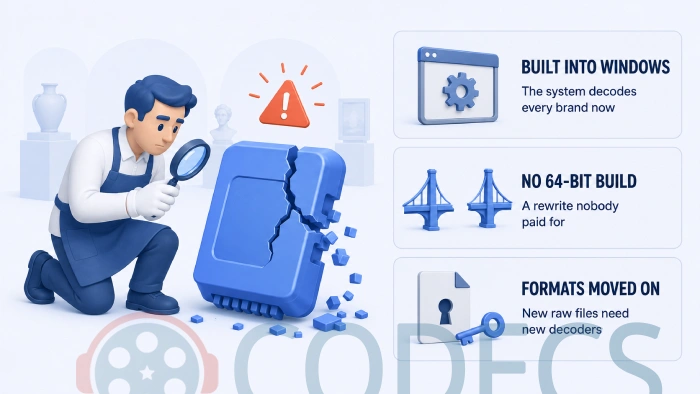
This is the main reason, and everything else follows from it. Microsoft first shipped its own multi-brand Camera Codec Pack for Windows 7 and 8, then went further and built RAW decoding into the operating system.
Raw Image Extension is that successor, free from the Microsoft Store and covering well over a hundred formats in a single install.
Version 2.5 needs Windows 11, and Windows 10 machines take the 2.4 build instead, which installs the same way.
The important part is what it is built on. It uses LibRaw, an open-source library that already knew how to read every one of these formats, so Microsoft did not need permission or code from any camera manufacturer to make it work.
Once the operating system decoded Canon, Nikon, Sony and Fujifilm files without being asked, a per-brand plugin had nothing left to do. Microsoft Photos and File Explorer both pick it up automatically.
The Windows Those Codecs Plugged Into Went Away
Read the old marketing copy on any of these codecs and it promises the same two things: thumbnails in Windows Explorer, and your photos opening in Windows Photo Viewer or Windows Photo Gallery.
Windows Photo Gallery shipped as part of Windows Live Essentials, and Microsoft discontinued the whole bundle on 10 January 2017. It simply stopped existing.
Windows Photo Viewer had a stranger fate. It is still sitting on the disk in Windows 10 and 11, but its file associations were unregistered and it was hidden from the default apps list, so the Photos app could take over.
A plugin whose entire pitch was "your RAW files will open in Windows Photo Viewer" had lost its shop window. Nobody was going to fund a new version of it.
Nobody Was Going to Pay for the 64-bit Rewrite
Almost all of these codecs were 32-bit only, and that is not a small detail. A 32-bit codec cannot serve a 64-bit File Explorer, which is what everyone has been running for well over a decade.
Nikon said openly that it had no plans to build a 64-bit version of its NEF codec. Canon never shipped one at all, on any version of Windows.
That turned the problem from maintenance into replacement. Porting a system-level image decoder to 64-bit is real engineering work, and it produces no new revenue, no lock-in and no reason for anyone to buy another camera.
There is a quieter cost too. A decoder that sits inside the operating system and parses files from the internet is a permanent security responsibility, and carrying that for fifteen years is a liability with nothing on the other side of the ledger.
Then the Formats Moved Out From Under Them
Even a maintained codec would have hit a wall. Canon's CR3, introduced in 2018, is built on a completely different container from the TIFF-based CR2 that came before it.
That is not a format you add support for in an update. It is a new decoder, written from scratch, for a plugin the company had already stopped investing in.
If you want the detail on which maker writes which format and why they all differ, our guide to RAW image formats covers the whole landscape.
The Makers Would Rather You Used Their App
Every manufacturer now ships a free desktop application instead, and from their side the maths is obvious. One app that runs on Windows and macOS costs less to maintain than a plugin rebuilt for each new Windows release.
It also does something a codec never could, which is keep you inside their software. A codec is invisible plumbing that makes third-party tools work better; an app is a place where the manufacturer gets to show you their own colour science.
- Digital Photo Professional - Canon's, free, and it reads every format Canon has ever written.
- Nikon NX Studio - handles NEF and NRW natively and carries Picture Control settings through from the camera.
- Fujifilm X RAW Studio - unusual, in that it renders using your connected camera's own processor.
The catch is that none of these gives you thumbnails in File Explorer. They are editors, not codecs, and that difference is exactly what got lost when the plugins were retired.
Should You Still Install One of the Old Ones?
Almost certainly not, and the test takes ten seconds. Open Settings, go to System, then About, and read the System type line.
If it says 64-bit, the old maker codecs are not an option at all - they will not give you working previews no matter what you do. Install Raw Image Extension and stop there.
If it says 32-bit, you are running something old enough that the maker codecs are genuinely the better fit, because Raw Image Extension will not install below Windows 10 version 1903.
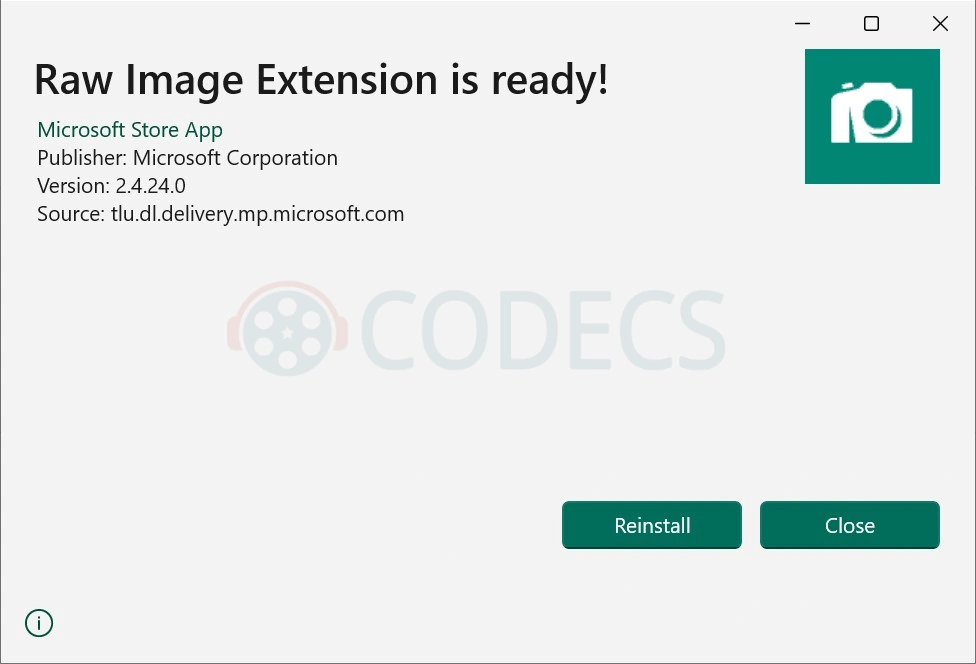
The one-line answer. On any current machine, install the Raw Image Extension build for your version of Windows and you are done - it covers every brand these dead codecs used to handle separately, and it is the only one of them still being updated.
If You Would Rather Not Rely on Windows At All
There is a second route that sidesteps this entire history. Several image viewers decode RAW themselves and never ask the operating system for help, which means they work regardless of what Windows does or does not support.
- FastStone Image Viewer - full-screen browsing with the EXIF panel a click away.
- XnView - over 700 formats, with batch rename and convert attached.
- IrfanView - the lightest of the three, extended through its plugins pack.
- ImageGlass - the modern-looking one, and a reasonable replacement for Photos.
For thumbnails in Explorer without a system codec, SageThumbs is a shell extension that generates previews for a long list of formats.
And for developing the files rather than looking at them, RawTherapee and darktable are the free processors most people settle on.
The Lesson Worth Taking From All This
Six proprietary decoders died and one open-source library now does the work of all of them. That is the actual shape of what happened, and it is worth remembering next time a format's future depends on one company continuing to care.
It is also the argument for DNG. Adobe DNG Converter turns any camera raw file into an openly documented format without discarding the original data, which is the cheapest insurance available against exactly this pattern repeating.
The same thing is happening to still-image formats more broadly, incidentally. HEIF Image Extensions exists because Windows needed HEIC support it did not ship with, and it comes from Microsoft rather than from Apple.
Quick questions
Is it safe to install an old maker RAW codec?
Safe, but usually pointless. On 64-bit Windows they will not produce working previews at all, and on a current machine you would be adding a second decoder for files the system already handles.
Did any camera maker replace its codec?
No. Every one of them moved to a desktop application instead, and an application does nothing for File Explorer thumbnails - that job passed to Microsoft.
Why does my brand-new camera still show blank thumbnails?
Raw Image Extension tracks the LibRaw library, so support for a body released in the last few months can lag by a while. Converting those files to DNG is the reliable workaround in the meantime.
What about Windows 7 and 8?
Raw Image Extension needs Windows 10 version 1903 or later, so on older systems the Microsoft Camera Codec Pack is the closest multi-brand equivalent.
Is Raw Image Extension going the same way?
There is no sign of it being retired, and it is still receiving updates. The fair criticism is that it lags on newly released cameras, which is a consequence of everyone now depending on one library.
Do I need a codec if I only use an editor?
No. RawTherapee, darktable and the manufacturers' own apps all decode RAW themselves and ignore whatever Windows can or cannot read.
More decoders, converters and viewers are listed in the Graphics section.
The manufacturers stopped because they no longer had to, and for once that is genuinely good news - one free install now covers every brand they used to handle one at a time.
Install Raw Image Extension and let Windows draw your thumbnails again, or tell us which camera you are still fighting with and we will look into it.


Latest comments
AllFree Popular IPTV Playlist: Where to Get Fresh, Legal M3U Li...
This is great! How can we add an EPG?
Free M3U Playlist for TiviMate: Legal Lists That Load Cleanl...
The link isn't working. https://www.free-codecs.com/guides/free-epg-urls-for-iptv.htm
The New Fire TV Stick 4K Can't Run Kodi - Here's Which Fire ...
The Vega OS shift is the biggest Firestick story of 2026. Anyone buying now needs to know: 4K Max = sideloading ...