Tiny11 Builder, the free tool that makes a slimmed-down Windows 11 installer, has been rebuilt as a proper Windows app - and it now handles 26H2.
The short version: you give it Microsoft's own Windows 11 ISO (or let it download one), pick what to strip out, and it builds a smaller installer. It is free, open source and made by the developer known as NTDEV - you can download Tiny11 Builder here.
Here is what changed, which of its three modes to pick, and how to get your slim Windows onto a USB stick without regrets.
What's New in the Tiny11 Builder App
Until now, Tiny11 meant running a PowerShell script and typing drive letters. Version 0.1.1, released on 12 October, swaps that for a step-by-step window with a live progress bar.
- Windows 11 26H2 support - older versions refused to touch 26H2 images. This one builds them.
- It fetches Windows for you - it can download the latest official Windows 11 ISO in your language, or use one you already have.
- Turbo mode - a faster way to process the image. In the developer's own test, a build dropped from about 90 minutes to about 32. Your time will vary.
- Pick up where you left off - if a build is interrupted, it can resume instead of starting again.
- Built-in checks - it verifies the finished ISO with a checksum, so you know the file is intact.
- Arm laptops too - there are separate downloads for regular Intel and AMD PCs and for Windows on Arm.
The original scripts are still included for anyone who prefers them. The source code is public on the project's GitHub page, so anyone can check what it does.
Which Mode Should You Pick?
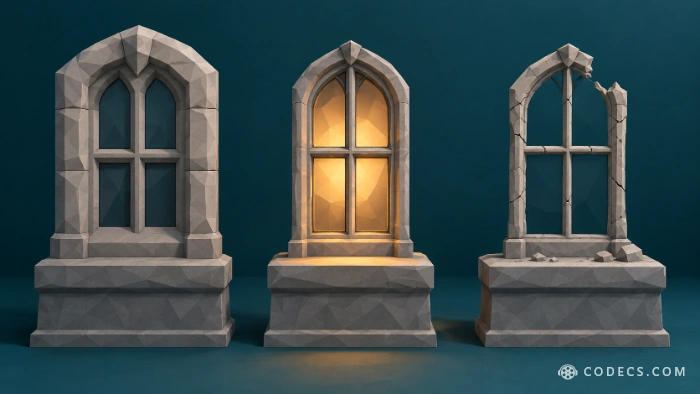
The app opens with three choices. For a PC you actually use, the answer is almost always the first one.
- Tiny11 (recommended) - removes bundled apps and extras but keeps Windows Update, Microsoft Defender and the recovery tools. Your PC stays patched and protected.
- Tiny11 Core - goes much further and removes Windows Update and recovery and switches off Defender. It cannot be updated, ever. Use it only for throwaway test machines.
- Custom - you tick exactly which apps, features and services go. Powerful, but removing the wrong part can break Windows.
Never use Core on your main PC.
A Windows that cannot get security updates gets less safe every month. Core is built for quick virtual machines, not for the laptop you bank on.
What Tiny11 Takes Out
According to the project, the standard Tiny11 recipe removes these:
- Microsoft's add-ons - Copilot, Teams, the new Outlook, OneDrive, Clipchamp and the Edge browser.
- Bundled apps - News, Weather, Xbox, Solitaire, Maps, To Do, Mail and Calendar, Sound Recorder, Phone Link and more.
- Media Player - Windows' own video and music app. More on that below.
- The account step - setup skips the Microsoft account sign-in, so you can use a local account.
Want to keep something, like Sound Recorder? Choose Custom mode and leave it ticked. Bear in mind that a big Windows update may quietly bring a few removed apps back.
No Edge means no browser on first boot. Before you install, put the setup file of the browser you want on a USB stick, so you are not stuck at an empty desktop.
How to Build and Install Your Slim Windows 11
- Download the app - get Tiny11 Builder from our download page. Pick the x64 ZIP for a normal PC, or ARM64 for Windows on Arm.
- Unzip and run it - extract the whole ZIP, right-click Tiny11Builder.exe and choose Run as administrator.
- Choose your Windows - let the app download the official Windows 11 ISO, or point it to one you already have.
- Pick Tiny11 mode and build - turn on Turbo if you like, then let it run. It needs time and a good amount of free disk space.
- Make a USB stick - open Rufus, select your new ISO, plug in a USB stick of 8GB or more and click START.
- Install - boot the PC from the USB stick and install Windows. It is a clean install, so copy your files somewhere safe first.
Tip: try your new ISO in a virtual machine first. If something you need is missing, you lose ten minutes instead of a weekend.
Your Slim PC Will Need a Video Player
With Media Player gone, double-clicking a video or song does nothing useful. That is the first thing most people notice on a fresh Tiny11 install.
The easy fix is VLC Media Player. It plays almost every format out of the box, including MKV, HEVC and Dolby audio, and it is free with no ads.
Prefer a lighter player, or want other apps to play everything too? The K-Lite Codec Pack adds the codecs Windows lacks and comes with its own small, fast player.
Can Tiny11 Install on an Unsupported PC?
Mostly, yes. Tiny11 installers skip the TPM and Secure Boot checks that block many older PCs from installing Windows 11.
There is one wall nothing gets past: since 24H2, Windows 11 needs a processor with the POPCNT and SSE4.2 instructions. That covers roughly every Intel chip since 2009 and AMD since 2011, so very old PCs still cannot run it.
Microsoft's position has not changed either. It says PCs below the official requirements are "not entitled" to updates, even though in practice they usually keep getting them.
Not Ready to Rebuild Windows? Two Easier Routes
Tiny11 is the most thorough option, but you do not need it to get a calmer Windows.
- Installing fresh anyway? Rufus's one-checkbox clean-up removes OneDrive, Teams, Outlook and Copilot while installing the normal, unmodified Windows.
- Already set up and do not want to reinstall? A debloat tool such as FlyOOBE strips the same extras from a running PC.
Build it yourself - do not download a "ready-made" Tiny11.
Websites offering finished Tiny11 ISOs are asking you to trust a stranger's copy of Windows. The Builder makes yours from Microsoft's own image, so you know exactly what went in.
Quick questions
Is Tiny11 Builder safe?
The tool is open source and starts from Microsoft's official ISO, so the image is as safe as the choices you make. Stick to Tiny11 mode, avoid Core on a real PC, and only download the app from a trusted source, such as our Tiny11 Builder download page or the project's own GitHub.
Does Tiny11 still get Windows updates?
Yes, in the normal Tiny11 mode. Only Tiny11 Core removes Windows Update completely.
Is Tiny11 legal? Do I still need a licence?
Building it is legal, because it only modifies Microsoft's own installer. You still need a valid Windows licence to activate it, just like a normal install.
Can I upgrade my current PC to Tiny11 without reinstalling?
No. A Tiny11 ISO is meant for a clean install. To slim down a PC that is already running, use a debloat tool such as FlyOOBE instead.
Why will videos not open after installing Tiny11?
Tiny11 removes Windows' Media Player app. Install a free player such as VLC and your videos will play again.
Tiny11 Builder finally feels like a real app - build in Tiny11 mode, test it in a VM, and keep a video player ready.
Download Tiny11 Builder and Rufus to put your slim ISO on a USB stick, then tell us how small your build came out.


Latest reviews
AllFree M3U Playlist for TiviMate: Legal Lists That Load Cleanl...
5/5The link isn't working. https://www.free-codecs.com/guides/free-epg-urls-for-iptv.htm
The New Fire TV Stick 4K Can't Run Kodi - Here's Which Fire ...
5/5The Vega OS shift is the biggest Firestick story of 2026. Anyone buying now needs to know: 4K Max = sideloading ...
JPEG XL Is Back in Chrome: What It Means and How to Open JXL...
5/5Brave just enabled it by default for stable users yesterday (1.97). Not specified is chromeOS will be passively gaining decode ...