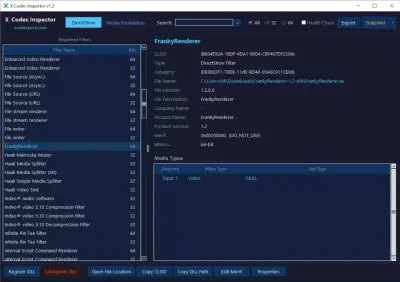
FrankyRenderer 1.2
FrankyRenderer 1.2 is a free, open-source video renderer for 64-bit Windows that plugs into MPC-BE and PotPlayer and uses libplacebo, the engine behind mpv, for sharp upscaling, HDR tone mapping and Dolby Vision playback.
- Updated
- Size
- 16.5MB
- Downloads
- 2
FrankyRenderer is a new free video renderer for 64-bit Windows, built for people who want the best possible picture from MPC-BE or PotPlayer.
It takes the core of MPC Video Renderer and hands the image processing to libplacebo, the same library that powers the mpv player.
The result is madVR-style upscaling, HDR tone mapping and Dolby Vision support in a renderer that is still being updated every few days.
What FrankyRenderer Actually Does
A renderer is the last step in a video player. Once the video has been decoded, the renderer resizes the picture to your screen, converts the colours and hands each frame to the graphics card.
That last step decides how sharp, smooth and accurate the picture looks. FrankyRenderer replaces your player's built-in renderer with one that has far more control over scaling, HDR and colour.
It runs on Direct3D 11, so any reasonably modern graphics card can drive it. The heavier settings, such as neural upscaling shaders, need a capable GPU.
Where It Fits in Your Player
FrankyRenderer does not open or decode video files by itself. It is one link in the usual DirectShow chain on Windows:
- Splitter: opens the MKV or MP4 file and separates video, audio and subtitles.
- Decoder: turns the compressed video into pictures, usually LAV Filters or the MPC Video Decoder.
- Renderer: FrankyRenderer scales, tone maps and colour-corrects those pictures and puts them on screen.
- Subtitles: drawn by the renderer itself, or by XySubFilter, which version 1.2 now supports.
If you already use LAV Filters with MPC-BE or PotPlayer, nothing else in that chain has to change. Our LAV Filters setup guide covers hardware decoding if you have not set it up yet.
Which Players It Works With
Only two players can select FrankyRenderer at the moment, and both need fairly recent builds.
- MPC-BE: version 1.9.3 or newer, which lists FrankyRenderer in its video renderer settings.
- PotPlayer: the 64-bit Beta build 261030 or newer. Older stable builds do not offer it.
It is a 64-bit renderer only, so 32-bit players cannot load it. MPC-HC and other DirectShow players are not on the supported list.
How to Install It
The download is a single ZIP of about 16.5 MB that works with both players. There is no installer wizard, just two small scripts.
- Extract the ZIP to a folder you will keep, such as C:\FrankyRenderer.
- Run Install.cmd from that folder to register the renderer with Windows.
- Open your player's settings and choose FrankyRenderer as the video renderer.
- Press Ctrl+J during playback to see the statistics overlay and confirm it is working.
Do not move or delete the folder.
The renderer runs from where you installed it. To remove it, run Uninstall.cmd from the same folder first.
Upgrading from an older version takes one extra step. Export your settings, close all players, run the old Uninstall.cmd, then extract the new ZIP and run Install.cmd again.
The Features Worth Knowing About
- Three HDR modes: pass HDR straight to an HDR TV, tone map it to your monitor's peak brightness, or tone map it to SDR for a normal screen.
- Dolby Vision: Profile 7 FEL and MEL from UHD Blu-ray folders, plus Profile 5 and 8, without an extra filter.
- Upscaling: classic filters such as EWA Lanczos and Spline, plus 23 bundled mpv shaders including FSRCNNX, RAVU and Anime4K.
- Smooth Motion: blends frames to reduce judder when the film's frame rate does not match your screen.
- NVIDIA extras: RTX Video Super Resolution, RTX Video HDR for SDR videos, and native HDR10 passthrough with the Windows HDR switch left off.
- Black bars: detects bars burned into the video and can crop or zoom to fill the screen, without mistaking end credits for bars.
- Profiles: give a folder its own settings, for example a different upscaler for anime, and set each display separately.
Not sure where to start? The Quality menu has Fast, Default and High Quality presets, and "Measure this PC" picks settings that your graphics card can actually keep up with.
What's New in Version 1.2
- New HDR mode: "Tone Map HDR to Display Peak" keeps HDR output but rolls off highlights the screen cannot show, which suits HDR monitors and laptops.
- Easier setup: a redesigned settings menu with themes, German and Chinese translations, quality presets and the "Measure this PC" button.
- Folder profiles and a "Same Settings on All Displays" switch.
- XySubFilter support and RTX Video HDR for SDR videos.
- Fixes: Dolby Vision Profile 7 now uses the enhancement layer on UHD Blu-ray, and washed-out 16-bit output with Windows HDR off is fixed.
- Smaller download: about 16 MB, down from 20 MB, thanks to a slimmer FFmpeg build.
FrankyRenderer, madVR or MPC Video Renderer?
| Renderer | What it is | Pick it if |
|---|---|---|
| FrankyRenderer | New, open source, libplacebo processing, very frequent updates | You use MPC-BE or PotPlayer and want Dolby Vision, HDR tone mapping and shader upscaling in one place |
| madVR | The long-standing high-quality renderer, closed source, rare public updates | You already have it tuned and it does everything you need |
| MPC Video Renderer | Lighter, mature and stable, the base FrankyRenderer is built on | You want good HDR and scaling with less to configure and less load on the GPU |
If you try MPC Video Renderer first, our MPC Video Renderer setup guide walks through it in MPC-BE.
Who Should Look Elsewhere
FrankyRenderer only had its first release on 21 October 2026, and its developer calls it a work in progress. If you need a set-and-forget renderer for a family media PC, give it a few more months.
It has been tested on Windows 11 only. Windows 10 should work, but nobody has confirmed it officially yet.
AMD users lose one feature: native HDR passthrough is NVIDIA-only for now, so on AMD you switch on Windows HDR instead. If HDR still looks grey, see why HDR video looks washed out on a PC.
If you just want 4K and HDR files to play without tuning anything, a self-contained player is easier. mpv uses the same libplacebo engine out of the box, and VLC Media Player plays almost anything.
Our roundup of the best free 4K video players for PC compares the options side by side.
Technical Specs
| Version | 1.2 (6 November 2026) |
| System | Windows 11 x64 (tested), Windows 10 x64 (expected to work) |
| Players | MPC-BE 1.9.3 or newer, PotPlayer 64-bit Beta 261030 or newer |
| Graphics | Direct3D 11; some extras need an NVIDIA RTX card |
| File | FrankyRenderer-1.2-x64.zip, about 16.5 MB |
| Licence | Free and open source, GPL-3.0-or-later |
| Developer | mryx007 on GitHub |
Quick questions
Is FrankyRenderer free?
Yes. It is open source under the GPL licence, with no paid version and no adverts.
Does it work with MPC-HC or VLC?
No. It only supports MPC-BE 1.9.3 or newer and recent 64-bit PotPlayer Beta builds. VLC does not use DirectShow renderers at all.
Do I still need LAV Filters?
You still need a decoder, because FrankyRenderer only draws the picture. MPC-BE and PotPlayer have their own decoders, and LAV Filters is the usual choice if you prefer it.
Can it play Dolby Vision on a normal monitor?
Yes. It processes Dolby Vision itself and can tone map the result to SDR, so you get correct colours instead of the usual green and purple tint.
Why is my playback stuttering after I changed settings?
Shader upscaling and Smooth Motion can be too heavy for the graphics card. Press Ctrl+J to check the render times, then pick a lighter preset or run "Measure this PC".
Download FrankyRenderer 1.2 and see how your films look with it, or tell us how you got on if you have used it before.
Be the first to review FrankyRenderer 1.2
Thanks, it's in!
Your review will appear once it has been checked.
Related to FrankyRenderer
More free downloads to try-

madVR Closest match
madVR is a free, GPU-powered video renderer for Windows that adds high-quality upscaling and HDR tone mapping to players like MPC-HC.
Mentioned in our FrankyRenderer write-up
-

MPC Video Renderer
MPC Video Renderer is the video renderer stage rather than a codec, the filter that decides how decoded frames actually reach your screen.
Mentioned in our FrankyRenderer write-up
-

MPC Video Decoder
MPC Video Decoder is the DirectShow decoder stage, handling H.264 and MPEG-family video with GPU acceleration.
Mentioned in our FrankyRenderer write-up
-

DirectVobSub (VSFilter) Most popular
The DirectShow subtitle renderer that makes SRT, ASS and VobSub files appear in Windows Media Player, MPC-HC and any other DirectShow player.
In common: renderer, mpc, directshow
-

LAV Filters Top rated
A free, open-source DirectShow splitter and decoder set that lets Windows players open almost any video or audio format.
Mentioned in our FrankyRenderer write-up
-

DScaler MPEG Filters Top rated
DScaler MPEG Filters is a set of codecs enabling you to play MPEG2 files on any video player, from Windows Media Player to MPC-HC and PotPlayer.
In common: potplayer, mpc, video