HDR video looks grey and flat when nothing between the file and your screen translates it - and the fix is usually two settings, not new hardware.
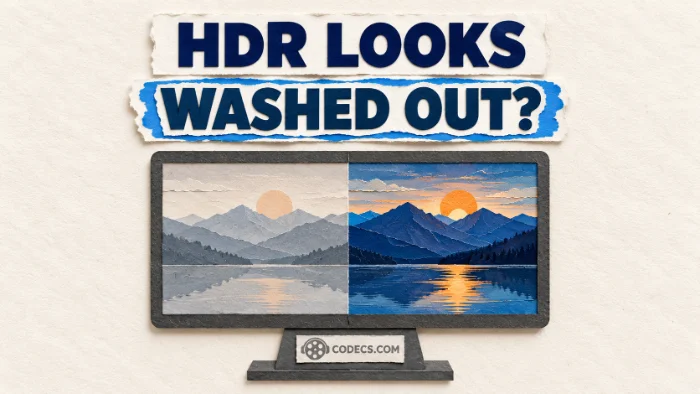
A 4K HDR film that looks dull, milky or greyish is one of the most common playback complaints on Windows.
Nothing is wrong with the file, and usually nothing is wrong with your screen either.
HDR stores brightness and colour in a different way from ordinary video, and something has to convert it for the display you actually have.
The one-minute test. Open the same file in VLC Media Player, which converts HDR for ordinary screens on its own. If it looks right there, your file and screen are fine and the fix is in your usual player's settings.
Why HDR Looks Washed Out
Ordinary video, called SDR, is made for screens around 100 nits bright with a standard range of colour. HDR10 and HLG video describe brightness on a much bigger scale, up to 10,000 nits, with a wider colour range on top.
If a player sends that HDR signal straight to an ordinary screen, the screen reads it as SDR. Bright parts get squashed, colours lose their strength, and the whole picture turns grey.
The cure is called tone mapping: squeezing HDR down into the range your screen can show, so the picture keeps its contrast. A good player or video renderer does it for you, once it knows it has to.
First, Work Out Which Case You Have
| What you see | What is happening | Go to |
|---|---|---|
| HDR films look grey on a normal monitor or laptop | The player is not converting HDR to SDR | Fix 1 |
| HDR films look grey on an HDR monitor or TV | Windows HDR is off, or the player is not passing HDR through | Fix 2 |
| The whole desktop and YouTube look dull after turning HDR on | Ordinary SDR content is shown too dim inside HDR mode | Fix 3 |
| Every video has grey blacks, HDR or not | A colour range mismatch, not an HDR problem | Fix 4 |
Not sure the file is HDR at all? Open it in MediaInfo and look at the video section. An HDR format line, or PQ or HLG under transfer characteristics, means it is.
Fix 1: Convert HDR for an Ordinary Screen
This is the case on most laptops and office monitors. The best free tool for it is MPC Video Renderer, which version 0.11.1 gave a new Measured mode that adjusts the conversion to every frame.
It works inside MPC-BE, the player it is built alongside, and in MPC-HC and PotPlayer too.
- Install MPC-BE and MPC Video Renderer. Unpack the renderer to a permanent folder and run Install_MPCVR_64.cmd as administrator, or the 32-bit one if your player is 32-bit.
- Select the renderer. In MPC-BE open Options, then Video, choose MPC Video Renderer under Video renderer, and click Properties.
- Tick Use Direct3D 11. The HDR features need it, and any graphics card from the last ten years supports it.
- Turn on Convert to SDR. It sits in the HDR box, under the line that says what to do if passthrough is impossible or disabled.
- Set Method to Measured. It reads the real peak brightness of each frame, so dark and bright scenes both keep their detail.
- Fine-tune SDR display nits. This tells the renderer how bright your screen is - try a few positions until the picture looks natural, then click OK and restart the video.
The other two methods are there if Measured does not suit a film. Metadata follows the brightness information stored in the file, and Fixed applies one setting to everything.
Press Ctrl and J during playback to show the renderer's statistics, which confirm the conversion is active. Our MPC Video Renderer setup guide covers the rest of the settings.
Already using K-Lite? The K-Lite Codec Pack installs MPC-HC with MPC Video Renderer, so you can skip the install step and open the renderer's Properties from MPC-HC's Options, Playback, Output page.
Fix 2: Let an HDR Screen Show Real HDR
If your monitor or TV supports HDR, it can show the film properly instead of a converted version. Windows only sends HDR to it when HDR is switched on, in Settings, System, Display, HDR.
You do not have to leave it on all the time. In MPC Video Renderer, set Windows HDR to Allow turn on/off (fullscreen), and the renderer switches HDR on for the film and back off when you close it.
Leave the HDR setting on Passthrough to send the film as it is. On budget HDR monitors that cannot get very bright, a tone-mapping curve can look better: try Spline, new in 0.11.1, or BT2390, with Nits set to your screen's peak brightness.
Fix 3: Everything Looks Dull With HDR On
With HDR switched on in Windows, ordinary SDR content such as the desktop, web pages and most YouTube videos can look too bright and faded, or too dim. That is a Windows setting, not your player.
In Settings, System, Display, HDR, move the SDR content brightness slider until white web pages look comfortable. On laptops the same slider can be labelled HDR content brightness.
Microsoft's free Windows HDR Calibration app from the Microsoft Store then measures what your screen can really show, so HDR films and games look right too.
Fix 4: Grey Blacks on Every Video
If ordinary videos look washed out too, the cause is usually a colour range mismatch. Video uses a limited range of shades, and when one part of the chain expands it and another expects it already expanded, blacks turn dark grey.
Check the output range in your graphics driver's control panel. Recent drivers from NVIDIA, AMD and Intel let you set it to Full for a PC monitor; a TV connected by HDMI may expect Limited instead.
Other Players That Handle HDR
- VLC Media Player converts HDR to SDR automatically, with no settings to change, which makes it the easiest choice.
- mpv has high-quality tone mapping built in and is a favourite for HDR films, though it has almost no menus.
- madVR gives the most control over HDR conversion, but needs a strong graphics card and some patience to set up.
Our comparison of the best video renderers explains when each one is worth it.
When the Film Will Not Play at All
A washed-out picture is a renderer problem. A black screen, no picture at all or an error message is a decoder problem, and our guide to decoders and renderers shows how to tell them apart.
Most HDR films are encoded in 10-bit HEVC. If Windows apps will not open them, the free HEVC Video Extensions from Device Manufacturer adds the missing decoder, and LAV Filters does the same for MPC-BE, MPC-HC and other DirectShow players.
Quick questions
Why does HDR video look washed out on my laptop?
Most laptop screens are not HDR, and your player is sending the HDR signal without converting it. Turn on HDR to SDR conversion in your player, or test the file in VLC, which does it automatically.
Should I turn on HDR in Windows?
Only if your screen supports HDR. On an ordinary monitor the switch is missing or does nothing useful, and the conversion has to happen in the player instead.
Which HDR to SDR method should I pick in MPC Video Renderer?
Measured, in version 0.11.1 or newer. It adapts to each frame, so it handles films that mix very dark and very bright scenes better than Fixed.
Why does YouTube HDR look fine but my HDR file does not?
Browsers and streaming apps use Windows' own HDR video processing, while desktop players do their own conversion. Each needs setting up separately.
Is my HDR400 monitor really HDR?
It accepts HDR, but it cannot get very bright, so HDR films can look dimmer than SDR. A tone-mapping curve in the renderer, with Nits set to about 400, often looks better than passthrough.
Does a new graphics card fix washed-out HDR?
Rarely. The fix is almost always a setting in Windows or in your player, and any graphics card that plays HEVC smoothly is powerful enough to convert HDR.
The bottom line
Washed-out HDR means nothing converted the picture for your screen. Turn on HDR to SDR conversion in your player, or switch HDR on in Windows if your screen supports it.
Fixed it a different way? Tell us in the comments.


Latest comments
AllI used [link] on tivimate with the Usa m3u Playlist. I cannot get the guide to work.
Team replied Guide: Free EPG URLs for IPTV: TV Guide Links That Still Work 2 comments[link] Epg is not working on this one.
Team replied News: Free USA IPTV Playlist: The American TV That Is Really Free 1 commentSi mund te shikoj te gjitha kanalet e DigitAlb dhe Tring me url pa pagese ne Iptv Player?
Team replied Guide: Free Popular IPTV Playlist: Where to Get Fresh, Legal M3U Links in 2026 20 comments