QuickTime can't handle your MKV files? You're not alone. Here are the best free video players that actually work on macOS - from universal format support to native Apple Silicon performance.
Mac users face a frustrating reality: QuickTime Player ships with every Mac, yet struggles with formats like MKV, AVI, HEVC, and dozens of others without expensive extensions.
The solution isn't buying codec packs - it's choosing the right free video player.
We've tested every major macOS video player across M1, M2, M3, and Intel Macs to find which ones deliver smooth playback, proper HDR support, and genuine Apple Silicon optimization.
Whether you need universal format compatibility, native macOS integration, or powerful media center features, these picks cover every use case.
Key Takeaways
IINA offers the best native macOS experience with modern design and Touch Bar support. VLC for Mac remains unbeatable for universal format support.
Power users should consider mpv for minimal resource usage and scripting capabilities.
1. VLC Media Player - The Universal Solution
After more than two decades, VLC Media Player remains the Swiss Army knife of video playback. If a file format exists, VLC plays it - no questions asked, no additional codecs required.
VLC handles MKV, AVI, HEVC/H.265, AV1, VP9, FLAC, OGG, and over 200 other formats out of the box.
Unlike QuickTime, which requires Apple's paid HEVC Video Extension for modern 4K content, VLC includes native HEVC support completely free.
The latest versions run natively on Apple Silicon without Rosetta translation, delivering excellent performance on M1, M2, M3, and M4 Macs. H
ardware acceleration through Apple's VideoToolbox framework ensures smooth 4K playback without straining your processor.
2. IINA - The Modern macOS Native Choice
IINA represents what QuickTime should have been - a video player designed specifically for macOS users who appreciate thoughtful design and system integration.
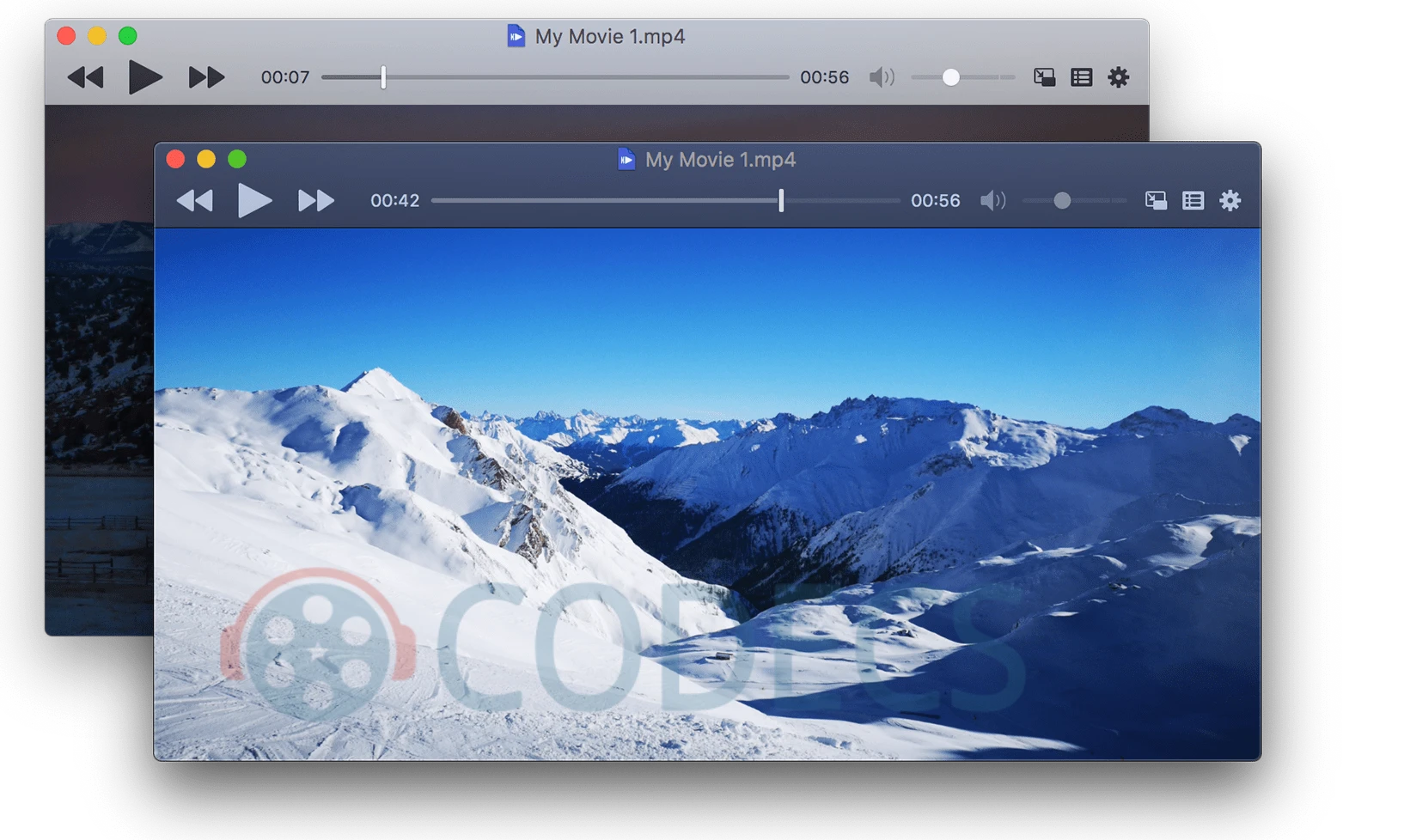
Built from the ground up with Swift, IINA looks and feels like a native macOS application.
You get Dark Mode support, Touch Bar controls on MacBook Pro, trackpad gestures for seeking and volume, and Picture-in-Picture mode that works exactly like you'd expect on macOS.
Under the hood, IINA uses the powerful mpv engine, meaning it handles virtually any video format while wrapping that power in an interface that's actually pleasant to use.
The semi-transparent control bar overlays directly on the video and fades when not needed - hover over the timeline for thumbnail previews, just like YouTube.
3. mpv Player - For Power Users
mpv player strips away everything unnecessary and focuses purely on playback performance. If you prefer command-line control, scripting capabilities, and minimal resource usage, mpv delivers.
This lightweight player starts instantly and never slows down your Mac - even on older hardware. It handles virtually every video and audio format out of the box: MP4, AVI, MKV, FLAC, MP3, and hundreds more without hunting for codec packs.
Power users love mpv's full CLI support for automation, custom hotkeys, playlist management via terminal, and deep configuration options. It's the engine behind IINA, available for those who prefer direct control without the GUI overhead.
4. Kodi - Complete Media Center
When you need more than just video playback, Kodi transforms your Mac into a complete entertainment system with library management, automatic metadata fetching, and streaming capabilities.
Kodi organizes your entire media collection with automatic poster art, episode tracking, and descriptions scraped from online databases. Point it to your video folders and watch it build a Netflix-like interface for your personal library.
The add-on ecosystem extends functionality with IPTV support, subtitle downloaders, streaming integrations, and customization through hundreds of skins and themes. Kodi handles every video format including HEVC, AV1, MKV, and 4K content without codec installations.
5. Elmedia Player - Streaming and Casting
Elmedia Player fills a specific niche: Mac users who frequently stream video to Apple TV, Chromecast, or DLNA devices.
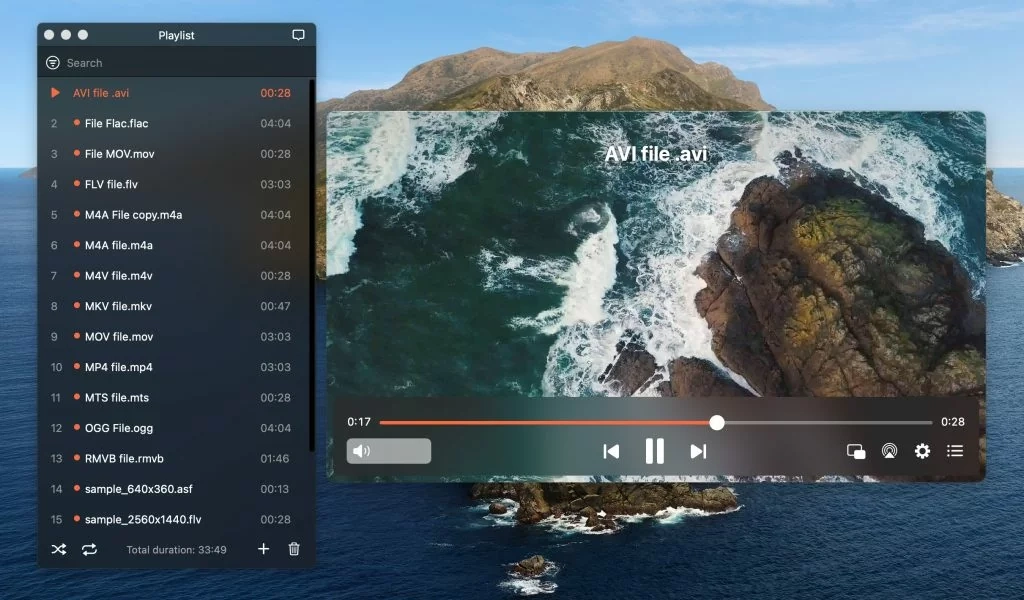
The free version handles local playback beautifully, while the Pro upgrade unlocks wireless streaming.
Format support covers all commonly used video and audio types including FLV, MKV, MP4, AVI, FLAC, and M4V.
The player delivers HD playback without straining your CPU, with features like playlist management, subtitle synchronization, and audio delay adjustment.
The Pro version adds Chromecast and AirPlay streaming, subtitle downloading from OpenSubtitles, video parameter adjustments (brightness, saturation, contrast), and Picture-in-Picture mode.
At $19.99 one-time purchase, it's reasonable for frequent casters.
→ Download Elmedia Player
Quick Comparison: Which Player Should You Choose?
Choose VLC if: You need universal format support, encounter obscure file types, or want video conversion capabilities built-in.
Choose IINA if: You value native macOS design, use Touch Bar controls, or want the most polished modern interface.
Choose mpv if: You prefer command-line control, need scriptable automation, or want maximum performance with minimal overhead.
Choose Kodi if: You have a large media library needing organization, want media center features, or run a home theater PC.
Choose Elmedia if: You frequently cast to TVs via Chromecast or AirPlay and want seamless streaming.
Building a Complete Media Workflow
The best video player handles playback, but a complete media workflow often requires additional tools.
For video conversion between formats, HandBrake provides free, powerful encoding with Mac-native support including Metal acceleration for filters.
For advanced command-line video processing, scripting, and format conversion, FFmpeg handles virtually any multimedia task.
Many of the players mentioned above use FFmpeg under the hood - learning it directly gives you complete control over your media files.
All players listed here offer native Apple Silicon support. On M1/M2/M3/M4 Macs, verify you're downloading the ARM64 or Universal versions for best performance - avoid Intel-only builds that run through Rosetta translation.
Final Verdict
For 95% of Mac users, VLC and IINA cover all needs - use both if you want universal compatibility (VLC) and native elegance (IINA).
Power users should explore mpv for its unmatched configurability, while media enthusiasts with large collections will appreciate Kodi's organization features.


Free Popular IPTV Playlist: Where to Get Fres...
5/5Thank you ♥️
Read More →Best Way to Get VidMate APK - Fast, Free, and...
5/5The demand for feature-rich video editing applications continues to grow across the digital content industry. Filmora Mod APK is ...
Read More →How to Download HEVC Video Extension for Free
5/5its works! thank you all!
Read More →