QuickTime will not open an MKV file, and it never will. The fix is free, it takes two minutes, and which of the five you should install depends entirely on what you are doing with video.
Every Mac ships with QuickTime Player, and for the formats Apple cares about it is perfectly good.
Step outside that list and it stops dead - no error worth reading, just a file it will not open.
Five free players fix that. Here is what each one is actually for.
It can play HEVC and H.264. macOS has decoded HEVC natively since 2017 - there is no extension to buy, and anything telling you otherwise is describing Windows.
It will not play MKV or AVI, it ignores most external subtitle files, and it has no interest in the odder formats a download or a camera can produce. That is the gap, and it is the whole reason this page exists.
The five, compared
| Player | Best for | Cost |
|---|---|---|
| VLC | Opening absolutely anything, first time | Free |
| IINA | A player that looks and behaves like a Mac app | Free |
| mpv | Scripting, automation and the lightest possible footprint | Free |
| Kodi | A large library that wants posters and episode tracking | Free |
| Elmedia | Sending video to a TV | Free, with a paid upgrade |
If you want one answer: install IINA, and keep VLC for the file IINA refuses. That combination covers almost everyone, and both are free.
VLC - the one that opens everything
VLC for Mac has been the answer to "it will not open" for two decades, and nothing has taken the title off it.
MKV, AVI, HEVC, AV1, VP9, FLAC, OGG and a couple of hundred others, with every decoder built in. Nothing to install alongside it, nothing to configure, no format pack.
Current builds are native on Apple Silicon and use VideoToolbox for hardware decoding, so 4K plays without the fans coming on. It is not the prettiest thing on your Mac and it does not need to be.
Best for: the file nothing else will open, and anyone who would rather install one player and stop thinking about it.
IINA - the one that feels like it came with the Mac
IINA is what QuickTime would be if Apple still cared about it. Written in Swift, built for macOS only, and it shows.
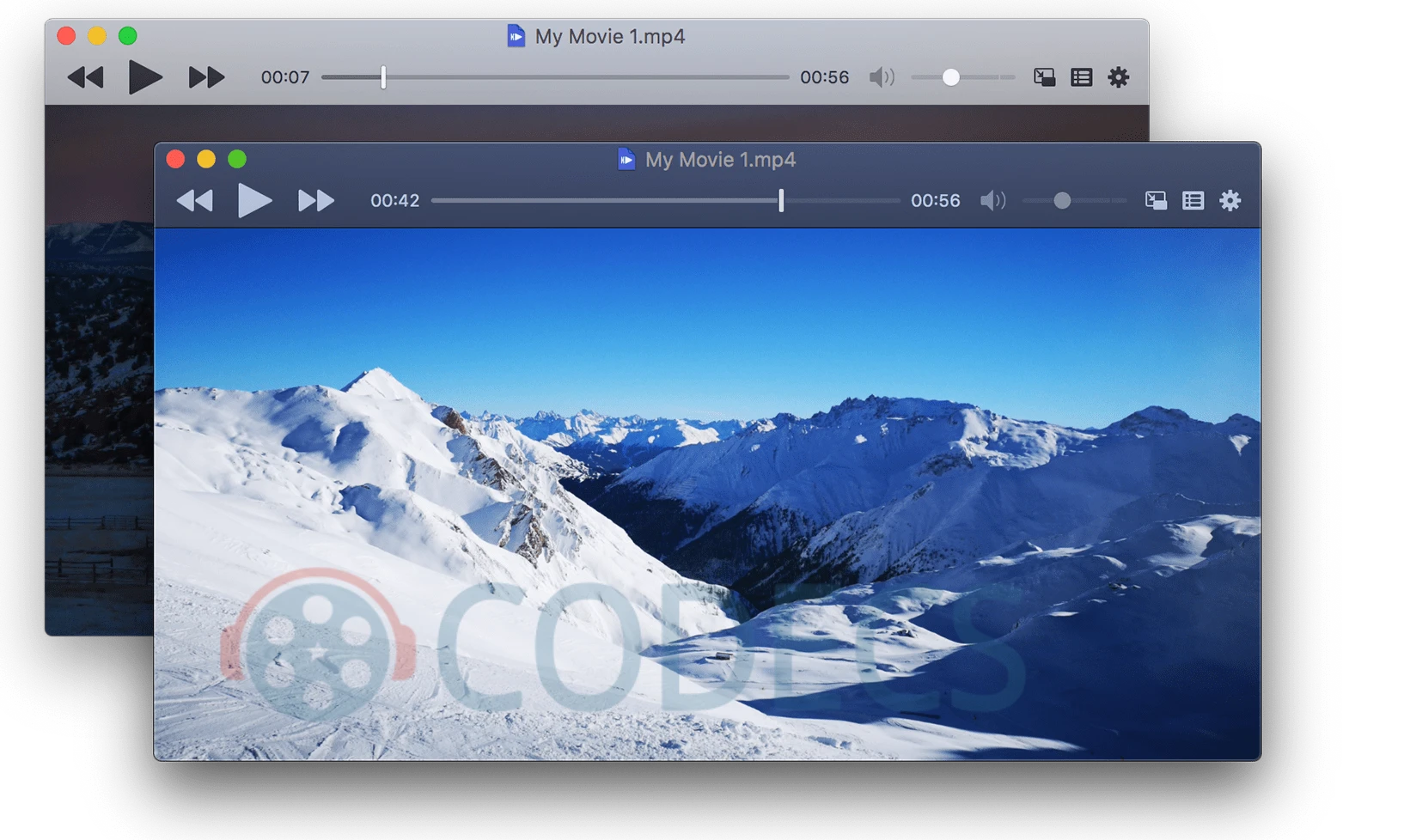
Dark mode, trackpad gestures for seeking and volume, proper Picture-in-Picture, thumbnail previews when you hover the timeline, and a control bar that sits over the video and fades away.
Underneath it runs the mpv engine, so the format support is effectively the same as mpv's - which is to say, everything. You get that range without the configuration file.
Best for: most people. It is the one to install if you only install one.
mpv - the one with no interface at all
mpv is the engine inside IINA, available on its own for people who want the engine and not the car.
It opens instantly, uses almost nothing, and runs happily on a Mac old enough to be embarrassing. Configuration is a text file, control is the keyboard and the command line, and there is a scripting layer if you want playback to be part of something larger.
Best for: automation, batch playback, and anyone who has ever written a shell script for fun.
Kodi - the one that runs the whole collection
Kodi is not really a player. Point it at your video folders and it builds a library with posters, episode numbers, summaries and watched markers pulled from online databases.
Add-ons extend it further - subtitles, IPTV, streaming services - and skins change how the whole thing looks. It is designed to be driven from across a room with a remote, which is either exactly what you want or completely wrong for you.
Best for: a Mac plugged into a television, and a collection big enough to need organising.
Elmedia - the one that talks to your TV
Elmedia Player covers the same formats as the others and adds the thing none of them do well: sending what you are watching to something else in the house.
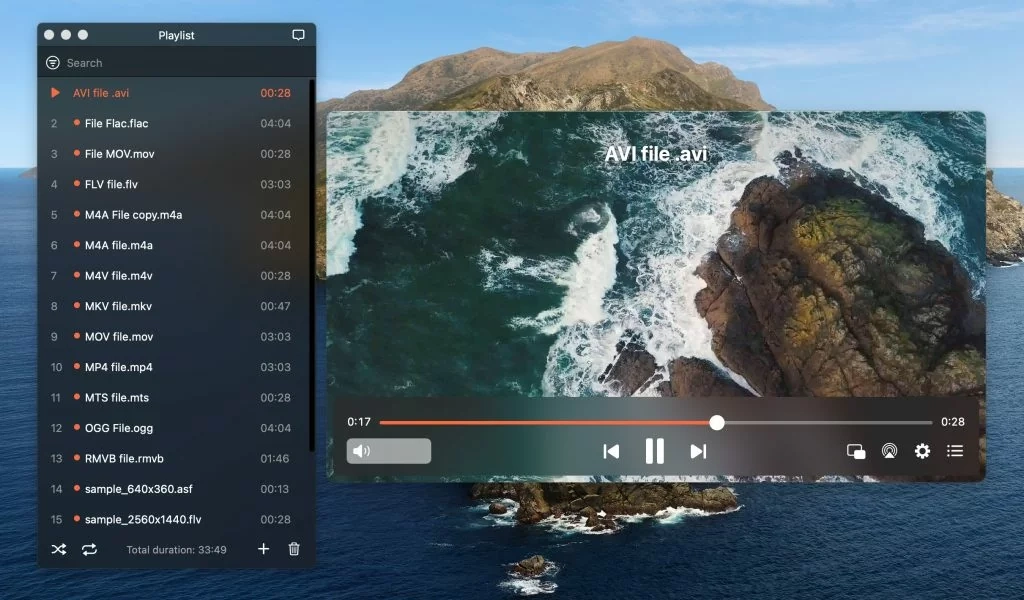
AirPlay and Chromecast, plus the usual playlists, subtitle sync and audio delay adjustment. There is a paid upgrade that unlocks some features; check the current split and price on the developer's site before you assume which side of the line you need.
Best for: anyone who watches on the Mac but wants the option of the big screen.
When playing it is not enough
A player opens the file. Changing it is a different job, and two free tools cover almost all of it.
HandBrake converts video between formats with a set of presets that are genuinely well chosen - pick the one named after your device and it will be right.
ffWorks puts a Mac interface on FFmpeg, which is the tool underneath most of this page. It does the things HandBrake will not: remuxing without re-encoding, stream surgery, batch jobs with rules.
On an Apple Silicon Mac, take the Apple Silicon build. Every player here ships one, either as its own download or as a Universal binary. An Intel-only build runs through Rosetta translation, which costs battery and can cost you smooth 4K playback - and it is easy to download by accident because it is often listed first.
Quick questions
Can QuickTime play HEVC on a Mac?
Yes, and it has been able to since macOS High Sierra in 2017. HEVC decoding is built into macOS and there is nothing to buy.
The paid HEVC extension people mention is a Windows thing. It has no macOS equivalent because macOS does not need one.
Why will QuickTime not play my MKV file?
MKV is a container Apple has never supported, and that has not changed in fifteen years. It is not a codec problem and no download fixes QuickTime itself.
Open it in VLC or IINA instead, or remux it to MP4 if you want it in Apple's own apps.
VLC or IINA - which should I install?
IINA for everyday watching, because it behaves like a Mac app and looks like one. VLC as the backstop for anything IINA stumbles on.
They are both free and they coexist happily. Most people end up with both.
Do these run properly on Apple Silicon?
All five ship native Apple Silicon builds. Check you are downloading the ARM64 or Universal version rather than the Intel one, which is sometimes listed first.
Is there a free way to cast video to my TV?
VLC will stream over the network with some setup, and Kodi can act as a UPnP server. Neither is as direct as Elmedia's AirPlay and Chromecast support, which is what you are paying for if you upgrade it.
Do I need a codec pack on a Mac?
No. Codec packs are a Windows idea and installing anything of that shape on a Mac is more likely to cause problems than solve them.
Every player here carries its own decoders. That is the whole design.
The bottom line
Install IINA for the daily job and keep VLC for the awkward file. That is the answer for almost everyone, it costs nothing, and it takes about four minutes.
mpv, Kodi and Elmedia each solve one specific problem well - reach for them when you have that problem, not before.


Latest comments
AllFree M3U Playlist for TiviMate: Legal Lists That Load Cleanl...
The link isn't working. https://www.free-codecs.com/guides/free-epg-urls-for-iptv.htm
The New Fire TV Stick 4K Can't Run Kodi - Here's Which Fire ...
The Vega OS shift is the biggest Firestick story of 2026. Anyone buying now needs to know: 4K Max = sideloading ...
JPEG XL Is Back in Chrome: What It Means and How to Open JXL...
Brave just enabled it by default for stable users yesterday (1.97). Not specified is chromeOS will be passively gaining decode ...