Yes - Windows 11 is still free, and Microsoft still hands it out through its own front door.
What has changed is which doors are open.
Two of the routes people still repeat online closed years ago, and following them wastes an evening.
Here are the five that genuinely work in September 2026, in the order most people should try them.
Start Here - Which Route Is Yours?
Find your situation in the left column and skip straight to that section.
| Your situation | Route | What you end up with |
|---|---|---|
| Running Windows 10 on a PC that passes the checks | Method 1 - upgrade in place | Activated Windows 11, files and apps kept |
| Wiping the drive, but you own a Windows 10 key | Method 2 - clean install, old key | Activated Windows 11, fresh start |
| PC is fine but Microsoft says it is not supported | Method 3 - Flyoobe or Rufus | Windows 11 running, activation from method 1 or 2 |
| You are a student, teacher or employee | Method 4 - your institution | Windows 11 Education or Enterprise |
| No key, no old Windows, and you can live with a watermark | Method 5 - skip activation | Working Windows 11, minus personalisation |
1. Upgrade From Windows 10 - Still Free, Still No Deadline
This is the main route and it has never stopped being free. Microsoft's own upgrade FAQ still says, in plain words, that upgrades to Windows 11 from Windows 10 are free.
Microsoft has been calling the offer 'limited time' since 2021 and has never named an end date. Five years on, that wording looks more like a nudge than a countdown.
Run Microsoft's PC Health Check app first to see whether your PC passes, then let Windows Update do the rest. If Windows Update is dragging its feet, the Windows 11 Installation Assistant forces the upgrade through.
Your Windows 10 licence carries over permanently and becomes a digital licence tied to that PC's hardware. You will not be asked for a key.
The easy win. If you are on Windows 10 and your PC passes the check, stop reading here. Everything below this point exists for people who fail that check or have no Windows 10 to upgrade from.
2. A Windows 10 Key Still Activates a Clean Windows 11
Wiping the drive instead of upgrading? Your existing Windows 10 product key still works.
Install Windows 11 from Microsoft's official ISO, and when the installer asks for a key, type the Windows 10 one. Retail and OEM keys are both accepted, and the edition maps across - Home to Home, Pro to Pro.
If the PC was already activated on Windows 10, you can often skip the key entirely. Choose 'I don't have a product key', finish the install, and the digital licence recognises the hardware on its own.
To build the install stick, Rufus is the quickest option, and Ventoy is worth it if you keep several ISOs on one drive.
3. Your PC Is 'Unsupported' - Flyoobe Gets You In Anyway
Plenty of perfectly good machines fail Windows 11's checks over TPM 2.0, Secure Boot or a processor that is a generation too old.
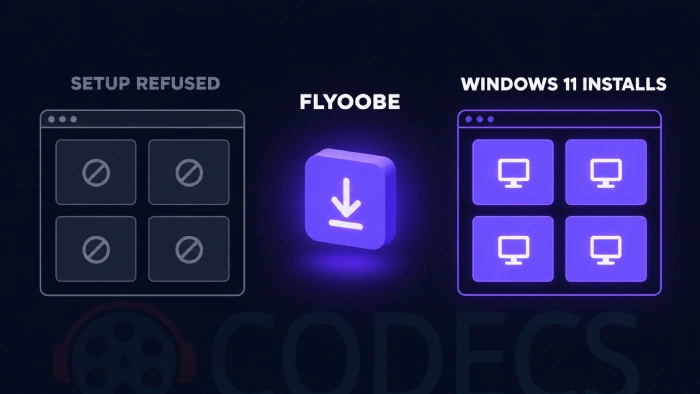
Flyoobe is the tool most people reach for. It runs Microsoft's setup in its Windows Server mode, which simply does not perform those checks.
- Download and run Flyoobe. It is a 406KB download and needs no install.
- Let it fetch the ISO. Flyoobe pulls the official Windows 11 image from Microsoft for you.
- Start the upgrade. The TPM, Secure Boot and CPU checks are skipped automatically.
- Activate as normal - your Windows 10 digital licence or key does the work, exactly as in methods 1 and 2.
- Tidy up afterwards using Flyoobe's own setup tools to strip the apps you did not ask for.
Prefer a bootable stick to an in-place upgrade? Our Rufus walkthrough covers the same job with a USB drive.
One limit nothing can get around. Windows 11 24H2 and later need a processor with POPCNT and SSE4.2 support, and no tool can fake it - roughly pre-2009 chips are out for good.
Microsoft also says unsupported PCs are not guaranteed to receive updates. In practice most keep getting them, but it is a risk you are choosing to take rather than a promise anyone made you.
4. School and Work Licences - Real, but Narrower Than People Think
Windows 11 Education is genuinely free for students and staff, with one condition attached.
Your institution has to be enrolled in Azure Dev Tools for Teaching. Where it is, you sign in to the Education Hub in the Azure portal and download Windows 11 Education with a key.
Being a student is not enough on its own, and Azure for Students does not include a Windows licence. Ask your IT department whether the agreement exists before you plan around it.
Employers with volume licensing can do the same thing for work machines. That is a conversation with your IT team, not something you can claim yourself.
5. Install It and Never Enter a Key
Microsoft lets you install Windows 11 without a key and keep using it indefinitely. There is no trial clock and nothing switches off.
Download the official ISO from Microsoft's website, install it, and choose 'I don't have a product key' when asked.
You get a watermark in the bottom corner, occasional reminders, and the whole Personalisation section greyed out - no wallpaper changes, no accent colours, no themes. Everything else works, security updates included.
It is a fair option for a spare machine, a test box or a PC you will buy a key for later. On your daily driver, the locked wallpaper gets old fast.
Two Routes That Stopped Working - Do Not Waste Your Evening
These two are still repeated all over the internet, including in the earlier version of this very article.
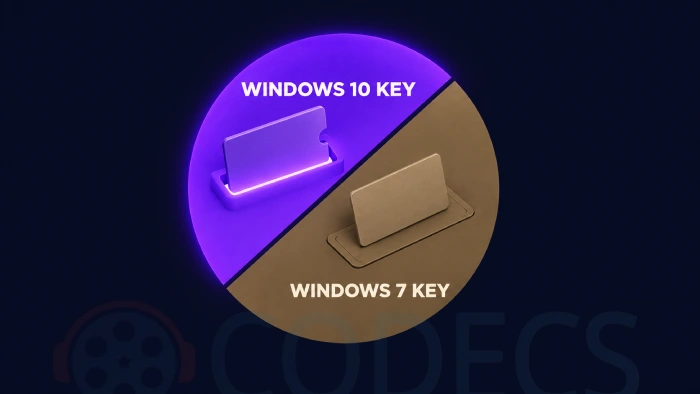
Windows 7 and 8.1 keys no longer activate anything. Microsoft closed that path on 20 September 2023, for Windows 10 and Windows 11 alike. The key is refused at the activation server, so no installer trick brings it back.
The Windows Insider Program never gave anybody a licence. Its own terms require you to be running a licensed copy of Windows already. A clean install of an Insider build with no key is just an unactivated Windows 11, which is method 5 with extra bugs.
Where the confusion came from. Both routes worked years ago, so old guides and old forum replies still describe them as current. If a page tells you to type a Windows 7 key into Windows 11, it has not been updated since 2023.
You Have More Time Than You Think
Windows 10 stopped getting normal support on 14 October 2025, which is where most of the panic came from.
Consumer Extended Security Updates then filled the gap, and in June 2026 Microsoft quietly added a second year. Security updates now run to 12 October 2027.
Enrolment costs nothing for most people - sync your PC settings to a Microsoft account, or spend 1,000 Microsoft Rewards points, or pay a one-off 30 US dollars. In the European Economic Area, signing in with a Microsoft account is enough. One enrolment covers up to ten devices.
So you can take the upgrade at your own pace. If Windows 10 is currently annoying you rather than endangering you, our guides on removing the Copilot install and tightening privacy settings may buy back the goodwill.
First Things to Do After Windows 11 Is In
A fresh Windows 11 arrives with more preinstalled apps than most people want.
Win11Debloat strips them with a restore point taken first, and a preview mode so you can see what it plans to remove before it removes anything.
If you installed through Flyoobe, its own cleanup pages do a similar job - our Flyoobe debloat guide walks through it.
Quick questions
Is the free Windows 10 to Windows 11 upgrade really still available?
Yes. Microsoft's upgrade FAQ still states that upgrades from Windows 10 are free, and no end date has ever been announced.
Can I use my old Windows 7 or Windows 8.1 key?
No. Microsoft stopped accepting Windows 7 and 8 keys for Windows 10 and Windows 11 activation on 20 September 2023, and the refusal happens at the activation server.
Does joining the Windows Insider Program give me a free licence?
No. The programme requires you to already be running a licensed copy of Windows, and an Insider build installed without a key is simply unactivated.
What actually stops working if I never activate Windows 11?
You get a watermark, occasional reminders, and the Personalisation settings are locked. There is no time limit, and security updates keep arriving.
Will my unsupported PC still get Windows updates?
Microsoft does not guarantee it. Most unsupported machines do keep receiving updates, but a future feature update can refuse to install and you would need to force it through again.
How long can I safely stay on Windows 10?
Consumer Extended Security Updates now run to 12 October 2027, and enrolment is free for most people through Windows Backup settings sync or Microsoft Rewards points.
Ready to make the jump? Start with method 1 if you are on Windows 10, method 3 if Microsoft says your PC is not supported, and method 5 if you just want it running today.
Download Flyoobe if your PC fails the compatibility check, or tell us which route worked for you so the next reader knows what to expect.



Latest comments
AllI used [link] on tivimate with the Usa m3u Playlist. I cannot get the guide to work.
Team replied Guide: Free EPG URLs for IPTV: TV Guide Links That Still Work 2 commentsSi mund te shikoj te gjitha kanalet e DigitAlb dhe Tring me url pa pagese ne Iptv Player?
Team replied Guide: Free Popular IPTV Playlist: Where to Get Fresh, Legal M3U Links in 2026 20 commentsالبروتوكول (http:// أو [link] بعنوان الـ IP أو الدومين، ورقم المنفذ (مثل :8080 أو :80).• مثال لشكل الرابط: [link]
Team replied Guide: Xtream Codes Explained: How They Work and Differ From M3U 1 comment