No, Windows 12 isn't coming any time soon. Microsoft's Windows chief says the job right now is making Windows 11 faster and more reliable - here is what he said, and 5 free ways to speed up your PC today.
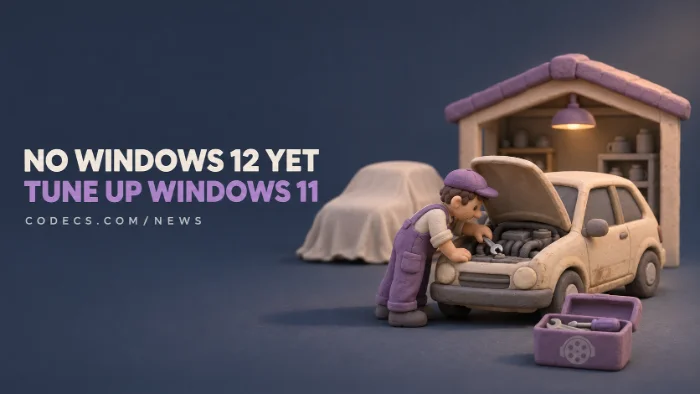
Pavan Davuluri, the head of Windows at Microsoft, was asked about Windows 12 at Microsoft's Ignite conference this month. He didn't rule it out, but he gave no date either.
Instead, he told Axios that Microsoft is focused on "the quality, the craft, the fundamentals, the performance, the reliability" of Windows 11.
Why Microsoft Is Holding Back
A lot of people pushed back on Copilot being added all over Windows 11. Davuluri says Microsoft first has to show that its AI features are actually useful - only then does it "earn permission" to move on to the next big version.
In plain terms: no big new Windows until the current one works well and the AI stops feeling forced.
So When Is Windows 12 Coming?
Nobody outside Microsoft knows, and Microsoft hasn't said whether it is even being built.
The Verge reports that Microsoft is preparing Windows 11 version 27H2 as next year's big update. If that is right, 2027 brings another Windows 11 upgrade rather than a Windows 12. Microsoft hasn't confirmed it.
Seen a "Windows 12 download"? It's fake.
Windows 12 doesn't exist yet, so any site offering it is not Microsoft. These files are often malware. Only get Windows from Microsoft's own website or from Windows Update.
What's Already Better in Windows 11
- Less reloading on 8GB PCs. Windows 11 26H2 keeps up to 2GB more of your open apps in memory, so they don't reload when you switch back.
- Taskbar on any edge. You can move it to the top, left or right again in Settings > Personalization > Taskbar > Taskbar behaviors. Dragging it still doesn't work.
- Fewer Copilot buttons. Microsoft has promised fewer Copilot shortcuts in apps like Photos, Notepad and Snipping Tool, plus fewer forced updates.
5 Free Ways to Make Windows 11 Faster Today
You don't have to wait for Microsoft. These work on most PCs, easiest first.
- Get Windows 11 26H2. It is the update with the memory fix. Check Settings > Windows Update, and if it isn't showing, here are 6 fixes for 26H2 not showing up.
- Stop apps launching at startup. Microsoft PC Manager is Microsoft's own free tool. It shows what starts with Windows and has a one-click memory boost.
- Remove the extras you never use. Win11Debloat clears out preinstalled apps and switches off Copilot in one go.
- Tidy the Start menu. Hide the Recommended section and the ads with our Start menu clean-up guide.
- Start fresh if it's really slow. Download the official Windows 11 ISO from Microsoft and put it on a USB stick with Rufus for a clean install. Back up your files first.
Make a restore point first.
Before using a debloat tool, type "restore point" in Start, open Create a restore point and click Create. If something you need goes missing, you can roll back in a minute.
Quick questions
Is Windows 12 coming out in 2027?
Microsoft hasn't said. Reports point to a Windows 11 27H2 update in 2027 instead, but nothing is confirmed.
Can I download Windows 12?
No. It hasn't been released, so any "Windows 12" download or ISO is fake and may carry malware.
Should I wait for Windows 12 before buying a new PC?
There is no release date to wait for. A PC sold with Windows 11 today will keep getting updates.
Is Windows 11 getting faster?
Yes, that is Microsoft's stated focus. The 26H2 update already keeps more apps in memory on 8GB PCs.
Is it safe to remove Copilot from Windows 11?
Yes for most people - Windows runs fine without it. Make a restore point first so you can undo it.
The bottom line
Windows 12 is on hold while Microsoft works on making Windows 11 faster and more reliable. Ignore anyone offering a Windows 12 download, and use the five free fixes above to speed up the PC you already have.





Latest news comments
What readers are saying AllI was having the same error issue with the dead playlist link the other guy above did. Thank you so much for ...
Team replied News: Free USA IPTV Playlist: The American TV That Is Really Free 2 commentsInteresting development with the Fire TV Stick 4K — losing Kodi sideloading is a big deal for a lot of users. For those ...
News: The New Fire TV Stick 4K Can't Run Kodi - Here's Which Fire Stick Still Can 3 commentsBrave just enabled it by default for stable users yesterday (1.97). Not specified is chromeOS will be passively gaining decode capability too, and ...
Team replied News: JPEG XL Is Back in Chrome: What It Means and How to Open JXL Files 1 comment