HP and Dell have quietly disabled built-in HEVC (H.265) hardware decoding on several recent business and budget laptop models, despite the CPUs and GPUs natively supporting the codec.
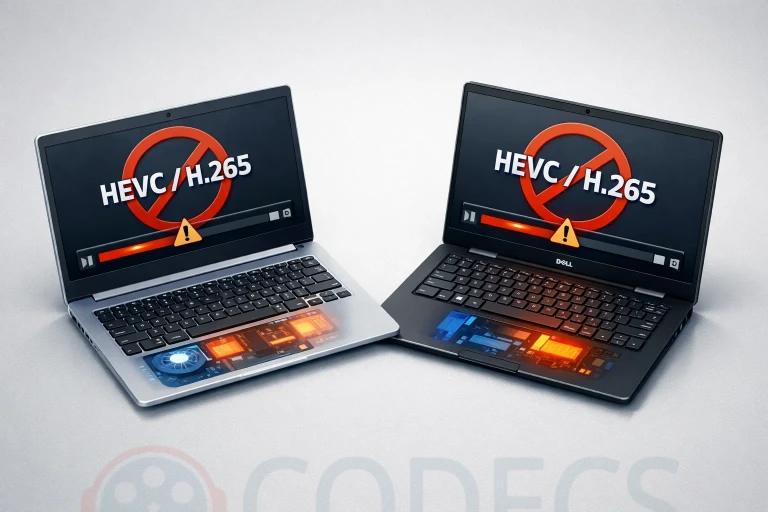
The change, first noticed by users on forums and tech communities, appears to be a cost-cutting measure tied to escalating HEVC licensing fees.
Rather than paying per-device royalties on lower-margin products, manufacturers are simply disabling the codec support at the firmware or driver level.
Why Are Manufacturers Removing HEVC Support?
HEVC (High Efficiency Video Coding), also known as H.265, requires manufacturers to pay royalties to multiple patent pools.
Recent reports indicate these royalties have increased from approximately 20 cents to 24 cents per device once certain shipment thresholds are met.
While this may seem insignificant, at scale these costs add up quickly.
For a manufacturer shipping millions of budget laptops annually, the licensing fees can represent millions of dollars in additional costs - expenses that directly impact profit margins on already thin-margin products.
Your laptop's CPU and GPU still have full HEVC decoding capability built into the silicon. The limitation is purely a software/firmware decision by the manufacturer to avoid licensing fees.
Which Models Are Affected?
The change primarily affects business-class and budget laptop lines from both manufacturers.
While neither HP nor Dell has published an official list, users have reported issues with:
- HP ProBook and EliteBook business series (select 2024-2025 models).
- HP Pavilion and HP 15 budget consumer lines.
- Dell Latitude business laptops (select configurations).
- Dell Inspiron budget models.
- Dell Vostro small business laptops.
Premium product lines like HP Spectre, HP Envy, Dell XPS, and Dell Alienware appear to retain full HEVC support, suggesting manufacturers are reserving this feature for higher-margin products.
How This Affects Your Video Playback
Without hardware-accelerated HEVC decoding, affected systems experience several drawbacks:
- Higher CPU usage: Software decoding of 4K HEVC content can use 40-80% CPU compared to 5-15% with hardware acceleration.
- Reduced battery life: The increased CPU load directly impacts battery consumption during video playback.
- Potential stuttering: Less powerful systems may struggle with 4K60 or HDR HEVC content.
- Browser limitations: Many streaming services fallback to lower quality streams when hardware decoding isn't available.
How to Fix HEVC Playback on Your Laptop
The good news is that software solutions can restore HEVC playback capability, though without the efficiency benefits of hardware acceleration:
Option 1: Install the HEVC Video Extension
Microsoft offers an HEVC codec extension for Windows that enables software-based playback in system apps and some browsers.
While there's a paid version in the Microsoft Store, there's also a free alternative: HEVC Video Extensions from Device Manufacturer.
Option 2: Use VLC Media Player
VLC includes its own HEVC decoder and doesn't rely on system codecs.
It's completely free and handles virtually any video format: VLC Media Player.
Option 3: Install a Codec Pack
For comprehensive format support across all Windows applications, a codec pack provides system-wide decoding capabilities: K-Lite Codec Pack.
The Bigger Picture: The Push Toward Royalty-Free Codecs
This development accelerates an existing industry trend toward royalty-free video codecs.
AV1, developed by the Alliance for Open Media (which includes Google, Netflix, Amazon, Apple, Microsoft, and others), offers comparable or better compression than HEVC with no licensing fees.
Major streaming platforms are increasingly adopting AV1:
- YouTube: Serves AV1 by default on supported devices.
- Netflix: Uses AV1 for many titles on Android and smart TVs.
- Twitch: Rolling out AV1 streaming support.
- Disney+, Amazon Prime: Testing AV1 delivery.
Modern hardware (Intel 11th gen+, AMD Ryzen 6000+, NVIDIA RTX 30/40 series) includes dedicated AV1 hardware decoders, and this support isn't subject to the same licensing restrictions as HEVC.
What Should You Do?
If you're shopping for a new laptop and video playback quality matters to you:
- Check before buying: Ask specifically about HEVC hardware acceleration or test the display model.
- Consider premium lines: Higher-end models typically retain full codec support.
- Look for AV1 support: Newer chips with AV1 hardware decoding sidestep this issue entirely.
- Plan for software solutions: Budget for using VLC or codec packs if needed.


Latest reviews
AllFree M3U Playlist for TiviMate: Legal Lists That Load Cleanl...
5/5The link isn't working. https://www.free-codecs.com/guides/free-epg-urls-for-iptv.htm
The New Fire TV Stick 4K Can't Run Kodi - Here's Which Fire ...
5/5The Vega OS shift is the biggest Firestick story of 2026. Anyone buying now needs to know: 4K Max = sideloading ...
JPEG XL Is Back in Chrome: What It Means and How to Open JXL...
5/5Brave just enabled it by default for stable users yesterday (1.97). Not specified is chromeOS will be passively gaining decode ...