Windows 10 support ended in October 2025, leaving millions of users with a difficult choice. Your PC works fine, but Microsoft says it doesn't meet Windows 11's requirements. Should you force the upgrade anyway?
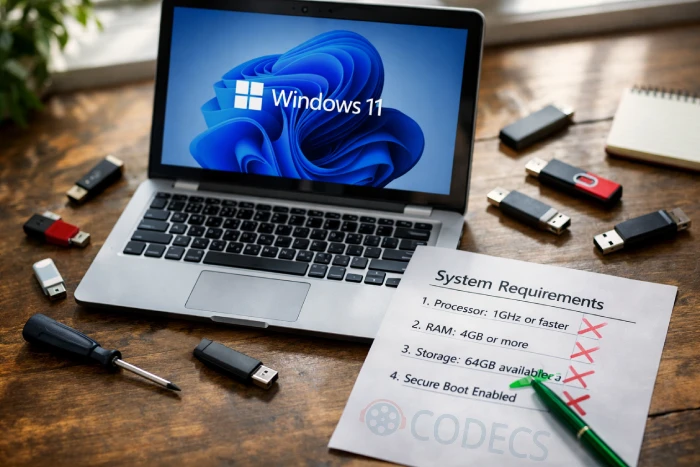
Real Risks You're Taking
Running Windows 11 on unsupported hardware introduces genuine concerns.
Microsoft may block future feature updates on unsupported systems.
Security features like BitLocker and Windows Hello require TPM 2.0 to function properly.
Driver compatibility can become problematic - Snappy Driver Installer Origin helps find compatible drivers for older hardware.
Some systems run flawlessly for years while others experience random crashes or sleep/wake problems.
When Upgrading Makes Sense
The upgrade is reasonable if your PC only fails TPM or Secure Boot requirements but has a modern processor. Systems used for basic productivity face minimal risk.
Users wanting continued security updates have strong motivation since Windows 10 no longer receives patches.
When to Avoid Upgrading
Professional workstations running specialized software should stay cautious.
Systems with rare hardware - capture cards, audio interfaces, industrial equipment - might lose functionality entirely.
Very old hardware with 4GB RAM and spinning hard drives will likely run poorly regardless.
How to Upgrade
Back up first. Create a system image and a bootable recovery drive before attempting anything.
FlyOOBE offers the most comprehensive solution for in-place upgrades. It bypasses TPM, Secure Boot, and CPU requirements while preserving your files and applications.
The tool also includes debloating features to remove unwanted Windows 11 apps after installation.
Rufus works best for clean installations. When creating a Windows 11 USB, it offers options to bypass hardware requirements automatically.
Ventoy lets you keep multiple Windows installation options on one USB drive without reformatting - useful if you want to dual-boot Windows and Linux as a fallback option.
Alternatives to Upgrading
Extended Security Updates provide one free year of Windows 10 security patches if you use Windows Backup or Microsoft Rewards points.
Linux distributions like Ubuntu or Linux Mint run excellently on older hardware and remain completely free.
Check our guide to the best Linux distros for beginners to find the right fit.
You can create a bootable Ubuntu USB with Rufus to test Linux without affecting your current installation.
ChromeOS Flex converts old PCs into Chromebook-like devices - ideal if you primarily use web applications.


Free Popular IPTV Playlist: Where to Get Fres...
5/5Very good👍👍❤❤
Read More →How to Download HEVC Video Extension for Free
5/5its works! thank you all!
Read More →How to Use Helium Audio Converter: Convert An...
5/5@levi Yes, it works offline, it's a desktop software.
Read More →