TiviMate is an empty TV set until you give it a playlist - here are free, legal M3U links that load cleanly in it, and how to add one so it keeps itself fresh.
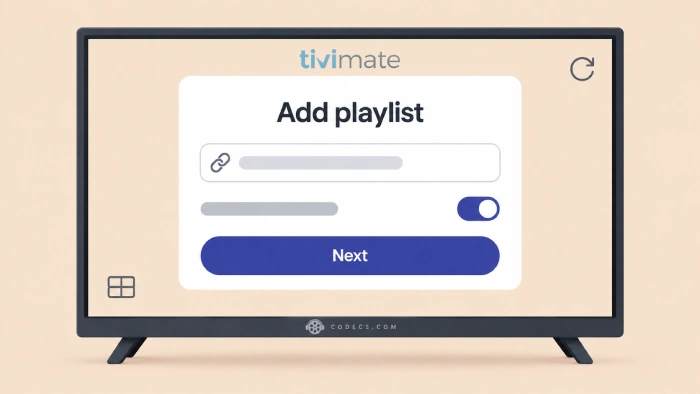
You installed TiviMate, opened it, and it asked for a playlist you do not have.
That is normal, because TiviMate is only a player - the channels come from a link you paste in.
Below are the free, legal links that work best in it, checked on 8 October 2026.
The free version of TiviMate holds one playlist, so pick one good one. For most people that is the iptv-org list sorted by category - one link, thousands of free channels, neatly grouped.
Add it as a link rather than a downloaded file, so it stays up to date on its own. Then add a TV guide for your country, because the list's own guide is nearly empty.
First: Free TiviMate Holds One Playlist
TiviMate is free to use with one playlist, a full TV guide and channel search. Premium is a paid upgrade that adds more playlists, recording and a few extras.
That one-playlist limit is why the choice below matters. If you want channels from more than one list, the merge section further down shows how to combine them into one.
Not installed yet? Here is how to install it on a Fire TV Stick.
The Best Free Playlists for TiviMate
All of these come from the iptv-org project, a volunteer-run collection of channels their owners stream for free. TiviMate reads the groups in each file and turns them into tidy categories.
- Everything, sorted into categories - the best single choice for most people:
https://iptv-org.github.io/iptv/index.category.m3u - Just your country - fewer channels, more of them in your language:
https://iptv-org.github.io/iptv/countries/us.m3u - By language - this one is Arabic; swap ara for fra (French) or hin (Hindi):
https://iptv-org.github.io/iptv/languages/ara.m3u - News only - rolling news from around the world:
https://iptv-org.github.io/iptv/categories/news.m3u
For a different country, change the two letters before .m3u - uk, ca, in, id (Indonesia), bd, pk and ph all work. Our free IPTV playlist guide has every country and category.
A word on the Free-TV playlist:
Free-TV is another good, tidy list, and it comes with a TV guide built in. On a TV stick, though, that guide points at about a hundred files at once, including one close to 200 MB, so the first load can crawl. If it does, remove it and add just your country's guide instead.
How to Add a Playlist in TiviMate
- Copy one link from above. Typing it with a remote is painful, so copy it on your phone and send it across with your TV maker's remote app.
- Add a playlist. In TiviMate, choose to add a new playlist and pick M3U playlist.
- Paste the link, not a file. Added as a link, TiviMate reads it again from the address whenever it updates, so you get the volunteers' fixes for free.
- Name it and save. Wait for the channel list to load - the big category list takes a minute.
Add a TV Guide That Actually Works
Most free playlists load into TiviMate with every guide row saying No information. The iptv-org lists either carry no guide or one that is nearly empty.
The fix takes two minutes: copy the free guide file for your country from our free EPG links page and add it in TiviMate's EPG settings. Guides work in the free version, so you do not need Premium for this.
Want More Than One List? Merge Them
Free TiviMate takes one playlist, but nothing stops that one playlist from holding several lists. The free M3U Playlist Builder combines them in your browser.
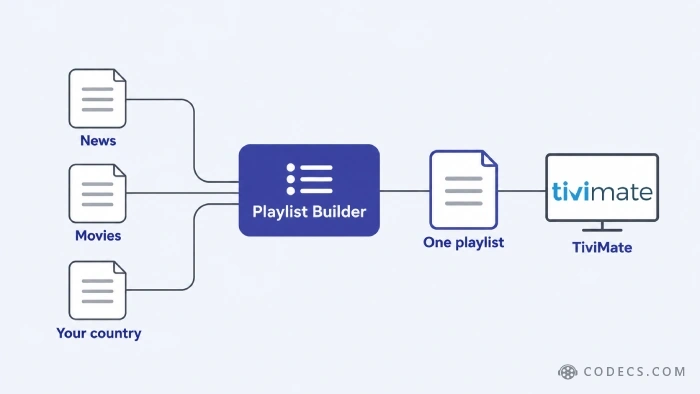
- Import the first list. Open Import, paste a playlist link into Playlist URL and press Fetch.
- Import the next ones. Repeat for each list, leaving Replace the current playlist unticked so each one is added to the last.
- Tidy up. Press Remove duplicates, and delete any groups you will never watch.
- Export it. Paste your country's guide address into the EPG guide URL box, export as M3U, and load that file into TiviMate.
The catch: a merged file is a snapshot, so it does not update itself the way a link does. Rebuild it once a month, which takes about two minutes.
What TiviMate Codes Really Are
If you searched for TiviMate codes, you were probably after an Xtream Codes login - a server address, a username and a password. Those are what paid IPTV services hand to their customers.
There are no free, legal ones. A login posted on a website or in a video comment is somebody else's paid account, it stops working within days, and using it is not legal. Our guide to Xtream Codes explained covers how they work.
Anything promising premium sports, movie channels or pay-TV for free, anything behind a link shortener, and any modded Premium unlocked copy of TiviMate itself. All three are the usual route to stolen logins, dead channels and malware.
Test It Before It Reaches the TV
Free lists always carry some dead channels, and scrolling past them with a remote gets old fast. Paste the link into the M3U Checker first - it tests every stream and exports a clean copy with only the ones that answered.
Quick questions
Does TiviMate come with any channels?
No. TiviMate is a player, like a TV set without an aerial. It shows whatever playlist you give it, so an empty screen after installing it is normal.
Is it legal to use these playlists in TiviMate?
Yes. Every list on this page only points at channels their owners stream for free. What would not be legal is a list or a login carrying paid channels you have not paid for.
Can the free version of TiviMate use more than one playlist?
No - the free version holds one playlist and Premium adds more. You can get around it by merging several lists into one file with the Playlist Builder.
Where can I get free TiviMate codes?
Nowhere legal. TiviMate codes are Xtream Codes logins sold by IPTV services, and free ones posted online are somebody else's paid account. Use the free M3U links on this page instead.
Why does the TV guide say No information?
Most free playlists come without a working guide. Add the free guide file for your country in TiviMate's EPG settings and most channels fill in.
How do I type a long playlist address with a TV remote?
Use your TV maker's remote app on your phone, which gives you a phone keyboard on the TV. Copy the address on the phone, then paste it into TiviMate.
One good link, added as a link, plus a guide for your country - that is a free TiviMate setup that looks after itself.
Start with the category list, test it, and add your guide. Found a list that works well in TiviMate? Tell us in the comments.


Latest reviews
AllThe New Fire TV Stick 4K Can't Run Kodi - Here's Which Fire ...
5/5Thanks Daniel, glad it reached you before you checked out. One small correction: the 4K Max isn’t really ...
Free Popular IPTV Playlist: Where to Get Fresh, Legal M3U Li...
5/5Hi! Thanks for creating this list, and I have a small question: why do the channels I used to ...
How to Stream With VLC: Open a Stream URL or Send Your Own
5/5This is amazing! I could no longer afford cable so I cut the cord and started watching Hulu, Youtube, ...