Sony's FX5 records 16-bit RAW internally, in two new modes called C1 and C2. Your PC will not play the files - and no codec pack will fix that.
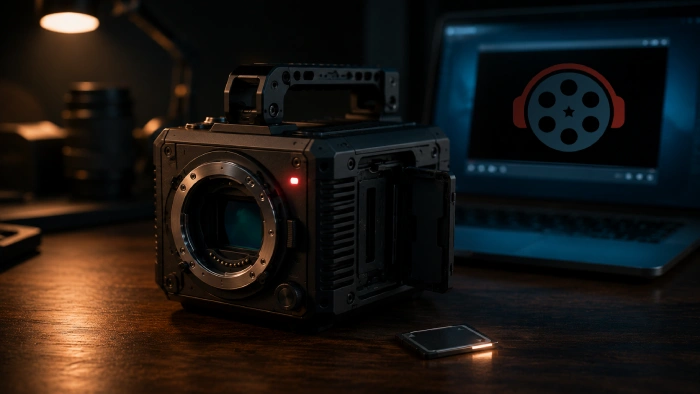
You copied the card, double-clicked an .mxf file, and got a black window or nothing at all.
That is expected behaviour, not a broken file.
X-OCN is undeveloped sensor data, so there is no picture inside it yet for a player to show you.
Check the file with MediaInfo first. If the video codec reads XAVC, AVC or HEVC, you do not have a RAW problem - install a codec pack and you are done.
If it really is X-OCN, open it in DaVinci Resolve or Sony RAW Viewer and export a ProRes or MP4 copy. Everything after that behaves like any normal video file.
What Sony actually announced
The FX5, announced on 22 July 2026, is the first compact Cinema Line body to record 16-bit X-OCN internally. Until now that was VENICE 2 and BURANO territory.
It does it using two new tiers, C1 and C2, where the C stands for Compact. They sit below the existing XT, ST and LT modes and exist purely to make 16-bit RAW smaller.
| Mode | Bitrate at 4K 24p | Relative size | Best for |
|---|---|---|---|
| X-OCN LT | approx. 389 Mbps | baseline | The old "small" option |
| X-OCN C1 | approx. 289 Mbps | approx. 80% of LT | General shooting |
| X-OCN C2 | approx. 232 Mbps | approx. 75% of C1 | High frame rates |
C2 lands roughly 40% below X-OCN LT, which is the headline saving, and C1 sits between the two.
Both new modes are still true 16-bit, which is 65,536 brightness steps per colour channel. You are trading compression headroom for shorter transfers, not bit depth.
Step 1: find out what you actually have
This step catches most cases, because .mxf is only a container. Sony wraps XAVC, Sony RAW and X-OCN in the same MXF OP1a shell, so the extension tells you nothing.
Open the file in MediaInfo and read the Video section, not the General section. General will say MXF whatever you have.
- Codec reads XAVC, AVC or HEVC, bit depth 8 or 10 - this is ordinary video.
- Codec reads X-OCN or Sony RAW, bit depth 16 - this is RAW, continue to step 2.
If it turned out to be XAVC, stop here. Install the K-Lite Codec Pack and the file will play in almost anything.
Step 2: develop the RAW into something watchable
Real X-OCN needs a RAW decoder, not a codec. Two free routes work:
- Sony RAW Viewer, free from Sony's professional site, plays X-OCN and transcodes it to ProRes or H.264.
- DaVinci Resolve reads X-OCN natively, so you can grade first and export second.
Premiere Pro, Baselight and Colorfront handle it too. Final Cut Pro and Avid both need a paid third-party plug-in, which is worth knowing before you promise a client a turnaround.
Step 3: make review copies
Once you have a ProRes or MP4 export, Shutter Encoder will batch it down into small files for review or upload.
If you prefer a one-line version, this makes a 720p proxy from an export:
ffmpeg -i export.mov -vf scale=1280:-2 -c:v libx264 -crf 23 -preset fast -c:a aac proxy.mp4For playback, MPC-HC is the light option and VLC is the zero-setup option. Both handle the converted files without complaint.
What we are deliberately not recommending
Any tool that advertises "play X-OCN in VLC instantly" or "X-OCN codec download for Windows". There is no such codec, because the problem is not a missing decoder in your player.
The tell is a paid converter with a stock-photo website that claims support for a long list of RAW formats. Most are wrappers around decoders you can already get free, and some simply fail on 16-bit files after you have paid.
Also be wary of anything asking you to install a "codec" as an .exe to fix a single file. Legitimate RAW support arrives as an application or a plug-in, never as a mystery system codec.
How to tell whether your software is new enough
C1 and C2 only appeared in July 2026, so this is the part that will age. Software that has handled X-OCN for years may still not recognise the two new tiers.
The symptom is specific and easy to read: older X-OCN clips from the same card open fine, while the C1 or C2 clips show as unsupported or offline.
Do not judge it by version number, because the cutoff differs per application. Search the release notes for the literal string X-OCN C1 - if the notes never mention it, that build predates support.
Quick questions
Can VLC play X-OCN files?
No, and no add-on changes that. X-OCN is unprocessed sensor data rather than a finished video stream, so a general-purpose player has nothing to decode. Convert it first, then VLC plays the result normally.
Do C1 and C2 look worse than X-OCN LT?
They are more compressed, so in theory yes, but all three are 16-bit and the difference is invisible in normal viewing. It shows up under heavy grading or VFX work, which is why LT, ST and XT still exist.
Why does my .mxf file play on a colleague's machine but not mine?
Almost always because their editing software includes a RAW decoder and yours does not. It is a software gap, not a corrupt file or a failed card.
Can I edit X-OCN directly instead of converting it?
Yes, in Resolve or Premiere, and that is the better route if you plan to grade. Converting first is for when you only need to watch, review or share the footage.


Latest news comments
All[link] Epg is not working on this one.
Team replied News: Free USA IPTV Playlist: The American TV That Is Really Free 1 commentInteresting development with the Fire TV Stick 4K — losing Kodi sideloading is a big deal for a lot of users. For those ...
News: The New Fire TV Stick 4K Can't Run Kodi - Here's Which Fire Stick Still Can 3 commentsBrave just enabled it by default for stable users yesterday (1.97). Not specified is chromeOS will be passively gaining decode capability too, and ...
Team replied News: JPEG XL Is Back in Chrome: What It Means and How to Open JXL Files 1 comment