MX Player already plays Xvid - there is no codec to install, and if your old AVI is misbehaving the video is almost never the reason.
Xvid is the video inside a great many AVI files from the 2000s.
MX Player carries its own decoder for it, so opening the file is the whole process.
Nothing to download. If a search brought you here looking for an Xvid codec APK, you do not need one and you should not install one.
Why there is no Xvid codec for Android
This trips people up because Windows works the other way around, where you install the Xvid codec for Windows once and every program on the machine can use it.
Android has no equivalent. The phone's own decoders do not reliably cover Xvid, so players bundle their own instead.
MX Player and VLC both ship a software decoder inside the app, which is why the format works in those players no matter what your phone provides. Our guide on whether a downloadable Xvid codec exists for Android covers why the fake ones are worth avoiding.
The file stutters or shows blocky artefacts
This is the most common Xvid complaint on Android and it has a one-tap fix.
Modern phone chips have dedicated hardware decoders for H.264, HEVC, VP9 and AV1. Support for Xvid is inconsistent, so MX Player's hardware mode may handle it badly or refuse it.
In MX Player, tap the screen during playback, open the decoder option and switch from HW to SW. Software decoding is slower in theory, but these files are small and old, and any current phone handles them comfortably.
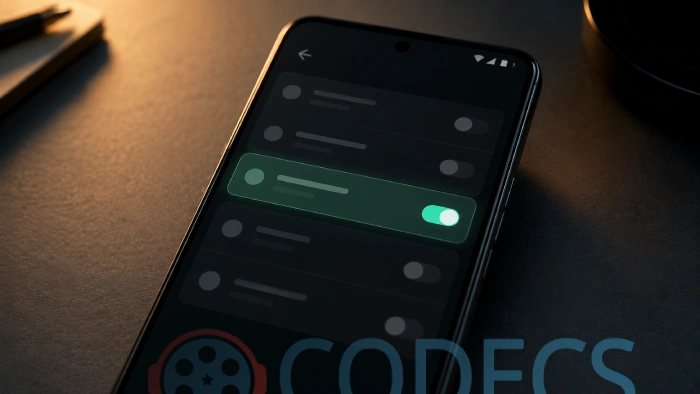
Set it per file, not globally. Leave your default on hardware decoding so modern video still gets the efficient path, and switch to software only for the old AVIs that need it.
The video plays but there is no sound
This one gets misdiagnosed as an Xvid problem constantly, and it is not.
Plenty of Xvid AVI files carry an AC3 audio track, and AC3 is licensed. MX Player leaves those decoders out of its Play Store build, so the picture appears and the audio does not.
The fix is the MX Player Custom Codec, a free add-on that restores AC3, EAC3, DTS and TrueHD in one download.
Our guide on fixing EAC3 audio not supported in MX Player has the full walkthrough, including matching the pack to your app version.
Other things worth checking
- Interlacing. Combing lines across movement usually means the source was interlaced, which is a property of the file rather than a playback fault.
- Very old encodes. Some early Xvid AVIs used unusual frame packing that trips modern decoders, and software decoding is again the workaround.
- It may not be Xvid. AVI is only a container, so the video inside could just as easily be DivX, MJPEG or something older.
- A damaged download. If playback fails at the same point every time, suspect the file rather than the player.
Should you still be using Xvid?
For playing old files, absolutely. They work, and converting a library you already have would cost quality for no real gain.
For anything new, no. Xvid dates from the early 2000s and H.264 reaches similar quality at roughly half the file size, with HEVC and AV1 further ahead again.
If you are curious how a format this old is still in circulation at all, we went into it properly in whether Xvid is still relevant in 2026.
If MX Player is not your preference, our guide to playing Xvid files on Android covers VLC and mpv, both of which decode it without setup.
Quick questions
Do I need to install an Xvid codec for MX Player?
No. MX Player includes its own Xvid decoder, so the file should open with nothing added. Any site offering an Xvid codec APK for Android is best avoided.
Why does my Xvid video stutter or look blocky?
Hardware decoding on your phone probably does not handle Xvid well. Switch that file to software decoding from the playback menu and it usually clears up immediately.
The picture works but there is no audio. Is that an Xvid problem?
No, it is the audio track. Many Xvid AVIs carry AC3 audio, which needs the MX Player Custom Codec because those decoders are licensed and left out of the app.
Is Xvid the same as DivX?
They are close relatives and both are MPEG-4 Part 2 video, one open source and one commercial. Players that handle either generally handle both.
Should I convert my old Xvid files to MP4?
Only if you need them on a device that will not play them. Converting is lossy, so a file that already plays is better left alone.
Why does the same file play fine on my PC but not my phone?
Desktop players lean on software decoding by default, while phones try hardware decoding first. Forcing software decoding on the phone usually matches the desktop result.



How to Stream With VLC: Open a Stream URL or ...
5/5This is amazing! I could no longer afford cable so I cut the cord and started watching Hulu, Youtube, ...
Read More →Don't Open a .xmpeg File Before Reading This
3/5It's never a good sign when the potential malware you downloaded has the EXACT same filename as the example. ...
Read More →Free Popular IPTV Playlist: Where to Get Fres...
3/5How can you create a DSTV channels on IPTV?
Read More →