Five codec files, and for almost everyone the answer is the same one - here is which to download and why the other four barely matter now.
The custom codec is the free add-on that teaches MX Player to decode AC3, EAC3, DTS and TrueHD.
It comes in a few different files, and picking between them is where most people stall.
Short answer. Download the all-in-one archive from the MX Player Custom Codec page - it works on any device and it is the only file the current pack ships.
The architecture choice mostly went away
This used to be a real decision. Older packs came as five separate downloads and you saved storage by picking the one matching your processor.
That stopped. The current pack is published as an all-in-one archive only, and so is the one before it. Separate architecture builds were last offered for the 1.90.1 pack.
So if you are running a recent MX Player, there is nothing to choose. Take the all-in-one and move on.
Storage is not the problem it was. The all-in-one is around 25 MB, roughly four times a single-architecture build, on devices that now ship with far more room than when this split was introduced.
What the five files are
You will still meet these names on older packs, so here is what each one is for.
- aio (all-in-one) - every architecture in one archive, around 25 MB. The safe pick, and the only option on current packs.
- neon64 - ARM 64-bit. This covers essentially every Android phone and tablet sold in the last several years.
- neon - ARM 32-bit, for genuinely old or low-end devices.
- x86 - Intel 32-bit. Rare on phones, occasionally found on older tablets and emulators.
- x86_64 - Intel 64-bit. Emulators, some Chromebooks, a handful of tablets.
If you are choosing from an older pack and want the small file rather than the big one, neon64 is the right guess for almost any modern phone.
How to check your device architecture
Only worth doing if you are deliberately picking a single-architecture build.
Install CPU-Z, which has an Android version, and open the SOC tab. An entry reading arm64 or AArch64 means neon64, plain ARM or ARMv7 means neon, and anything mentioning Intel or x86 points at the x86 files.
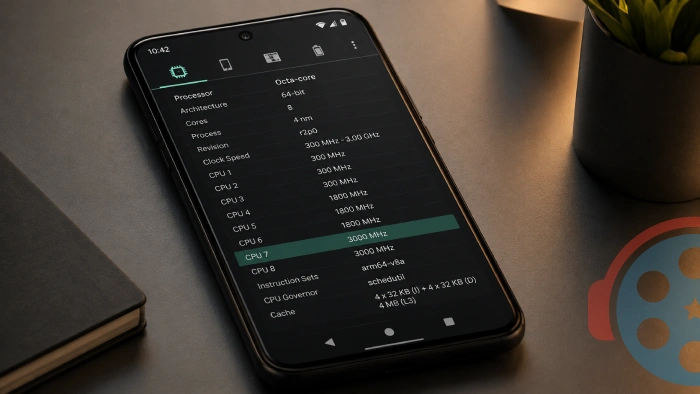
If the answer looks ambiguous, that is your cue to stop reading and take the all-in-one.
The mistake that actually breaks playback
Almost nobody gets stuck because they picked the wrong architecture. The all-in-one removes that risk entirely, and even a wrong single-architecture file simply will not load rather than causing damage.
What does break playback is a codec pack built for a different MX Player version than the one you have installed. The app rejects it, and the error you see can look identical to having no codec at all.
Match the pack to your app version before you worry about anything else. A major MX Player update will invalidate a codec that was working perfectly the day before.
Our guide on fixing EAC3 audio not supported in MX Player has the version-matching table and the full troubleshooting run, including what to do when the codec loads but the sound still does not.
Quick questions
Which file should I download if I only read one line of this page?
The all-in-one. It works on every device and it is the only file current packs ship.
Is the all-in-one slower because it is bigger?
No. MX Player loads only the library matching your processor and ignores the rest. The extra size costs you storage, not performance.
What happens if I pick the wrong architecture?
The codec simply fails to load and MX Player carries on as before. Nothing is damaged, and you can load a different file straight away.
Do I need to unzip the file first?
No. Point MX Player at the zip exactly as downloaded, from Settings, Decoder, Custom codec. Extracting it first is a common reason the codec does not load.
Why are there no separate neon64 and x86 files for the newest pack?
The maintainers now publish the all-in-one only. Separate architecture builds were last offered for the 1.90.1 pack and remain on the download page for anyone running an older setup.
My phone is a few years old. Do I need the 32-bit version?
Almost certainly not. 64-bit ARM has been standard on Android for a long time, so neon64 fits nearly every device still in use. When in doubt, the all-in-one covers both.


Latest reviews
AllHow to Stream With VLC: Open a Stream URL or Send Your Own
5/5This is amazing! I could no longer afford cable so I cut the cord and started watching Hulu, Youtube, ...
Don't Open a .xmpeg File Before Reading This
3/5It's never a good sign when the potential malware you downloaded has the EXACT same filename as the example. ...
Free Popular IPTV Playlist: Where to Get Fresh, Legal M3U Li...
3/5How can you create a DSTV channels on IPTV?