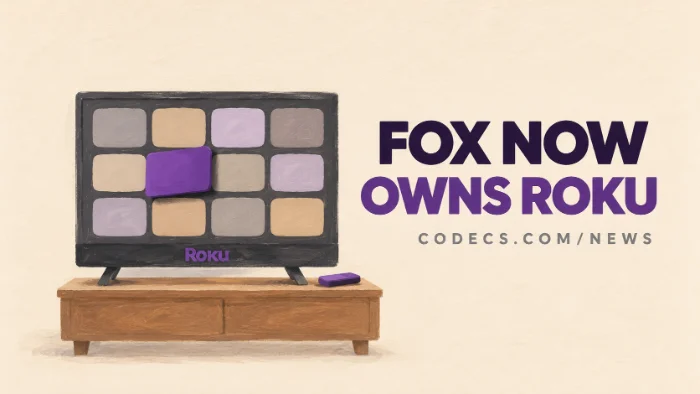
Fox now owns Roku, after closing its $22 billion takeover on November 6 - but your Roku works exactly as it did yesterday.
Netflix, YouTube, Disney+ and every other app stay, and Fox has promised US regulators they will for at least three years.
Here's what Fox bought, what it promised, what it didn't, and the four settings that keep your home screen yours.
What Fox Actually Bought
Fox agreed in June to buy Roku for $160 a share, paid partly in cash and partly in Fox stock.
The deal closed on Friday, months ahead of the first half of 2027 the two companies had first planned for. Roku shares stopped trading on the Nasdaq the same day.
Fox gets the platform that runs more than 100 million households' TVs, plus The Roku Channel. It already owned Tubi, so it now runs two of the biggest free, ad-supported streaming services in the US.
Roku founder Anthony Wood joins Fox's board and co-chairs a new division, Fox Digital Platforms, which holds Roku, Tubi and Fox One. Roku itself is now run by Mustafa Ozgen, who led its devices business, according to an internal memo seen by Variety.
What Fox Promised Regulators
The US Justice Department cleared the deal after Fox made a set of commitments, which the department published on Friday. For at least three years after closing, Fox says it will:
- Keep carrying rival apps and shows. Non-Fox content stays on Roku.
- Keep search fair. Roku's search and discovery must not push Fox One or Tubi above everyone else.
- Let you rearrange your home screen. You can still move and remove app tiles you don't want.
- Wall off rivals' data. What you click, search, watch and say to your remote in other companies' apps stays behind existing firewalls.
Fox's own line is that Roku stays "a leading open ecosystem for the broader streaming industry." Wood put it more simply: "that mission doesn't change today."
What Nobody Has Promised
The promises have a clock on them. Three years is the minimum, and nothing has been said about what happens after.
They also cover search and app placement, not ads. On election night, Roku players that weren't signed in to a profile showed a home screen wallpaper promoting Fox One, with banner ads beside the app rows, The Desk reports.
Nothing has been announced about device prices, older-model support, a Tubi and Roku Channel merger, or Roku outside the US. The commitments were made to US regulators, so viewers in the UK, Canada and Mexico have no equivalent promise yet.
Keep Your Roku Home Screen Yours
None of this needs Fox's permission, and it takes about two minutes with the remote.
- Remove apps you never open. Highlight the tile on the home screen, press the * button on the remote and choose Remove.
- Limit ad tracking. Go to Settings > Privacy > Advertising and tick Limit Ad Tracking - you still see ads, but they aren't built from your viewing history.
- Turn off content recognition on a Roku TV. In Settings > Privacy > Smart TV Experience, untick Use Info from TV Inputs, which stops the TV logging what plays from your antenna, console or cable box.
- Block app microphone access. Under Settings > Privacy > Microphone, set Channel Microphone Access to Never Allow.
Menu names move.
Roku renames these settings from time to time, and the Smart TV Experience menu only exists on Roku-powered TVs, not on sticks and boxes.
Thinking About Switching?
There's no reason to bin a working Roku today. But if the takeover has you looking around, the move that keeps the most control is owning your own library.
Jellyfin Server is a free media server you run on your own PC, with a Roku app to watch your films and shows on the TV. Nothing in it belongs to Fox, Roku or anyone else, and if you change devices later it comes with you.
If you want apps Roku has never allowed, such as Kodi or the IPTV player TiviMate, you need an Android-based box such as a Google TV device.
Check before you buy a Fire Stick, though - the newest Fire TV Stick 4K can't run Kodi or any other app from outside Amazon's store.
Quick questions
Will my Roku stop working now that Fox owns it?
No. Your device, account, subscriptions and apps carry on as before, and no changes to devices or accounts have been announced.
Will Netflix, YouTube or Disney+ leave Roku?
Not because of the deal. Fox has committed to carrying non-Fox apps and content for at least three years, and the Justice Department says Roku would lose viewers if it tried to push rivals out.
Will Fox News appear on my home screen?
Fox has promised not to rig Roku's search in its own favour, but home screen ads and wallpapers aren't covered by that. You can remove any app tile you don't want.
Is Fox merging Tubi and The Roku Channel?
Nothing has been announced. Both sit in the same Fox division now, and both work the same as before for the time being.
Does Fox get my Roku viewing data?
Fox now owns Roku, so it owns the data Roku already collects. Data about other companies' apps stays behind firewalls for at least three years, and Limit Ad Tracking plus the content recognition switch cut down what is collected in the first place.
Does this affect Roku in the UK or Canada?
Roku is now Fox-owned everywhere, but the commitments were made to US regulators. Nothing has been announced for other countries.
The bottom line
Your Roku hasn't changed, and Fox has promised it stays open for at least three years. Spend two minutes on the privacy settings, and if you'd rather own your library outright, start with Jellyfin.






Latest news comments
What readers are saying AllI was having the same error issue with the dead playlist link the other guy above did. Thank you so much for ...
Team replied News: Free USA IPTV Playlist: The American TV That Is Really Free 2 commentsInteresting development with the Fire TV Stick 4K — losing Kodi sideloading is a big deal for a lot of users. For those ...
News: The New Fire TV Stick 4K Can't Run Kodi - Here's Which Fire Stick Still Can 3 commentsBrave just enabled it by default for stable users yesterday (1.97). Not specified is chromeOS will be passively gaining decode capability too, and ...
Team replied News: JPEG XL Is Back in Chrome: What It Means and How to Open JXL Files 1 comment