Google is adding automatic photo and video backup from Android phones to Windows PCs through Quick Share - free, local, and with no cloud storage plan needed.
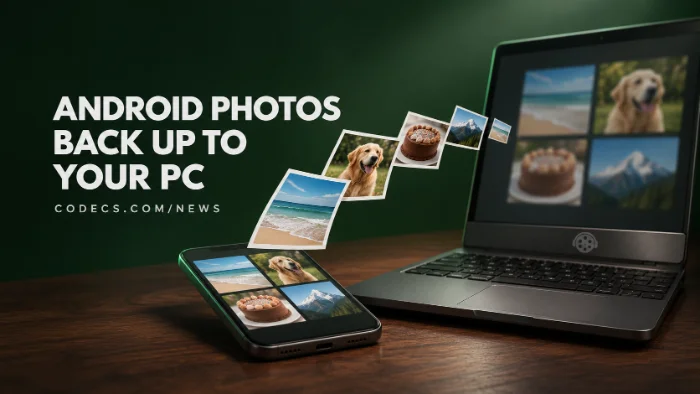
It isn't switched on for everyone yet, but it's rolling out now through a Google Play services update.
Here's what we know, who may have to wait, and how to make sure the backed-up videos actually play on your PC.
What Google Announced
Google's release notes for Play services version 26.43, dated November 2, list "automatic photo and video backups from Android to Windows using Quick Share."
Quick Share is Google's free app for sending files between an Android phone and a Windows PC over your home Wi-Fi. Until now it only moved files you picked by hand.
The new option copies your camera roll to the PC on its own, according to code found in the app and early reporting by How-To Geek.
How the Backup Works
- Daily and automatic. It copies the photos and videos you choose once a day, and a Back up now button makes an instant copy.
- Local only. Files travel over your Wi-Fi straight to the PC, not to Google's servers, so they don't eat into your Google storage.
- A backup, not a sync. Deleting a photo on your phone won't delete the copy on your PC.
- Same account, same network. The phone and PC need the same Google account, the same Wi-Fi and to be switched on near each other.
Early days:
Google hasn't published setup steps yet. These details come from the app's code and early reports, so the finished feature may differ a little.
What You Need
- A 64-bit Windows 10 or 11 PC - ARM laptops need Windows 11
- An Android phone with Android 6.0 or newer and Google Play services
- Google's Quick Share app for Windows, kept up to date
- Wi-Fi and Bluetooth switched on, on both devices
There's nothing to turn on yet. Once the update reaches you, the backup option should appear inside the Quick Share app on your PC.
Samsung Owners May Have to Wait
The Samsung catch:
Code spotted by Android Authority suggests the backup won't work if either the phone or the PC is made by Samsung. Google hasn't confirmed this, and its release notes mention no limits.
Samsung laptops already can't run Google's Quick Share app - they use Samsung's own version instead. Galaxy phone owners can still back up over a cable with Samsung Smart Switch, or with the Import button in the Windows Photos app.
Backed-Up Videos Won't Play? Blame the Codec
Many Android phones can record video in HEVC, also called H.265, a format that makes files about half the size. Pixel's "save video storage space" setting and Samsung's high-efficiency video both use it, and HDR video on Android is HEVC too.
Not every Windows PC can play HEVC out of the box. Those files can open as a black screen, play sound only, or show error 0xc00d5212 - our 0xc00d5212 fix guide explains that one.
The quickest fix is Microsoft's HEVC Video Extensions from Device Manufacturer, which adds the missing decoder to Photos and Media Player. Or skip codecs entirely and open the files in VLC Media Player, which has its own.
Samsung's high-efficiency photos are saved as HEIC files. If Windows shows them as blank icons, install HEIF Image Extensions.
Still stuck? Our guide to phone videos that won't play on your PC walks through every fix for Pixel, Samsung and iPhone files.
How It Compares to Other Ways to Back Up
| Option | Where files go | The catch |
|---|---|---|
| Quick Share backup | Your PC, over Wi-Fi | Still rolling out, and Samsung may be left out |
| Google Photos | Google's cloud | Uses your Google account storage |
| Phone Link | Your PC, wirelessly | Recent photos only, no videos |
| Windows Photos import | Your PC, over USB | Needs a cable and a manual start |
| Samsung Smart Switch | Your PC | Galaxy phones only |
Quick questions
Is Quick Share backup free?
Yes. There's no subscription, and because the files go straight to your PC, they don't use any Google storage.
When can I use it?
Google is rolling it out gradually through Play services 26.43, and there's no fixed date. Keep the Quick Share app on your PC updated and check its settings over the coming weeks.
Does it work with Samsung phones?
Possibly not. Code in the app points to Samsung phones and PCs being left out, but Google hasn't confirmed it.
If I delete a photo on my phone, is it deleted on my PC?
No. It's a one-way backup, so the copy on your PC stays.
Where are the backed-up files saved?
Google hasn't said yet. Normal Quick Share transfers land in a Quick Share folder inside Downloads.
Why won't my backed-up videos play on Windows?
They're probably HEVC videos and your PC lacks the decoder. Install HEVC Video Extensions from Device Manufacturer, or play them in VLC.
The bottom line
Free, automatic phone-to-PC backup with no cloud in the middle is a welcome addition, as long as you're not on Samsung. Get your PC ready now so the videos play the day the backup arrives.





Latest news comments
What readers are saying AllI was having the same error issue with the dead playlist link the other guy above did. Thank you so much for ...
Team replied News: Free USA IPTV Playlist: The American TV That Is Really Free 2 commentsInteresting development with the Fire TV Stick 4K — losing Kodi sideloading is a big deal for a lot of users. For those ...
News: The New Fire TV Stick 4K Can't Run Kodi - Here's Which Fire Stick Still Can 3 commentsBrave just enabled it by default for stable users yesterday (1.97). Not specified is chromeOS will be passively gaining decode capability too, and ...
Team replied News: JPEG XL Is Back in Chrome: What It Means and How to Open JXL Files 1 comment