Your work laptop won't let you install Chrome. The school PC blocks browser installs. The hotel computer keeps every site you visit. There is one fix for all three problems, and it fits on a USB stick.
Chrome Portable is the full Google Chrome browser bundled to run from a USB drive, an external SSD, or a synced cloud folder - with no installer, no admin password, and no registry changes on the host computer.
You plug it in, double-click the executable, and Chrome opens with your bookmarks, your extensions, and your sign-in already there.
When you eject the drive, nothing of yours is left behind on the machine you were using.
This guide walks through the full 2026 setup: choosing the right drive, downloading the correct version, installing to USB, configuring it for privacy, and avoiding the three mistakes that cause "Chrome Portable stopped working" support threads.
Who actually needs Chrome Portable
The use cases sound niche until you hit one of them, then it suddenly becomes essential. Five real scenarios where Chrome Portable solves a problem regular Google Chrome can't:
- Locked-down work computers where IT policy blocks browser installs but allows running executables from removable media
- School and university PCs with admin restrictions that strip your browser settings every logout
- Public computers at libraries, hotels, and airports where leaving credentials, history, or cookies behind is a real security risk
- Multi-machine workflows where you switch between desktop, laptop, and home PC and want one identical browser environment
- Web testing and QA where you need to run multiple Chrome versions side by side without conflicts
If any of those describe your day-to-day, the rest of this guide is for you. If none do, regular Chrome is probably the better fit.
Chrome Portable vs regular Chrome - the actual differences
Chrome Portable is not a stripped-down version. It is the same Chrome rendering engine, the same Chrome Web Store, and the same sync features. The only difference is where files live.
Regular Chrome installs to Program Files on Windows, writes profile data to AppData, and registers itself with the operating system. Uninstalling leaves traces. Updates require admin rights.
Chrome Portable keeps everything inside one folder on your drive. Profile, cache, bookmarks, extensions, history - all of it travels with the drive. The host computer never knows Chrome was there.
Chrome Portable does not auto-update the way installed Chrome does. You will need to manually replace the executable when a new major version drops every 4-6 weeks. Bookmark this page and re-download when version numbers tick up.
Step 1 - Choose the right USB drive
The drive matters more than most guides admit. A cheap USB 2.0 stick will technically run Chrome Portable, but launches will take 20-30 seconds and tab switching will feel sluggish.
For 2026, the realistic minimum is a USB 3.2 stick rated for at least 100 MB/s read speed. SanDisk Extreme Pro, Samsung BAR Plus, and Kingston DataTraveler Max are the workhorses most users settle on.
If you are running Chrome Portable as a daily driver across multiple machines - not just for occasional public-computer use - a small portable SSD outperforms even premium USB sticks dramatically.
We covered the speed, durability, and price gap in our USB stick vs SSD comparison guide, and the short version is: if you launch Chrome Portable more than twice a day, the SSD is worth the upgrade.
Capacity-wise, 32 GB is the practical minimum. Chrome Portable itself is around 250 MB, but cache, downloads, and extension data accumulate fast. 64 GB or 128 GB gives you breathing room.
Step 2 - Format the drive correctly
This step is where most setups fail silently. Chrome Portable runs on FAT32, exFAT, and NTFS - but not all of them work cleanly across operating systems.
- FAT32 - works on Windows, Mac, and Linux out of the box, but cannot store files larger than 4 GB. Chrome's cache occasionally crosses that threshold and corrupts the profile.
- exFAT - the recommended choice for 2026. No 4 GB limit, works cross-platform, no journaling overhead.
- NTFS - fastest on Windows but read-only on Mac without third-party tools. Use only if you are Windows-exclusive.
Format the drive in Windows by right-clicking it in File Explorer and selecting Format. Choose exFAT, allocation unit size 128 KB, and tick "Quick Format". On Mac, use Disk Utility with "ExFAT" as the format.
Step 3 - Download Chrome Portable (ZIP version)
There are two distribution formats. The installer version is a small EXE that asks where to install Chrome Portable, then unpacks itself. The ZIP version is a pre-extracted archive you simply unzip to the drive.
For USB use, always pick the ZIP version. It is faster to deploy, easier to back up, and you can move it between drives by copying the folder. The installer version writes a few extra files to the host PC during setup, which defeats half the point.
Download the latest Chrome Portable ZIP build - the 2026 version tracks Chrome 147 and includes the same sandbox and security features as desktop Chrome.
Step 4 - Install Chrome Portable to your USB drive
With the ZIP downloaded and the drive formatted, the install is honestly trivial:
- Plug the USB drive into your computer and confirm it appears in File Explorer.
- Create a folder on the drive called
ChromePortableat the root level. - Right-click the downloaded ZIP file and select "Extract All".
- Set the extraction destination to your
ChromePortablefolder on the USB drive. - Wait for extraction (60-90 seconds on a USB 3 drive, 5+ minutes on USB 2).
- Open the
ChromePortablefolder and double-clickGoogleChromePortable.exe.
The first launch takes 15-20 seconds while Chrome initializes its profile structure. Subsequent launches are nearly instant. If Chrome opens and shows a fresh new-user welcome screen, you are done with the install.
Step 5 - Sync your bookmarks, extensions, and passwords
Sign in to Chrome Portable with the same Google account you use on your main computer. Within 30-60 seconds your bookmarks, extensions, autofill data, and saved passwords sync down.
This is the moment Chrome Portable transforms from "novelty" to "actually useful". Every machine you plug the drive into now runs your personalized browser, not a generic browser you have to reconfigure.
For maximum privacy on shared computers, skip Google sign-in entirely and rely on the portable profile alone. Your data still persists on the drive between sessions, but nothing connects to a cloud account that could be compromised.
Privacy checklist for shared and public computers
Running Chrome Portable on a public PC is dramatically safer than using the host computer's installed browser, but only if you configure it correctly. Five settings to enable before your first public-computer session:
- Always use Incognito mode when on truly untrusted machines - your portable profile is for trusted hosts, Incognito for hotel and library PCs
- Disable "Continue running background apps when Chrome is closed" in Settings > System, so Chrome fully exits when you close it
- Turn on "Clear cookies and site data when you close all windows" for shared computers
- Encrypt your USB drive with BitLocker (Windows Pro), VeraCrypt (free, cross-platform), or hardware-encrypted drives like the Kingston IronKey
- Always eject the drive through the OS rather than yanking it - Chrome Portable holds file locks that can corrupt the profile if interrupted mid-write
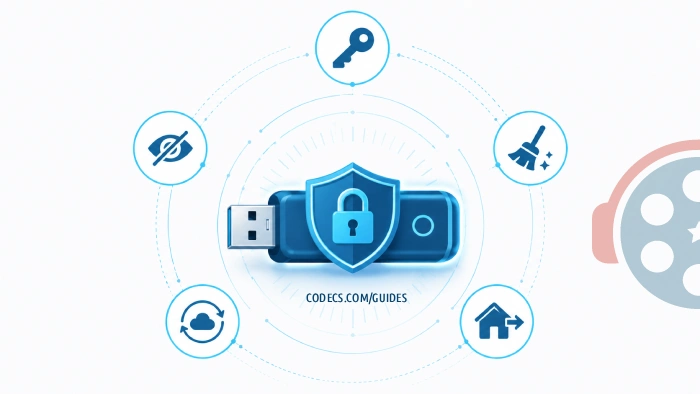
The encryption point is non-negotiable if you sync passwords. A lost unencrypted Chrome Portable drive hands every saved login to whoever finds it.
Common problems and how to fix them
Chrome Portable launches but shows "Profile cannot be used"
Almost always caused by ejecting the drive without closing Chrome first. Open the ChromePortable folder, navigate to Data/profile/Default, and rename the Web Data file to Web Data.old. Chrome will rebuild the missing data on next launch.
Chrome Portable is extremely slow to launch
USB 2.0 drives are the most common cause - even moderate-quality USB 3 drives are 5-10x faster. The second cause is USB ports physically wired to USB 2.0 even on USB 3 motherboards (common on cheap laptops). Try a different port before blaming the drive.
"This program cannot be run because of group policy" error on work computers
Your IT department has blocked execution from removable media at the policy level. There is no software workaround - you would need IT to whitelist the executable, which mostly defeats the purpose. Consider the personal-laptop route instead.
Chrome Portable missing audio or video codecs
The portable build includes the same codec stack as desktop Chrome, but if the host computer is missing system-level codecs, some embedded video players may fail. Installing a codec pack on the host machine usually resolves it - but that requires admin rights, which defeats the portable use case on locked-down PCs.
Chrome Portable vs Chromium - which one if you want open-source
If your reason for going portable is privacy or open-source preference rather than just "no admin rights", Chromium is worth a serious look. It is the upstream open-source project Chrome is built from, with Google-specific telemetry and proprietary codecs stripped out.
The trade-off is that Chromium ships without Widevine DRM, which means Netflix, Spotify, and most streaming services play in low resolution or refuse to load entirely. For everyday browsing, no difference. For media streaming, a real difference.
Chrome Portable wins for compatibility and "just works" media playback. Chromium wins for privacy purists and developers who want to inspect the build.
What about running an entire Chrome OS from USB instead
If your real need is "I want a complete trusted environment, not just a browser" - for example, recovering an infected machine or running banking on a totally clean system - Chrome Portable is not the right tool.
You want Chrome OS Flex, which boots an entire Google operating system from a USB drive without touching the host computer's hard drive. We covered the full setup in our Chrome OS Flex from USB guide, and it is a genuinely different solution to a related problem.
Use Chrome Portable when you want a browser that travels. Use Chrome OS Flex when you want an operating system that travels.
Keeping Chrome Portable updated through 2026
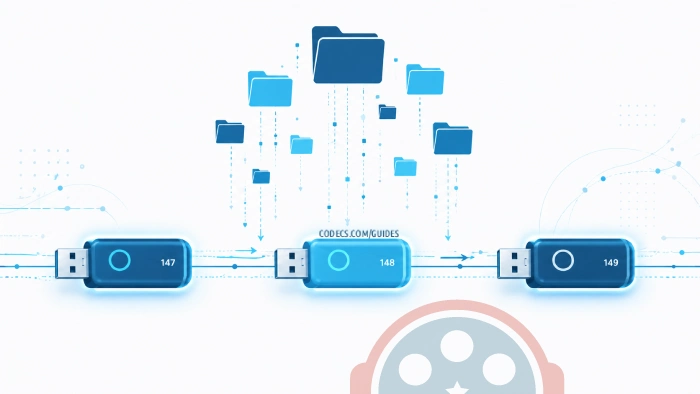
Chrome's release cycle pushes a new major version every 4 weeks. Chrome 147 is current as of this guide's publication. Chrome 148 is due roughly a month from now, then 149, 150, and so on through 2026.
To update Chrome Portable, simply re-download the latest ZIP, extract it to a temporary folder, and copy the new App subfolder over the old one - leaving the Data folder untouched. Your profile, bookmarks, and extensions stay intact.
Doing this once a month keeps you on top of security patches. Skipping it for three or four months exposes you to patched vulnerabilities, which on a USB drive that travels between computers is exactly the wrong attack surface to ignore.
Quick recap before you download
Chrome Portable runs the full Google Chrome browser from any USB drive without installing anything on the host computer. It works on locked-down work PCs, school computers, public machines, and as a daily driver across multiple personal devices.
Get a USB 3.2 drive of at least 32 GB, format it as exFAT, download the ZIP version, extract it to a folder on the drive, and you are running Chrome anywhere within ten minutes. Encrypt the drive if you sync passwords. Update monthly to stay patched.


Free Popular IPTV Playlist: Where to Get Fres...
4/5شكرا ولكن هل ممكن ان اجد روابط للقنوات الرياضية المشفرة
Read More →EAC3 Audio Not Supported in MX Player? Fix It
4/5EAC3 Audio Not Supported in MX Player? Fix It
Read More →Best Way to Get VidMate APK - Fast, Free, and...
5/5The demand for feature-rich video editing applications continues to grow across the digital content industry. Filmora Mod APK is ...
Read More →