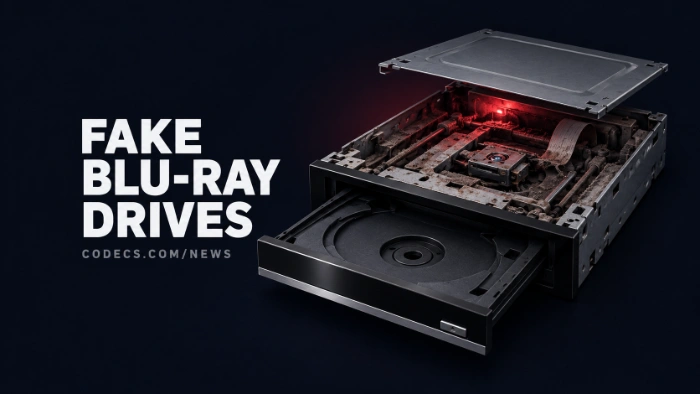
The team behind RPCS3, the free PS3 emulator for PC, is warning fans about fake Blu-ray drives that look like premium models but cannot read a single PS3 disc.
The warning went out on 30 September 2026, and it names listings on Newegg and AliExpress in particular.
The timing is no accident, because RPCS3 learned to run PS3 games straight from the disc drive only a few weeks ago.
Suddenly a lot of people want the right Blu-ray drive, and scammers have noticed.
What the Fake Drives Actually Are
According to RPCS3, the counterfeits put an older optical mechanism inside the shell and packaging of a high-end model. Spoofed firmware then makes the drive report itself as the expensive one.
So the box looks right and the drive shows up with the right name in Windows. It just fails at the one job you bought it for.
It also does not help that the Blu-ray market keeps shrinking - Sony stopped making recordable Blu-ray discs, and fewer genuine drives on the shelves make fakes easier to slip in.
Why PS3 Discs Are So Picky
A PC cannot read a PS3 game disc in just any Blu-ray drive. RPCS3 needs specific drive models built on a MediaTek chipset, with MT1959 being the one to look for, and the exact model revision matters too.
RPCS3 keeps a list of compatible drives on its website. Its own quick test is simple: put a PS3 disc in and try to browse its files. If they show up, the drive can do it, and if they do not, it cannot.
How to Spot a Fake Blu-ray Drive
- Check the chipset. Free MakeMKV reports a drive's chipset, and RPCS3 recommends it for exactly this check - you want to see MT1959.
- Read the label closely. Misspelled words, logos that sit slightly off, and a manufacturing date that does not fit the model are all reported tells.
- Look for hidden markings. Stickers or tape covering the circuit board markings are a bad sign.
- Match the model and revision. Compare both against RPCS3's compatibility list before you order, not after.
- Buy with protection. Use a seller with a real return policy, and test the drive the day it arrives.
One honest caveat:
RPCS3 says the MakeMKV check is not foolproof, because some drives that report MT1959 have still turned out not to work. The real test is a PS3 disc whose files you can actually browse.
If You Already Bought One
Test it now, while the return window is still open. If a PS3 disc will not show its files, ask for a refund and say the drive is not the model advertised.
If you decide to keep it for films anyway, our free Blu-ray and DVD backup tools are the place to start.
The full report is covered by Tom's Hardware.
Quick questions
Can any Blu-ray drive read PS3 discs on a PC?
No. Only certain models built on a compatible MediaTek chipset can, and the revision matters. Check RPCS3's compatibility list before buying.
How do I check my drive's chipset?
Install MakeMKV, insert any disc and read the drive information it reports. MT1959 is the chipset RPCS3 points to, though it is not a guarantee on its own.
Where are the fake drives being sold?
RPCS3 named Newegg and AliExpress listings in particular, mostly from marketplace sellers. Fakes can turn up anywhere, so buy where returns are easy.
Do I need to rip my PS3 games first?
Not any more. RPCS3 can now run PS3 games straight from a compatible disc drive, which is exactly why these drives are suddenly in demand.
Bought a Blu-ray drive for RPCS3 recently?
Run it through MakeMKV today while you can still send it back, and if you have been caught by a fake, leave a comment so other readers know which listings to avoid.


How to Stream With VLC: Open a Stream URL or ...
5/5This is amazing! I could no longer afford cable so I cut the cord and started watching Hulu, Youtube, ...
Read More →Don't Open a .xmpeg File Before Reading This
3/5It's never a good sign when the potential malware you downloaded has the EXACT same filename as the example. ...
Read More →Free Popular IPTV Playlist: Where to Get Fres...
3/5How can you create a DSTV channels on IPTV?
Read More →