Successfully installed Windows 11 on your unsupported PC using FlyOOBE?
Here's how to leverage its powerful post-installation features to customize and optimize your system.
What You Can Do with FlyOOBE Post-Installation
After upgrading to Windows 11, FlyOOBE offers extensive customization through its OOBE (Out-of-Box Experience) interface, allowing you to debloat, tweak, and personalize your installation.
- Removes pre-installed apps (Copilot, ClipChamp, OneDrive).
- Disables AI features and Recall.
- Creates local accounts without Microsoft login.
- Installs alternative browsers.
Quick Setup Steps
1. Download FlyOOBE
- Download FlyOOBE.
- Extract the ZIP file.
- Right-click "Flyo.exe" → "Run as administrator".
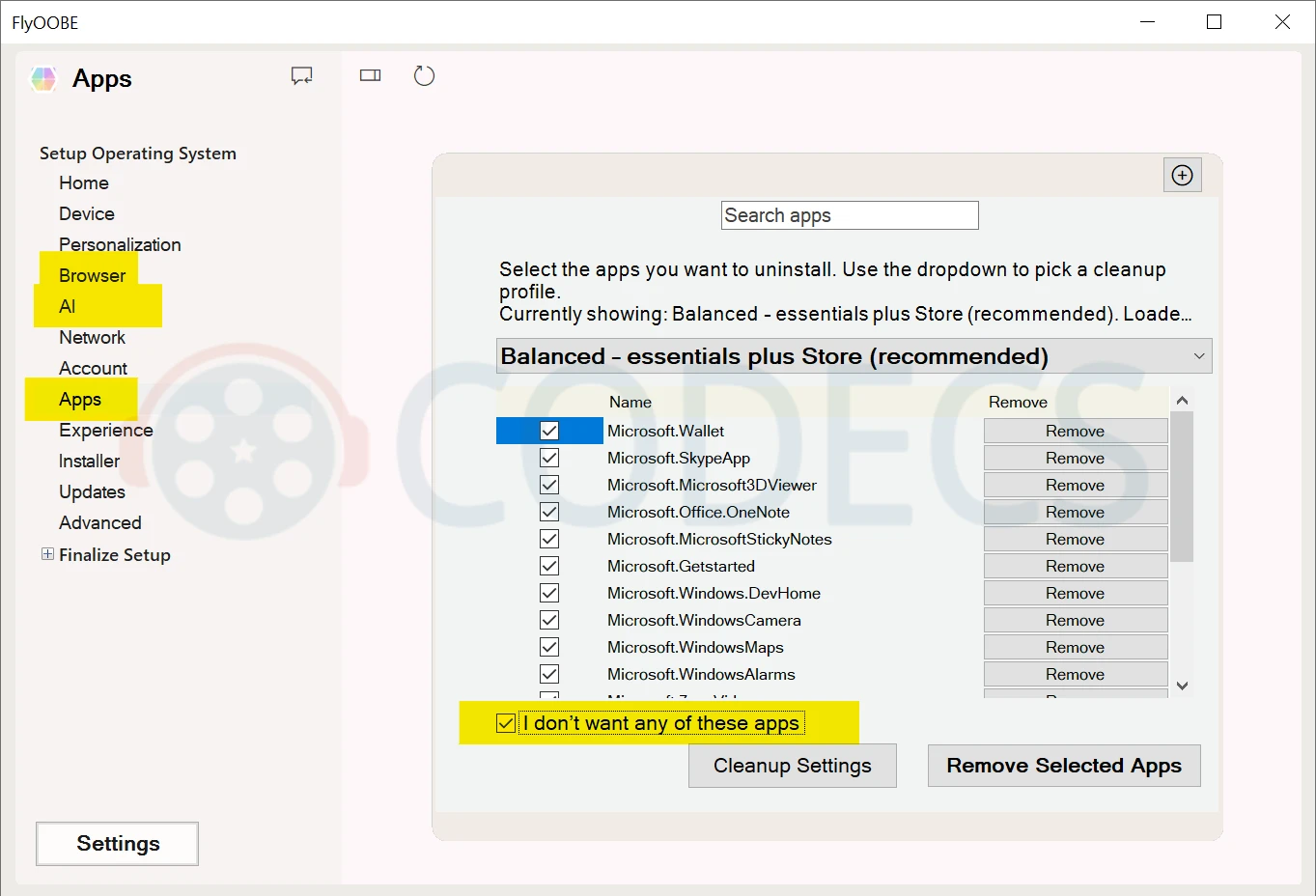
Get rid of bloatware
2. Remove Bloatware
- Open the Apps tab.
- Check "I don't want any of these apps".
- Click "Apply".
3. Disable AI Features
- Go to AI tab.
- Click "Check" to see all AI features.
- Select what to disable (Copilot, Edge AI).
- Click "Turn Off Selected".
4. Install Your Browser
- Open Browser tab.
- Check "I need a browser other than Edge".
- Select Chrome/Firefox/Brave.
- Click "Install Browser".
5. Optional Tweaks
- Personalization: Change theme and wallpaper.
- Account: Create local account.
- Extensions: Remove OneDrive completely, if you want.
Click "Apply" after each change. Restart when done.
Why Use It After Installation?
Windows 11 setup doesn't let you refuse all bloatware.
FlyOOBE gives you a second chance to strip out unwanted features without manual registry edits or PowerShell commands.
The whole process takes 5 minutes and frees up significant disk space and RAM.


Free Popular IPTV Playlist: Where to Get Fres...
5/5Very good👍👍❤❤
Read More →How to Download HEVC Video Extension for Free
5/5its works! thank you all!
Read More →How to Use Helium Audio Converter: Convert An...
5/5@levi Yes, it works offline, it's a desktop software.
Read More →