You download Google Chrome thinking you're getting the same browser as Chromium - just with a different logo. That's what Google wants you to believe.

The truth? Before Chrome reaches your computer, Google adds proprietary code that Chromium doesn't have.
Some of it helps you. Some of it watches you.
Here's exactly what changes between the open-source project and the browser 3 billion people use daily.
Chromium Is the Recipe. Chrome Is the Product.
Chromium is an open-source browser project that Google maintains. Anyone can see the code, modify it, or build their own browser from it.
Chrome is what Google creates by taking Chromium and adding proprietary ingredients.
Think of Chromium as the flour, eggs, and sugar - Chrome is the packaged cake Google sells (for free, but at a cost).
This distinction matters because Chromium's code is transparent. Chrome's additions are not.
What Google Adds to Chrome (That Chromium Doesn't Have)
When Google packages Chrome, it includes several components that don't exist in Chromium:
What Chrome Has That Chromium Doesn't
- Google Account Sync - Bookmarks, passwords, and history sync across devices.
- Automatic Updates - Silent background updates without user action.
- Widevine DRM - Required for Netflix, Disney+, and streaming services.
- Proprietary Media Codecs - H.264, AAC, and MP3 playback (though you can add these manually with K-Lite Codec Pack).
- Crash Reporting - Automatic error reports sent to Google.
- Usage Statistics - Browsing behavior data collection.
- Safe Browsing Enhanced - Real-time URL checking against Google servers.
Some additions are genuinely useful. Automatic updates keep you protected. Widevine lets you watch Netflix.
Others exist primarily to feed Google's data machine.
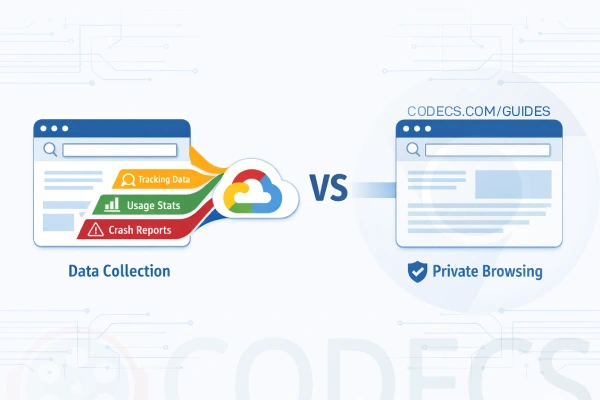
The Privacy Difference Is Real
Chrome sends data to Google by default. Chromium doesn't - unless you manually configure it to.
Here's what Chrome reports back:
- URLs you visit (for Safe Browsing checks).
- Search queries typed in the address bar.
- Crash reports with system information.
- Usage statistics and feature engagement.
- Extension installation and usage patterns.
You can disable most of this in Chrome's settings. But the defaults favor Google, not you.
Chromium ships with these features either disabled or completely absent. No data flows to Google unless you explicitly enable it.
The Update Problem: Chromium's Weakness
Here's where Chrome wins decisively: security updates.
Chrome updates automatically in the background. You restart your browser and you're protected against the latest threats. Google patches vulnerabilities within days - sometimes hours.
Chromium has no automatic updates. You must manually download new builds. Most users don't.
Security Reality Check
Running an outdated Chromium is more dangerous than running Chrome with its tracking.
Unpatched browsers are prime targets for exploits. If you choose Chromium, commit to updating it weekly - or use a Chromium-based browser like Brave that handles updates automatically.
Media Playback: Where Chromium Falls Short
Try watching Netflix on Chromium. It won't work.
Chromium lacks Widevine DRM - the copy protection system streaming services require. It also ships without licensed codecs like H.264 and AAC.
This means:
- No Netflix, Disney+, Amazon Prime, or Hulu.
- Some YouTube videos won't play in HD.
- Audio on certain websites may fail.
You can manually install Widevine and codecs on some systems. It's technical, time-consuming, and breaks with updates.
For most users, this alone makes pure Chromium impractical for daily browsing.
Performance: Virtually Identical
Both browsers use the same Blink rendering engine and V8 JavaScript engine. Page load times are nearly identical.
Chrome may feel slightly heavier due to its additional features running in the background. The difference is negligible on modern hardware.
Memory usage is comparable. Both browsers are resource-hungry compared to Firefox.
Extensions Work the Same Way
Good news: Chrome extensions work in Chromium without modification.
Both browsers access the Chrome Web Store. Your favorite ad blockers, password managers, and productivity tools install identically.
The extension ecosystem is the same. No compromises here.
Who Should Use Chromium?
Chromium makes sense for specific users:
- Developers testing bleeding-edge web features before they reach Chrome, or running automated tests with ChromeDriver 147.0.
- Privacy advocates who want zero Google telemetry and will manually update.
- Linux users on distributions that package Chromium with automatic updates.
- Organizations building custom browsers based on Chromium source.
If you don't fit these categories, Chromium probably isn't for you.
Who Should Stick with Chrome?
Chrome is the better choice if you:
- Want automatic security updates without thinking about it.
- Use streaming services like Netflix or Spotify.
- Need Google account sync across devices.
- Prefer a browser that just works out of the box.
The privacy trade-off is real, but manageable. Disable telemetry in settings and pair Chrome with Privacy Eraser Free to clear tracking data automatically.
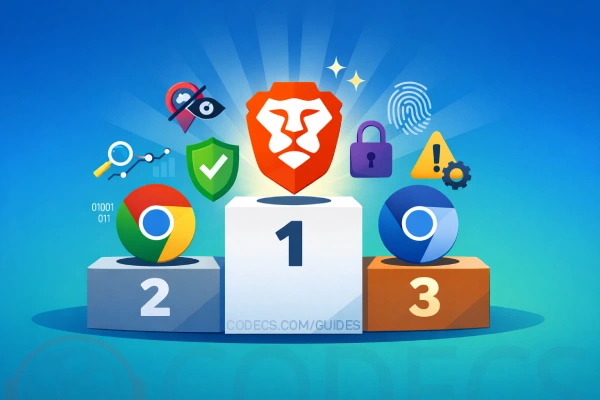
The Best Alternative: Chromium-Based Browsers
Want Chromium's privacy without its drawbacks? Consider browsers built on Chromium that add what's missing.
Brave Browser blocks ads and trackers by default, includes automatic updates, and supports streaming services. It's Chromium done right for privacy users.
Other solid options include Vivaldi for customization power users and Edge for Windows integration.
These browsers take Chromium's open-source foundation and build something more practical than both raw Chromium and privacy-compromised Chrome.
Keeping Any Browser Private
Whichever browser you choose, regular maintenance matters.
Use BleachBit to clean browser caches, cookies, and history across all installed browsers. Schedule weekly cleanups to minimize your tracking footprint.
No browser is perfectly private. But informed choices and good habits get you close.
The Bottom Line
Chromium and Chrome share the same DNA, but they serve different masters.
Chromium serves transparency. Its code is open. Its defaults protect privacy. Its limitations are real.
Chrome serves convenience - and Google's data collection. It works everywhere, updates automatically, and costs you information about yourself.
Now you know what Google removes and adds. The choice is yours.
Download Chromium if you want the pure open-source experience and commit to manual updates.
Download Google Chrome 147.0 if you prioritize convenience and can live with the privacy trade-offs.
Download Brave Browser if you want the best of both worlds.


Don't Open a .xmpeg File Before Reading This
3/5It's never a good sign when the potential malware you downloaded has the EXACT same filename as the example. ...
Read More →Free Popular IPTV Playlist: Where to Get Fres...
3/5How can you create a DSTV channels on IPTV?
Read More →How to Download HEVC Video Extension for Free
5/5Does anyone have the HEVC Video Extensions as an .exe file and can provide a download link?
Read More →