qutebrowser 3.6.3
qutebrowser 3.6.3 is a free, open-source web browser you drive almost entirely from the keyboard with Vim-style keys, built on the same Chromium engine as Google Chrome, for Windows 10 and Apple Silicon Macs.
- Updated
- Size
- 213MB
- Downloads
- 782
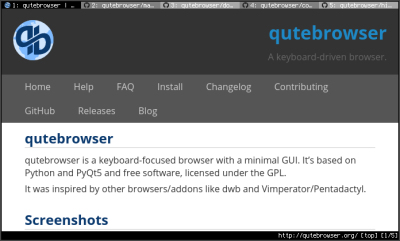
qutebrowser is a free web browser you drive almost entirely from the keyboard, in the style of the Vim text editor, with nothing on screen but the page, a tab bar and a status line.
Instead of reaching for the mouse, you press a key to open a page, switch tabs or follow a link, and the browser stays out of your way the rest of the time.
It is built for people who live on the keyboard, so if that sounds like hard work rather than a relief, a regular browser such as Mozilla Firefox will suit you better.
The short version
Free, open source and no account needed. It runs on 64-bit Windows 10 version 1809 or newer and on Apple Silicon Macs, and it rewards about an hour of learning with a much faster way to browse.
What qutebrowser Actually Does
Under the hood it uses QtWebEngine, which is built on Google's Chromium, so modern websites load and behave the way they do in Chrome. What changes is everything around the page.
There is no address bar, no toolbar and no row of buttons. You type commands, much like in a terminal, and the screen space goes to the website instead of the browser.
The project was started in 2014 by a developer known as The Compiler and is released under the GPL licence. It is written in Python, which is why its settings live in a plain Python config file if you want to go deep.
The Keys You Need on Day One
You only need a handful of keys to browse comfortably. The rest can wait until you miss them.
| Press | What happens |
|---|---|
o |
Open a web address or search, typed at the bottom of the screen |
f |
Show a short letter label on every link, then type the label to follow it |
H and L |
Go back and forward |
J and K |
Move to the next or previous tab |
d and u |
Close the current tab, and bring the last closed one back |
/ |
Search for text on the page |
Esc |
Leave a text box and get your keys back |
Clicking into a text box switches the keys to normal typing, so forms and logins work as expected. Typing :help opens the full manual inside the browser.
What You Get, and What You Give Up
- Speed once learned. Following a link with two keystrokes beats hunting for it with the mouse, especially on a laptop trackpad.
- Built-in ad blocking. It blocks ads and trackers from standard block lists, with no add-on to install.
- Userscripts. Small scripts can change how any site looks or behaves, which covers much of what extensions do elsewhere.
- No Chrome Web Store. The usual browser extensions are not part of the setup, so a password manager's add-on, for example, will not install the normal way.
- Streaming with copy protection. Services such as Netflix need extra setup before they play, and on some systems they will not play at all.
Which File to Download
The download page carries three files, all for version 3.6.3.
| File | What it is | Pick it if |
|---|---|---|
qutebrowser-3.6.3-amd64.exe |
Windows setup program, 64-bit | You want it installed with a Start menu entry - the right choice for most people |
qutebrowser-3.6.3-windows-standalone.zip |
Windows portable version, nothing to install | You want to try it first, or carry it on a USB stick |
qutebrowser-3.6.3-arm64.dmg |
macOS disk image for Apple Silicon | You have a Mac with an M-series chip |
For the portable version, unzip the folder and run qutebrowser.exe from inside it. Windows unzips it on its own, so there is nothing extra to install.
There is no build here for Intel Macs, and the Windows files need Windows 10 version 1809 or newer. On Linux, install it from your distribution's package manager instead.
Who Should Look Elsewhere
The quickest tell is your right hand. If it rests on the mouse while you browse and you have no wish to change that, qutebrowser will feel like a puzzle, not a shortcut.
- Vivaldi Browser has strong keyboard shortcuts and a command box, inside a normal-looking browser with a mouse-friendly interface.
- Zen Browser and Floorp Browser are Firefox-based and lean towards a clean, minimal screen.
- Brave Browser blocks ads out of the box and keeps the full Chrome extension store.
- LibreWolf Browser is a privacy-tuned version of Firefox, with tracking protection switched on from the start.
If your main concern is staying anonymous rather than browsing fast, Tor Browser is the tool built for that job.
qutebrowser Next to Chrome and Edge
Because it runs on Chromium's engine, pages look much the same as they do in Google Chrome or Microsoft Edge. The difference is that there is no Google or Microsoft account behind it, and nothing syncs to the cloud.
Its engine version follows the Qt toolkit rather than Chrome's own release schedule, and security fixes are backported into each Qt update. Keeping qutebrowser itself up to date matters more than with a browser that updates itself.
If you only want Chrome without the sign-in and sync, plain Chromium is the closer match. For a Chrome you can run from a USB stick, there is Google Chrome Portable.
Moving From Arc or Another Browser
Arc users looking for a new home should read our guide to saving your Arc tabs before the shutdown first. qutebrowser can be one of the places you land, if a keyboard-first browser appeals.
The project offers an import script for bookmarks from other browsers, though it takes a few steps on the command line. If you would rather not, keeping your old browser around for a week while you learn is the gentler route.
Quick questions
Is qutebrowser free?
Yes. It is free and open source under the GPL licence, with no ads, no paid version and no account to sign in to.
Can I use qutebrowser with a mouse?
Yes, clicking links and scrolling work as normal. There are just no buttons for things like going back or opening a new tab, so the keyboard is where it shines.
Does qutebrowser support Chrome extensions?
Not in the usual way. Customisation comes from userscripts and its Python config file instead, which covers ad blocking, site tweaks and custom commands.
Does qutebrowser block ads?
Yes. Ad and tracker blocking is built in and works from standard block lists, with nothing extra to install.
Will qutebrowser run on Windows 7?
No. The Windows builds need Windows 10 version 1809 or newer, on a 64-bit PC.
Is there a qutebrowser version for Intel Macs?
Not on this page. The Mac file here is for Apple Silicon only.
Want to compare more options? Our Web Browsers section lists every browser we host, including Opera Browser.
Download qutebrowser 3.6.3 and see how quickly the keys become habit, or tell us how you got on if you have used it before.
Available files
- qutebrowser 3.6.3WindowsArchive213.1 MB
- qutebrowser 3.6.3 x64Windowsx64Installer143.7 MB
- qutebrowser 3.6.3 - for macOS (Apple Silicon)macOSARM64DMG173.5 MB
Be the first to review qutebrowser 3.6.3
Thanks, it's in!
Your review will appear once it has been checked.
Related to qutebrowser
More free downloads to try-

Google Chrome Closest match
Google Chrome is Google's free, fast web browser, offered here as a full offline installer for Windows 10 and 11 in 64-bit and 32-bit.
Mentioned in our qutebrowser write-up
-

ChromeDriver
The standalone WebDriver server Selenium uses to drive real Chrome, in stable, beta and dev builds so you can match whichever Chrome you have installed.
Popular in Web Browsers