Firefox is working on the same Windows 11 trick that makes Edge open faster - here is what it does, when it might arrive, and what you can speed up today.
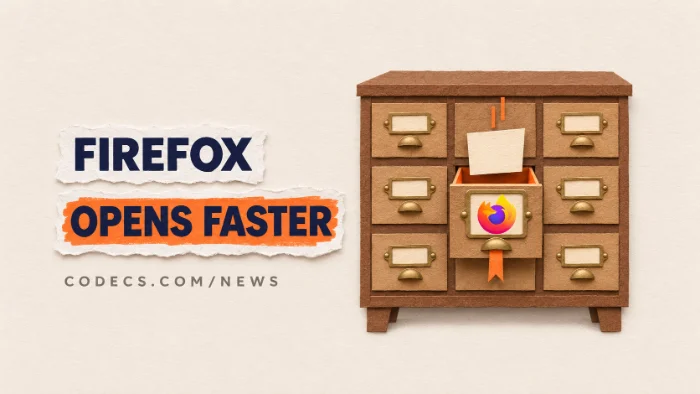
Mozilla has opened a bug to add Windows 11's "accelerated app launches" to Firefox.
It is still an early test, not something you can switch on yet.
The good news is that a few settings already make Firefox feel quicker while you wait.
What Edge Got, and Why Firefox Wants It
At the end of October, Microsoft said Edge now opens about 15% faster for most people, and up to 33% faster when the PC is busy. It uses a new Windows feature called accelerated app launches.
Here is the idea in plain words. Normally, when a browser is already open and you click a link or its Start menu icon, Windows starts a brand-new copy of the program, which finds the open one, hands over your click and closes again.
With accelerated launches, the open browser tells Windows once: "send my launches straight to me". The middle step disappears, so the window or tab shows up sooner.
- It works when the browser is already running. It speeds up clicks on links, the taskbar and the Start menu, not the very first start after you turn the PC on.
- Edge needs a recent Windows 11. Microsoft lists Windows 11 25H2, 26H1 or 26H2 with the October 2026 optional update (KB5127936) or newer.
- Edge is first, not the only one. Microsoft says it is also bringing the work to Chromium, the engine behind Chrome and many other browsers.
Where Firefox Is Right Now
The Firefox work lives in Mozilla's public bug tracker as bug 2087194. A developer is assigned to it and an early test patch exists.
In a quick local test, a clicked link reached an open Firefox in about 3 milliseconds instead of about 70. That is one developer's first measurement, not a promise for every PC.
- It is off by default. The switch will sit behind a hidden setting until Mozilla is happy with it.
- There is no release date. No Firefox version has been targeted yet.
- Some questions are still open. For example, which window should get the link if you run several Firefox profiles at once.
Can you turn it on early?
Not usefully. The patch has not landed in any Firefox build you can download, so flipping the hidden setting in today's Firefox does nothing.
Make Firefox Feel Faster Today
You don't have to wait for Mozilla. These five steps take a few minutes and work on Windows 10 and 11.
- Update Firefox. Open the menu, then Help > About Firefox, and let it finish - or grab the latest Mozilla Firefox installer.
- Let Firefox open with Windows. In Settings > General, under Startup, tick the option to open Firefox automatically when your computer starts up - it is then already running when you click your first link.
- Make it your default browser. On the same page, choose Make Default, so links from email and other apps go straight to Firefox.
- Trim your add-ons. Type about:addons in the address bar and disable the extensions you no longer use - each one adds work at startup.
- Still slow, refresh it. Type about:support and click Refresh Firefox - it keeps your bookmarks, passwords and history but clears old settings and add-ons.
Quick check for a busy PC.
Type about:processes in the address bar to see which tab or add-on is eating memory and CPU, then close or remove the worst one.
Should You Switch to Edge or Chrome for Speed?
Probably not just for this. The gain is a fraction of a second on a click, and it only counts while the browser is already open.
If you want to try the faster launch now, Microsoft Edge has it today on an up-to-date Windows 11. Google Chrome should follow once the Chromium work lands, but Google hasn't given a date.
Quick questions
Will Firefox open as fast as Edge on Windows 11?
Mozilla is working on it. Firefox is testing the same Windows feature Edge uses, but it is off by default and has no release date yet.
What are accelerated app launches in Windows 11?
A Windows feature that lets an app that is already open receive new launches directly, so Windows skips starting a second copy of the program first.
Does it make Firefox start faster when I turn on my PC?
No. It only helps when Firefox is already running. To have it ready from the start, let Firefox open automatically with Windows.
Do I need a new Windows update for it?
For Edge, yes - Windows 11 25H2, 26H1 or 26H2 with the October 2026 optional update or later. Firefox's requirements will be known once Mozilla ships it.
Why is Firefox slow to open on my PC?
The usual causes are an old version, too many add-ons or a cluttered profile. Update it, disable unused add-ons, and use Refresh Firefox if it is still slow.
The bottom line
Firefox is on its way to Edge's faster launches on Windows 11, but it is still a test with no date. Until then, an up-to-date Firefox that opens with Windows and carries fewer add-ons gets you most of the way there.









Latest news comments
What readers are saying AllI was having the same error issue with the dead playlist link the other guy above did. Thank you so much for ...
Team replied News: Free USA IPTV Playlist: The American TV That Is Really Free 2 commentsInteresting development with the Fire TV Stick 4K — losing Kodi sideloading is a big deal for a lot of users. For those ...
News: The New Fire TV Stick 4K Can't Run Kodi - Here's Which Fire Stick Still Can 3 commentsBrave just enabled it by default for stable users yesterday (1.97). Not specified is chromeOS will be passively gaining decode capability too, and ...
Team replied News: JPEG XL Is Back in Chrome: What It Means and How to Open JXL Files 1 comment