A long-term test found dead pixels creeping in from the edges on 14 of 16 older OLED TVs - here are the models it hit and how to check yours in two minutes.
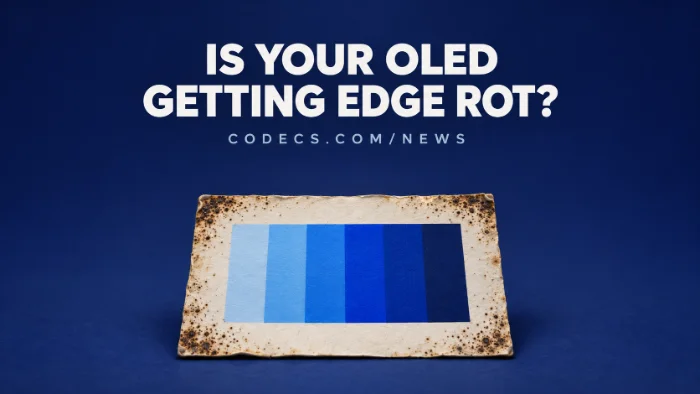
TV testing site RTINGS calls it "edge rot", because it looks like mould spreading in from the sides of the screen.
It showed up on OLED TVs from 2020 to 2022 that use LG Display panels, sold by LG, Sony and Vizio.
Your TV still works while it happens, and a simple solid-colour test shows whether yours has it.
What RTINGS Found
RTINGS ran 16 OLED TVs with LG-made "WOLED" panels for about 18,000 hours. It says that is roughly ten years of normal home viewing.
By the end, 14 of the 16 had dead pixels or dark patches along the outer edges. On some it is a few hard-to-spot dots, and on others a damaged strip you can see in normal TV.
- It is not burn-in. Burn-in comes from static images like news tickers, while edge rot happened no matter what was on screen.
- Two staff TVs had it too. A 2020 LG GX and a 2021 LG C1, used at home, showed clear edge rot.
- Samsung's QD-OLED sets were clean. The three tested (Samsung S95B, S95C and Sony A95K) showed none, though RTINGS says three TVs is too few to call them immune.
Which TVs Were Affected
| How bad | Models in the test |
|---|---|
| Severe | LG BX, LG A1, LG C1, Sony A80J, Sony A90J, Vizio OLED |
| Significant | LG CX, LG B1, LG G1, LG G2, Sony A8H |
| Mild | LG B2, LG C2, Sony A90K |
| None found | LG A2, LG G3 |
These are single test units, so your own TV may do better or worse. RTINGS stresses its results are not a prediction for any one set.
How to Check Your TV in Two Minutes
Dead pixels hide in normal pictures, so you need a plain, even colour filling the whole screen. The easiest way is a few solid-colour images on a USB stick.
- Make the test images. On your PC, open Paint, fill a blank picture with white and save it as a PNG, then repeat with mid grey, red, green and blue.
- Turn off pixel shift. In your TV's OLED or panel care menu, switch off Screen Shift or Pixel Shift for now, so the picture's edges sit fully on screen.
- Open the images full screen. Plug the USB stick into the TV and open the pictures in its media player, or play them from a laptop over HDMI.
- Look along all four edges and the corners. Stand close - dark dots, clusters or a jagged dim band at the border are the signs, and turn pixel shift back on when you are done.
Testing from a PC?
Open the images in VLC Media Player or PotPlayer and press F for full screen - VLC shows each picture for about 10 seconds, enough for one pass along the edges. Set the laptop to show only on the TV, so nothing like a taskbar covers the edges.
What Causes It, and What LG Says
Nobody has proven the cause yet. The leading suspect is moisture slowly getting past the seal at the panel's edges, but contamination at the factory or a seal that ages badly are also possible.
LG says it may happen on "a very small number" of OLED products in prolonged heat, high humidity or other harsh conditions, and that it is "not expected" in normal viewing. Samsung says its own panel seal blocks moisture at the edge.
What about newer TVs?
RTINGS says panels made from 2024 onward have changes that should guard against this, but they haven't been tested long enough to prove it. It is now running newer LG and Samsung sets to find out.
If Your TV Has It
- Check your warranty first. Most 2020 to 2022 sets are out of standard cover, but some premium LG models carried longer panel warranties - your receipt and LG's support site will tell you.
- Note where it is and take photos. If it spreads, dated photos help any claim with the maker or the shop.
- Keep using it. Edge rot doesn't stop the TV working, and there is no setting that reverses it.
- Buying used or new? Run the same solid-colour test on a second-hand OLED before paying, and lean towards 2024 or newer models.
The panel refresh won't fix it.
The TV's pixel or panel refresher is made for uneven brightness and faint image retention, not dead pixels. Running it by hand again and again won't bring edge pixels back.
Quick questions
What is OLED edge rot?
It is RTINGS' name for dead pixels and dark patches that appear along the outer edges of an OLED screen and slowly spread inwards, a bit like mould on a wall.
Is my LG C1 or CX affected?
Both showed edge rot in RTINGS' test, the C1 badly. Run a full-screen solid-colour test with pixel shift off to check your own set.
Is edge rot the same as burn-in?
No. Burn-in comes from static images left on screen. Edge rot happened regardless of what was shown and starts at the panel's edges.
Are Samsung QD-OLED TVs affected?
The three QD-OLED TVs RTINGS tested showed no edge rot, but that is a small sample, so it is not proof they are immune.
Can edge rot be fixed?
Not with a setting. If your TV is still under warranty, contact the maker; otherwise it can only be fixed by replacing the panel.
The bottom line
If you own a 2020 to 2022 OLED from LG, Sony or Vizio, a two-minute solid-colour test tells you whether edge rot has started. For everything else on that screen, a good player still matters - VLC plays almost any file you throw at it.










Latest news comments
What readers are saying AllI was having the same error issue with the dead playlist link the other guy above did. Thank you so much for ...
Team replied News: Free USA IPTV Playlist: The American TV That Is Really Free 2 commentsInteresting development with the Fire TV Stick 4K — losing Kodi sideloading is a big deal for a lot of users. For those ...
News: The New Fire TV Stick 4K Can't Run Kodi - Here's Which Fire Stick Still Can 3 commentsBrave just enabled it by default for stable users yesterday (1.97). Not specified is chromeOS will be passively gaining decode capability too, and ...
Team replied News: JPEG XL Is Back in Chrome: What It Means and How to Open JXL Files 1 comment