Windows 11 26H2 is rolling out, and Microsoft has finally spelled out what it really adds - and how to tell if your PC already has it.
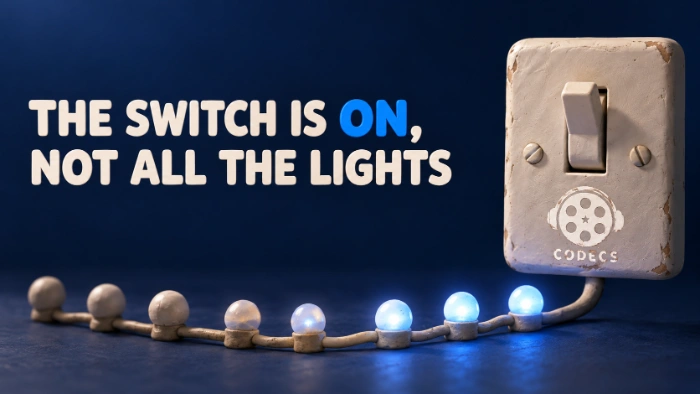
The quick check: press Win + R, type winver and press Enter. If the box says Version 26H2 and the build starts with 26300, you have it.
Most of what 26H2 "adds" actually arrived months ago in regular updates. Below is what is really new, why your PC can say 26H2 and still look the same, and the one date that matters if your build starts with 26100.
How to Check Your Windows 11 Version
- Press Win + R, type winver and press Enter. A small About Windows box shows your version and OS build.
- Or open Settings > System > About and look under Windows specifications.
The first part of the build number tells you which version you are on:
- 26300.xxxx - Windows 11 26H2, the newest.
- 26200.xxxx - Windows 11 25H2.
- 26100.xxxx - Windows 11 24H2.
- 28000.xxxx - Windows 11 26H1, found only on some new Arm laptops. It follows its own track and does not move to 26H2.
The digits after the dot only show which monthly update you have. The part before the dot is what counts.
Build starts with 26100? Home and Pro editions of 24H2 get their last security update on 13 October 2026. You can move to 26H2 for free - on most PCs it is a tiny download and one restart.
Why 26H2 Is Mostly a Light Switch
Windows 11 24H2, 25H2 and 26H2 run on the same code. New features ship switched off inside the normal monthly updates, and 26H2 is a small package - about 174KB - that flips them on.
Microsoft's John Cable calls it a "predictable and low-disruption update". His colleague Jason Leznek is more blunt: "The difference between versions is simply which features are enabled."
The real prize is time. 26H2 keeps Home and Pro PCs on security updates for 24 months, until October 2028. No new hardware is needed - if your PC runs 24H2 or 25H2, it runs 26H2.
What Is Actually New in 26H2
Here are the changes most people will notice, taken from Microsoft's own list:
- Taskbar anywhere: move it to the top, left or right of the screen, and pick a smaller size.
- A reworked Start menu: choose its size, and show or hide Pinned, Recent and All on their own.
- Smarter Search: preview a result without opening it, forgive typos in app names, and see clear labels for apps, files, settings and web results.
- Snappier File Explorer: Home opens faster, Downloads and Documents remember how you sorted them, and you can dictate a file name when renaming.
- Fewer restarts: Windows Update now installs extra updates together with the monthly security update when it can.
- Point-in-time restore: rolls your PC - apps, settings and files - back to a recent automatic restore point when something goes wrong.
- Smart App Control on demand: you can now switch this app blocker on or off without reinstalling Windows.
Accessibility gets real attention too. Magnifier can tint the whole screen to ease eye strain, Narrator gains a Braille Viewer, and Voice Access now speaks French, German, Spanish and Korean, with voice isolation to filter out background chatter.
One thing is gone: the old WMIC command-line tool. It only matters if you run old scripts that call it.
The Media Bits: Camera, Bluetooth Audio and Archives

One webcam, two apps. Windows can now share a camera between several apps at once - for example OBS Studio recording while Teams or Zoom shows you on a call. Before, the second app usually got a "camera in use" error.
It is off by default. Go to Settings > Bluetooth & devices > Cameras, pick your camera, select Edit next to Advanced camera settings and turn on Allow multiple apps to use camera at the same time. A Basic Camera mode also lives there for webcams that misbehave.
Steadier Bluetooth audio. Microsoft lists Bluetooth LE Audio improvements, clearer voice calls, a mic mute that stays in sync, and faster reconnection after the PC wakes from hibernation. Good news if your earbuds keep dropping every time you open the laptop lid.
More archive types. File Explorer now opens uu, cpio, xar and NuGet (.nupkg) files, on top of ZIP, 7z, RAR and TAR. For password-protected archives, split files or squeezing files as small as possible, 7-Zip is still the free tool to keep around.
It Says 26H2 but Nothing Changed - Why?

That is normal, not a broken install. Microsoft turns features on in waves, so two PCs on the exact same build can look different for weeks.
To move up the queue, open Settings > Windows Update and switch on Get the latest updates as soon as they're available. It will not unlock everything instantly - Windows Latest found it only moves you closer to the front of the line - but it helps.
Some features also need specific hardware or a subscription. NPU columns in Task Manager need a PC with an NPU, natural-language Voice Access needs a Copilot+ PC, and Copilot file summaries need Microsoft 365 with a Copilot licence.
One Known Bug: Dolby Digital Audio
The September update KB5124010 can make apps crash when they play Dolby Digital (AC-3) sound, and Microsoft lists 26H2 among the affected versions. A fix is promised in a future update, with no date yet - you can follow it on the Windows release health page.
If a film crashes the moment the sound starts, play it in VLC Media Player. It brings its own Dolby decoder, so the broken Windows one never gets involved.
Quick questions
Is 26H2 a big download?
Not through Windows Update. On 24H2 or 25H2 it is a tiny enablement package and one restart. Only the ISO is big - around 7.9GB - because it is a full install.
Do I need new hardware for 26H2?
No. The requirements are the same as 24H2 and 25H2, so any PC already running those can take it.
Should I install 26H2 now?
If you are on 24H2, yes - Home and Pro support ends on 13 October 2026. If you are on 25H2 there is no rush, as it is supported until October 2027.
Is 26H2 worth it if the features are mostly the same?
Yes, for the extra year of security updates alone. The new features are a bonus that will switch on over the coming weeks.
Can Windows 10 get 26H2?
Not as a quick switch. A Windows 10 PC needs a full upgrade to Windows 11, which lands on the newest version straight away.
26H2 is less a new Windows and more a light switch - check winver today, and if it says 26100, flip it before 13 October.
Use our 26H2 download guide to get it, or tell us what changed on your PC.


Latest reviews
AllHow to Stream With VLC: Open a Stream URL or Send Your Own
5/5This is amazing! I could no longer afford cable so I cut the cord and started watching Hulu, Youtube, ...
Don't Open a .xmpeg File Before Reading This
3/5It's never a good sign when the potential malware you downloaded has the EXACT same filename as the example. ...
Free Popular IPTV Playlist: Where to Get Fresh, Legal M3U Li...
3/5How can you create a DSTV channels on IPTV?