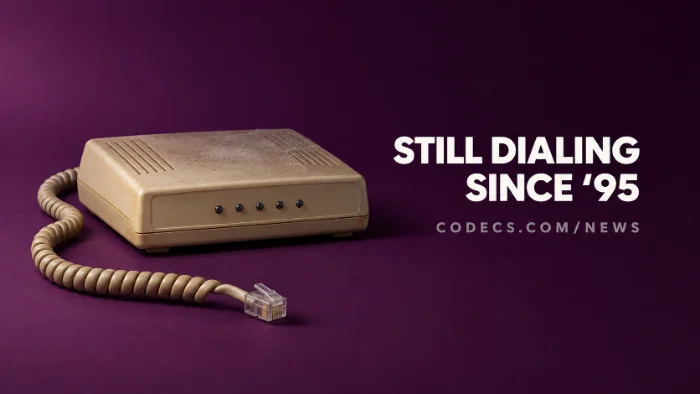
Windows 11 still ships Phone Dialer, a tiny app from the Windows 95 days built to dial calls through a modem - and even Microsoft isn't sure why it's still there.
It's a genuine Windows file, not a virus, and it's harmless.
On almost every home PC it does nothing useful, because there's no modem for it to use.
Here is what it is, how to open it, and the easy way to make phone calls from your PC today.
What Microsoft Said
As Windows Latest reported, Brandon LeBlanc, a Windows communications director at Microsoft, replied on X: "I don't even know why we still have Phone Dialer, it was meant for a time where PCs had modems." He added that he had passed the feedback on.
That isn't a removal notice. Phone Dialer isn't on Microsoft's list of deprecated features, so for now it stays, much as WordPad did for years before it finally went.
What Phone Dialer Is
Phone Dialer dials a phone number for you through a modem or a phone system connected to the PC. It dates back to the dial-up era and still has the speed-dial buttons to prove it.
- Where it lives. The program is dialer.exe in C:WindowsSystem32, which is where the real one should be.
- How to open it. Press Win + R, type dialer and press Enter - the new Run box works the same way.
- Why it shows an error. Without a modem or a configured telephone device, it says it can't find one - that's expected, and there's nothing to fix.
Is dialer.exe a virus?
Not when it's in System32 - that's the genuine Windows file. A dialer.exe running from somewhere else, such as your Downloads or AppData folder, is worth scanning with your antivirus.
Who Still Uses It
A few offices do. Some business phone systems connect to PCs through a Windows feature called TAPI, and Phone Dialer is a quick way for IT staff to test that link or let staff dial from their desk.
That's why removing it isn't as simple as it sounds. For everyone else, it's a museum piece.
How to Make Phone Calls From Your PC Today
The modern answer is Phone Link, Microsoft's free app that is already on most Windows 11 PCs. It connects to your phone over Bluetooth, so you can make and answer calls through the PC's speakers and microphone.
- Open Phone Link. Search for it in the Start menu, or get it free from the Microsoft Store.
- Pair your phone. Android needs version 10 or later and the Link to Windows app, and an iPhone needs iOS 14 or later.
- Check Bluetooth. Calls go over Bluetooth, so many desktop PCs need a cheap USB Bluetooth adapter.
Want to call over the internet instead? Zoom Workplace has a free plan for voice and video calls, and runs on almost any Windows PC.
Moving photos rather than calls? Just plug your phone in - Windows 11's new AutoPlay pop-up remembers what to do.
Quick questions
What is dialer.exe in Windows 11?
It's Phone Dialer, an old Windows app that dials phone numbers through a modem or office phone system. The genuine file lives in C:WindowsSystem32.
Can I delete Phone Dialer?
Don't. It's a protected Windows file, it takes up almost no space, and it does nothing unless you open it.
Is Microsoft removing Phone Dialer?
No plan has been announced. A Microsoft director has said he doesn't know why it's still there, but it isn't on the deprecated features list.
Why does Phone Dialer say it can't find a modem?
Because your PC doesn't have one. Phone Dialer only works with a modem or an office phone system connected through TAPI.
How do I make phone calls from my Windows 11 PC?
Use Phone Link with your Android phone or iPhone over Bluetooth. For internet calls, a free app like Zoom Workplace works without a phone.
The bottom line
Phone Dialer is a harmless leftover from the dial-up days that even Microsoft is ready to question. If you want to call from your PC, Phone Link and your own phone do it better.









Latest news comments
What readers are saying AllI was having the same error issue with the dead playlist link the other guy above did. Thank you so much for ...
Team replied News: Free USA IPTV Playlist: The American TV That Is Really Free 2 commentsInteresting development with the Fire TV Stick 4K — losing Kodi sideloading is a big deal for a lot of users. For those ...
News: The New Fire TV Stick 4K Can't Run Kodi - Here's Which Fire Stick Still Can 3 commentsBrave just enabled it by default for stable users yesterday (1.97). Not specified is chromeOS will be passively gaining decode capability too, and ...
Team replied News: JPEG XL Is Back in Chrome: What It Means and How to Open JXL Files 1 comment