The message means the app you sideloaded is asking Google Play whether your account owns it. There is a ten-second fix if you have the Play Store, and an honest answer if you do not.
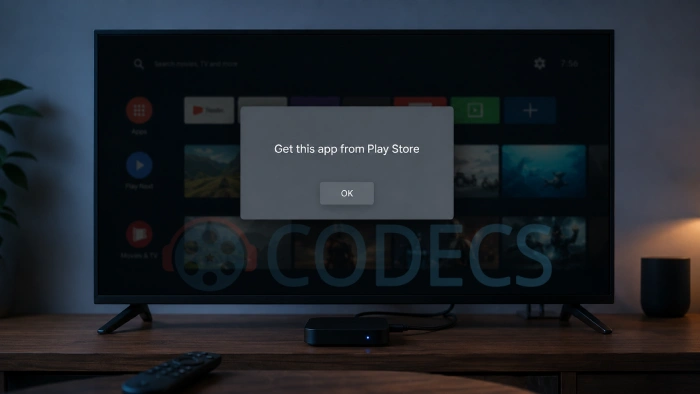
An app installs without complaint, you tap it, and instead of the app you get a dialog telling you to get it from the Play Store.
Nothing is broken and nothing is infected, because the app is doing exactly what it was built to do.
Whether it can be fixed depends on one thing, so start there.
If your phone has the Play Store, open it, search for the app, and let its listing load once. Then reopen the app and it will work.
If your phone has no Play Store at all, there is no fix. The app cannot run on that device, and the rest of this guide explains why and what to do instead.
What the message actually means
Google gives app developers an automatic protection called PairIP. It is switched on with a checkbox when the app is built, and the developer never writes a line of code for it.
Apps built that way contact the Play Store every single time they start. They ask one question: does the Google account signed in on this device actually own this app?
Answer yes and the app opens normally. Answer no, or fail to reach Play at all, and you get the dialog instead.
Worth knowing: this has nothing to do with where you downloaded the file. The check is compiled into the app itself, so no mirror, no alternative source and no "fixed" version can remove it.
The fix, when you have the Play Store
The check is asking whether your account has ever acquired the app. Loading the store listing is enough to satisfy it, and you do not need to install anything from Play.
- Leave the sideloaded app installed. Do not uninstall it, because you will only have to install it again.
- Open the Play Store and search for the app by name. Make sure you have the official listing from the real developer, not a lookalike.
- Let the listing page finish loading. That is the step that registers the app against your Google account.
- Close the Play Store, open your app again, and it should go straight in.
If it still refuses, check that you are signed into Google on the device at all, and that the account you are signed into is the one you expect. Settings, then Accounts, will tell you in a few seconds.
One more possibility worth ruling out: if the sideloaded version is much older than the one Play lists, install the Play version over the top and the problem disappears along with the old build.
When there is no fix at all
The clearest tell takes one glance at your home screen. No Play Store icon means no licence check can ever pass, and the app will never open on that device.
That covers more devices than people expect. Recent Huawei phones and tablets ship without Google services, de-Googled ROMs leave them out by design, most cheap Android TV boxes never had them, and Amazon Fire tablets on stock Fire OS use Amazon's store instead.
Installing a Play Services replacement is not a reliable answer either. These checks talk to the real Play Store, and the substitutes are not consistently able to answer for them.
The practical routes are a web version of the service in your browser, or an alternative app that does not carry the check. Which of those is available depends entirely on the app.
How to tell before you install
You do not have to find out the hard way. The check leaves obvious fingerprints in the app's manifest, and reading them takes one drop of the file.
Our Play Store dependency check answers exactly this question and nothing else. Drop in an APK or XAPK and it tells you whether the app will run without Play. The file stays in your browser.
If you want the whole picture instead, the APK Checker reports the same verdict alongside permissions, the signing certificate, CPU architectures and screen densities.
Three things give it away, and either tool will name whichever it finds: a PairIP application class, a licence check activity, or the Play licence permission.
Things that will not help
Most advice on this error is recycled generic Android troubleshooting, and none of it touches the actual cause.
- Clearing the app's cache and data. The check runs fresh on every launch and does not read anything you can clear.
- Reinstalling the same file. You get an identical app that fails the identical check.
- Downloading it from somewhere else. Every copy of that version carries the same compiled-in check.
- Turning off Play Protect. Different feature entirely, and switching it off costs you a real safety net.
- Looking for a modified build. Files advertised as bypassing this are the single most reliable way to install malware while chasing a fix.
Errors that look similar but are not this
Android has several messages that people lump together with this one, and the fixes are completely different.
"App not installed" appears before the app ever runs, and usually means a signature clash with an existing version or an incomplete download. "There was a problem parsing the package" means the file is damaged or built for a newer Android than your phone runs.
If your download is an XAPK rather than a plain APK, tapping it does nothing at all, which is not an error so much as the wrong tool. Our guide on installing an APK safely on Android covers the settings and the warning signs worth knowing either way.
Also not this: from 30 September 2026, Google starts requiring apps to be registered to a verified developer before they will install normally on certified devices, beginning in Brazil, Indonesia, Singapore and Thailand and reaching the rest of the world during 2027. That one blocks installing rather than opening, and it is a separate change with a separate workaround.
Apps on this site that carry the check
Grok is the clearest example we host. It installs fine and then refuses to open without Play, and its download page now says so above the download button.
Big-name apps are the likeliest to use it, because the protection is aimed at piracy and impersonation. Smaller and open-source apps rarely bother, which is why VLC for Android and similar apps sideload without complaint.
Run anything you are unsure about through the checker first. It costs a few seconds and saves a download you cannot use.
Quick questions
Is the app infected or fake?
Almost certainly not. This message is a sign the app is the genuine protected build, because that is the only version the check exists in. A fake would be more likely to open normally and quietly do something else.
Do I have to buy anything?
No. The check asks whether your account has acquired the app, which a free app satisfies the moment you load its Play listing. Nothing is charged.
Will it work on a Huawei phone or an Android TV box?
No. Devices without Google Play Services cannot pass the check, so the app installs and then refuses to open. Look for a web version or an alternative app instead.
Can the check be removed from the APK?
No. It is compiled into the app itself. Anything advertised as a bypass is not a fixed version of the app, and installing it is a considerably worse problem than the one you started with.
How do I know if an app has this before installing?
Drop the file into our Play Store dependency check. It reads the manifest in your browser and gives you a straight yes or no.
Does an older version of the app avoid it?
Sometimes. The protection is applied per build, so a release from before the developer switched it on may open without Play. There is no rule about when that happened, so it is trial and error.


How to Stream With VLC: Open a Stream URL or ...
5/5This is amazing! I could no longer afford cable so I cut the cord and started watching Hulu, Youtube, ...
Read More →Don't Open a .xmpeg File Before Reading This
3/5It's never a good sign when the potential malware you downloaded has the EXACT same filename as the example. ...
Read More →Free Popular IPTV Playlist: Where to Get Fres...
3/5How can you create a DSTV channels on IPTV?
Read More →