A reader reported an app that installed cleanly and then refused to open. Unpacking the file turned up a Google licence check that no download site can remove - so we built a tool that finds it before you install.
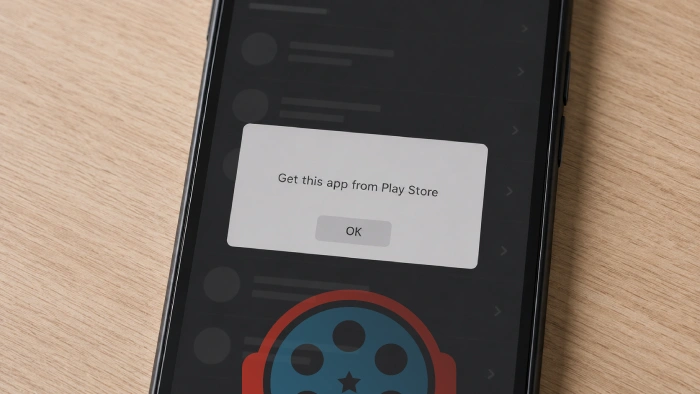
A reader wrote in this week about an app that installed without a hitch and then refused to open.
All they got was a dialog telling them to get it from the Play Store.
The obvious suspect was our file, and it turned out not to be the cause.
We unpacked the download and found the cause compiled into the app itself.
What was in the file
The app carried Google's PairIP protection, an automatic option developers switch on when they build in the Play Console. Apps using it contact the Play Store on every launch and ask whether the Google account on the device owns the app.
Fail that check and you get the dialog instead of the app. The strings sitting in the code are blunt about it: "The app is not owned by any user on this device. An app is 'owned' if it has been acquired from Play."
No download source can strip this out. The check is part of the app, so every copy of that version behaves identically no matter where it came from.
Who it stops
If you have the Play Store, the fix takes seconds. Open it, load the app's listing once so it registers against your account, and the app opens on the next try.
And on devices with no Play Store at all - Huawei handsets, de-Googled ROMs, uncertified TV boxes, stock Fire tablets - there is no fix, which our guide to this error goes through device by device.
Which is awkward, because those are exactly the devices people sideload for.
How to check before you download
We have added a Play Store dependency check to the tools section. Drop in an APK or XAPK and it tells you whether the app needs Play to launch, reading the file in your browser without uploading it.
The same verdict now appears in our APK Checker alongside permissions, the signing certificate and device compatibility.
For the full explanation, the fix in detail, and the list of things that will not help, see our guide on the "Get this app from Play Store" error.
Which apps this affects
The Grok download page now carries the warning above its download button, because Grok is the clearest example we host.
We are working through the rest of the Android catalogue for the same check and will flag every page that needs it.
If sideloading is new to you, the checks worth doing on any APK are in our guide to installing an APK safely on Android, and this one is now part of them.


How to Stream With VLC: Open a Stream URL or ...
5/5This is amazing! I could no longer afford cable so I cut the cord and started watching Hulu, Youtube, ...
Read More →Don't Open a .xmpeg File Before Reading This
3/5It's never a good sign when the potential malware you downloaded has the EXACT same filename as the example. ...
Read More →Free Popular IPTV Playlist: Where to Get Fres...
3/5How can you create a DSTV channels on IPTV?
Read More →