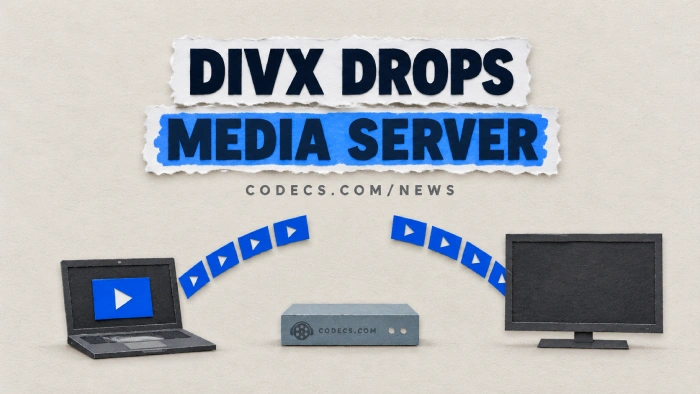
DivX 11.16 has removed Media Server, the part that sent your videos to the TV.
If Cast To or Stream To has vanished from DivX Player since you updated, that is why.
DivX calls it a lighter, more focused app, but for anyone who watched PC videos on a TV it is a missing feature.
You have four ways to keep streaming, and three of them are free downloads that work today.
Who loses what
Media Server was the piece behind DivX Player's Cast To and Stream To options. It sent videos from your PC to smart TVs, Roku, Chromecast, PlayStation, Xbox and any other DLNA device, and let the TV browse your DivX library on its own.
All of that is gone in 11.16. Playing and converting on the PC itself is unchanged - only the TV side is affected.
Option 1: stay on DivX 11.15
The 11.16 release notes say Media Server is now only available in DivX Software for Windows 11.15 and earlier. If you have not updated yet, you can simply hold off.
The catch is that it is a dead end. You get no more fixes, the current downloads (DivX's own and our DivX page) serve 11.16, and you have to ignore every update prompt from now on.
Option 2: Jellyfin - the closest replacement
Jellyfin Server does what Media Server did, and more. It is free and open source, runs on Windows, Mac and Linux, and has apps for Roku, Fire TV, Android TV and Apple TV, plus phone apps that cast to a Chromecast.
It also converts files on the fly when a TV cannot play them. Install it, point it at your video folders, and open the Jellyfin app on the TV.
TV has no Jellyfin app?
Older smart TVs and consoles can still see Jellyfin through DLNA, but DLNA is now a free add-on rather than built in. Install the DLNA plugin from the Catalog in Jellyfin's dashboard, restart the server, and it shows up in the TV's media app - Jellyfin's DLNA guide has the details.
Option 3: Emby - similar, with a paid tier
Emby works the same way: a server on your PC and an app on the TV. It looks polished and the server is free.
Some of its TV and console apps, though, need the paid Emby Premiere for full playback. Check your TV's app before you move a whole library over - Jellyfin has no paid tier at all.
Option 4: skip the server
If you only ever cast the odd film, you may not need a server. VLC on your PC can send a video straight to a Chromecast: open the file, then choose Playback, Renderer and pick your device.
If your TV runs Android TV or you have a Fire TV stick, install Kodi on it. Share your video folder in Windows, add it as a source in Kodi, and the TV plays the files straight from your PC.
| Option | Cost | Use this when |
|---|---|---|
| Stay on DivX 11.15 | Free | You are on Windows, have not updated, and want nothing to change |
| Jellyfin | Free | You want a proper replacement for every TV and phone in the house |
| Emby | Free server, some apps paid | Your TV's Emby app plays free, and you prefer its look |
| VLC to Chromecast | Free | You cast a single video now and then |
| Kodi on the TV box | Free | You have an Android TV or Fire TV and want no server at all |
Mac users: everything above except staying on 11.15 works on a Mac too.
Quick questions
Why did Cast To disappear from DivX Player?
Cast To and Stream To ran through DivX Media Server, and DivX removed Media Server in version 11.16. The player itself still works as before.
Can I just reinstall DivX 11.15?
Only if you still have the 11.15 installer. The current downloads all serve 11.16, so most people are better off moving to Jellyfin.
Is Jellyfin hard to set up?
Not really. You install it, create a user, point it at your video folders and let it scan - the TV app then finds it on your home network.
My TV cannot find Jellyfin. What now?
If you are using the TV's own media app rather than a Jellyfin app, install the DLNA plugin from Jellyfin's Catalog and restart the server. The TV and the PC also have to be on the same home network.
Does DivX still play my files on the PC?
Yes. Only the streaming to other devices was removed - playback and conversion on the computer are unchanged.
The bottom line
DivX no longer streams to your TV, and staying on 11.15 only delays the move. Jellyfin is the free, like-for-like replacement, and VLC or Kodi cover the lighter cases. Tell us what you switched to.


How to Stream With VLC: Open a Stream URL or ...
5/5This is amazing! I could no longer afford cable so I cut the cord and started watching Hulu, Youtube, ...
Read More →Don't Open a .xmpeg File Before Reading This
3/5It's never a good sign when the potential malware you downloaded has the EXACT same filename as the example. ...
Read More →Free Popular IPTV Playlist: Where to Get Fres...
3/5How can you create a DSTV channels on IPTV?
Read More →