iGain 1.2
Free
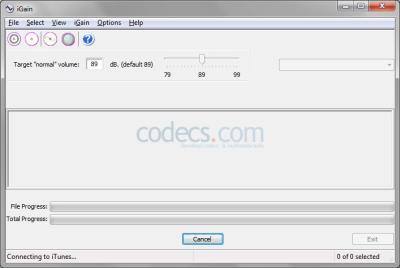
iGain is an interactive front-end for MP3Gain and AACGain to enable these applications to work better with iTunes.
- Updated
- Size
- 787KB
- Downloads
- 6.5K
No longer developed
iGain is no longer updated by its developer - the last version here is from 2014. It may still run, but it gets no fixes for newer Windows versions or formats.
Maintained alternatives that may do the same job:
iGain only runs if you have iTunes installed to your computer.
The file formats supported by this program are MP4 and QuickTime.
Raw AAC files or files encoded with HE-AAC/SBR are not supported.
Moreover, DRM’ed files from the iTunes music store are not supported either, but you can convert them to M4A by burning them to a CD and importing them back into iTunes.
iTunes integration makes it possible for iGain to automatically locate music files, to operate on playlists and to tag files so they are resynchronized with your iPod after being adjusted in iGain.
MP3Gain and AACGain use the Replaygain algorithm which adjusts your tracks’ volume so they play at approximately the same volume. Thus you don’t have to adjust the volume of your computer or iPod each time a new track starts playing.
The developers of this application recommend you to back up your music files before using iGain. The software is experimental and it could corrupt music files.
iGain doesn’t work with Soundcheck and Souncheck should be turned off in both iTunes and your iPod. Also iGain doesn’t change the iTunNorm tag used to display volume in iTunes.
You will hear the changes on playback, but you will not notice any changes in the iTunes displayed volume after making adjustments.
iGain allows you to enjoy the features of MP3Gain and AACGain the easy way and to integrate these applications into iTunes. This utility offers extensive support for M4A and MP4 files.
Related to iGain
More free downloads to try-

MPlayer GUI
MPUI is a small Windows front end for the MPlayer engine, with a classic Windows Media Player layout and no codec pack needed for most video.
In common: front, end
-

XMedia Recode Top rated
XMedia Recode sits in Video Encoders as the free FFmpeg front-end that converts almost any video or audio file on Windows without a command line.
In common: front, end
-

LameXP Most popular
LameXP is a graphical user interface mainly for LAME MP3 Encoder, Ogg Vorbis and Nero AAC.
Popular in Audio Encoders
-

Free DVD to MP3 Converter
Tipard Free DVD to MP3 Converter extracts audio from DVD and transforms it into MP3 without compromising on quality.
Popular in Audio Encoders