TiviMate has disappeared from the Google Play Store again - and version 5.3.3 will not show up as an update. Here is why, and how to install it yourself.
If you went looking for TiviMate on Google Play this week and came up empty, you are not imagining it.
The listing has gone, and most people only noticed when version 5.3.3 refused to appear as an update.
Your installed copy is fine, and you can still get the update - you just have to fetch it yourself.
TiviMate is missing from the Play Store, not shut down. Apps already installed keep working normally, playlists and settings untouched.
To get 5.3.3, open TiviMate and check its own update screen first. If nothing appears, install the APK from the TiviMate download page using a file manager or the Downloader app on your TV.
What actually happened
Play Store listings for IPTV players have been unstable all through 2026, and TiviMate has been pulled before. Longtime users greeted this round with a shrug and a fair point: it keeps happening, and it keeps coming back.
Two separate pressures are squeezing these apps at once.
The louder one is enforcement by sports rights holders. A single push earlier in 2026 removed 36 IPTV player apps from Google Play and the App Store during a major cricket tournament, including Televizo, XCIPTV and IPTV Smarters Pro.
The quieter one is housekeeping. Google now requires apps to target a recent Android version to stay visible to new users, with the bar rising again on 31 August 2026.
An app that falls behind that line stops appearing in search and cannot be installed fresh, even though nothing about the app itself has changed.
Nobody outside Google knows which of the two hit TiviMate this time, and the developer has not published a statement. Treat any confident explanation you read in a forum thread as a guess.
The good news: a delisting does not touch the app
If TiviMate is already on your Android TV box, Fire TV stick or Google TV device, it keeps running exactly as before. Channels, favourites, EPG and recordings are all unaffected.
You also keep the ability to reinstall it. A store removal blocks the shopfront, not the installer.
How to get version 5.3.3
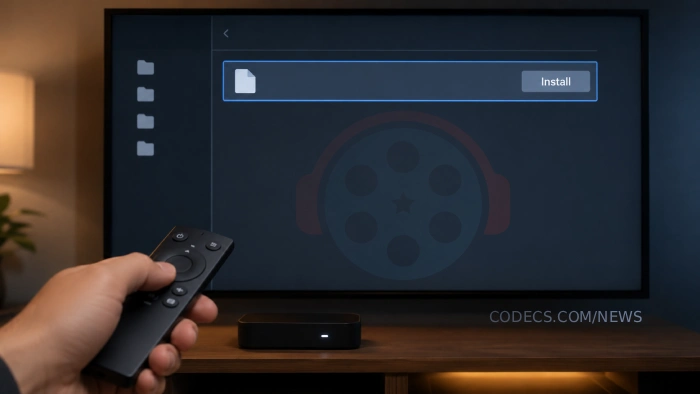
Three routes, in order of how little hassle they involve.
- Update from inside TiviMate. Open the app and look at its own update section - several users reported 5.3.3 turned up there while Google Play showed nothing at all.
- Sideload the official APK. Get the current build from the TiviMate download page and install it with a file manager, or with the Downloader app if you are on a Fire TV device.
- Stay on an older build. If 5.3.3 misbehaves on your particular TV, install an earlier version and switch off automatic updates until things settle down.
Check the APK before you install it
This is the part that catches people out. Fake TiviMate APKs are everywhere, and a repackaged installer can carry anything it likes alongside the app.
The tell: the real app has the package name ar.tvplayer.tv. A build with a different package name, a mismatched signature, or permissions it has no business requesting is not TiviMate, whatever the filename says.
Drop the file into the free APK Checker and it reads the package name, signature and permission list for you. Nothing is uploaded anywhere - the check runs on your own device.
Ten seconds of checking is the difference between the real player and somebody else's repack.
If premium stops activating
One reader with a brand-new TCL set hit the ugly edge case: the sideloaded APK installed fine, then threw an "invalid order" error when they tried to activate premium.
That is what happens when a subscription bought through Google Play cannot check in to validate itself. It is a licensing hiccup, not a lost purchase.
Make sure the device is signed in to the same Google account that made the purchase. If the error persists, contact TiviMate support with your order details rather than buying the upgrade a second time.
TiviMate is a player and nothing more - it ships with no channels. What you load into it is your responsibility, so stick to playlists you are entitled to use.
Or skip the chase and use another player
If hunting down APKs is not how you want to spend your evening, TiviMate is not the only option on the shelf.
VLC for Android opens any M3U playlist with no setup and is not going anywhere. Kodi gives you a full channel guide instead, if you can spare ten minutes on the PVR add-on.
For a device-by-device comparison, our guide to the best free IPTV players for M3U playlists covers Android TV, Fire TV, desktop and browser.
Do not treat a version number as the finish line
Store availability for IPTV players flips back and forth, and 5.3.3 will be old news soon enough. Chasing a specific version is how people end up on a dodgy mirror.
Two habits age better. Check TiviMate's own updater before you check the Play Store, and verify the package name on any APK you did not get from an official source.
Quick questions
Has TiviMate been banned or shut down?
No. The app has been removed from the Google Play Store listing, which is a distribution change, not a shutdown. Development continues and the APK is still available from the developer.
Will my installed TiviMate stop working?
No. A store delisting has no effect on an app that is already installed. Your playlists, favourites and EPG settings stay exactly as they are.
How do I install TiviMate without the Play Store?
Download the APK from the TiviMate download page, then install it with a file manager or the Downloader app on your TV device. Check it in the APK Checker first if it came from anywhere unofficial.
Why does premium show an "invalid order" error after sideloading?
The app cannot validate a Google Play purchase on that device. Sign in to the Google account that bought the subscription, and if it still fails, contact TiviMate support with your order details instead of paying again.
Will TiviMate return to the Play Store?
It has come back after previous removals, so it is likely but not guaranteed. Nobody outside Google and the developer can say for certain, so keep a copy of the installer in the meantime.


Latest news comments
AllInteresting development with the Fire TV Stick 4K — losing Kodi sideloading is a big deal for a lot of users. For those ...
News: The New Fire TV Stick 4K Can't Run Kodi - Here's Which Fire Stick Still Can 3 commentsBrave just enabled it by default for stable users yesterday (1.97). Not specified is chromeOS will be passively gaining decode capability too, and ...
Team replied News: JPEG XL Is Back in Chrome: What It Means and How to Open JXL Files 1 commentI didn't know it was EU, AND france. That doesn't sound like a good idea. Related to coding or privacy.
News: Meet Qwant: The Private, EU-Built Alternative to Google 1 comment