Almost any PC can play H.265 video. The real question is whether yours decodes it in hardware or in software.
Hardware decoding means your graphics chip does the work, quietly and with barely any battery drain.
Software decoding means your processor does it instead, which works but makes the fans spin.
Here is how to find out which one your machine is doing, and what to change if 4K stutters.
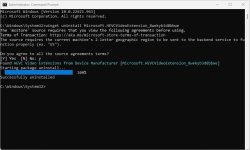
Most of the time the PC is not the problem. Windows simply ships without an H.265 decoder, so install the free HEVC Video Extensions from Device Manufacturer and try the file again.
If it plays but stutters, that is a hardware question. Look your graphics chip up in this HEVC hardware support checker, which covers 60 or so NVIDIA, AMD and Intel models and needs no download.
Two different questions get mixed up here
"My PC cannot play HEVC" almost always turns out to be one of two separate problems, and they have different fixes.
The first is a missing decoder. Windows 10 and Windows 11 do not include one for H.265, so the file throws a codec error, plays sound with no picture, or shows a black screen. Nothing to do with your hardware.
The second is slow decoding. The file plays, but 4K stutters, the fans roar, and a laptop battery empties fast. That one is about your graphics chip.
Fix the first before worrying about the second. Install the codec, or open the file in VLC Media Player, which carries its own H.265 decoder and needs nothing from Windows.
Which graphics chips decode HEVC in hardware
Hardware HEVC decoding arrived around 2015 and 2016, and it came in two waves. Plain 8-bit HEVC came first, then 10-bit, which is what most 4K and HDR video uses.
| Graphics | 8-bit HEVC | 10-bit HEVC (4K and HDR) |
|---|---|---|
| Intel integrated | 6th generation (Skylake) and newer | 7th generation (Kaby Lake) and newer |
| NVIDIA | GTX 950 and 960 and newer | GTX 10-series and newer |
| AMD | Radeon RX 400 series and newer | Varies by model, check yours |
If your machine is newer than roughly 2017, 10-bit HEVC almost certainly decodes in hardware. If it is older, look the exact model up rather than guessing.
How to check your own graphics chip
The quickest way is the HEVC hardware support checker. Find your card in the list and it tells you whether it handles 8-bit, 10-bit and 4K, all in the browser.
For a reading from your actual machine rather than a lookup table, DXVA Checker queries the decoders your installed drivers expose. Look for HEVC_VLD entries in the list.
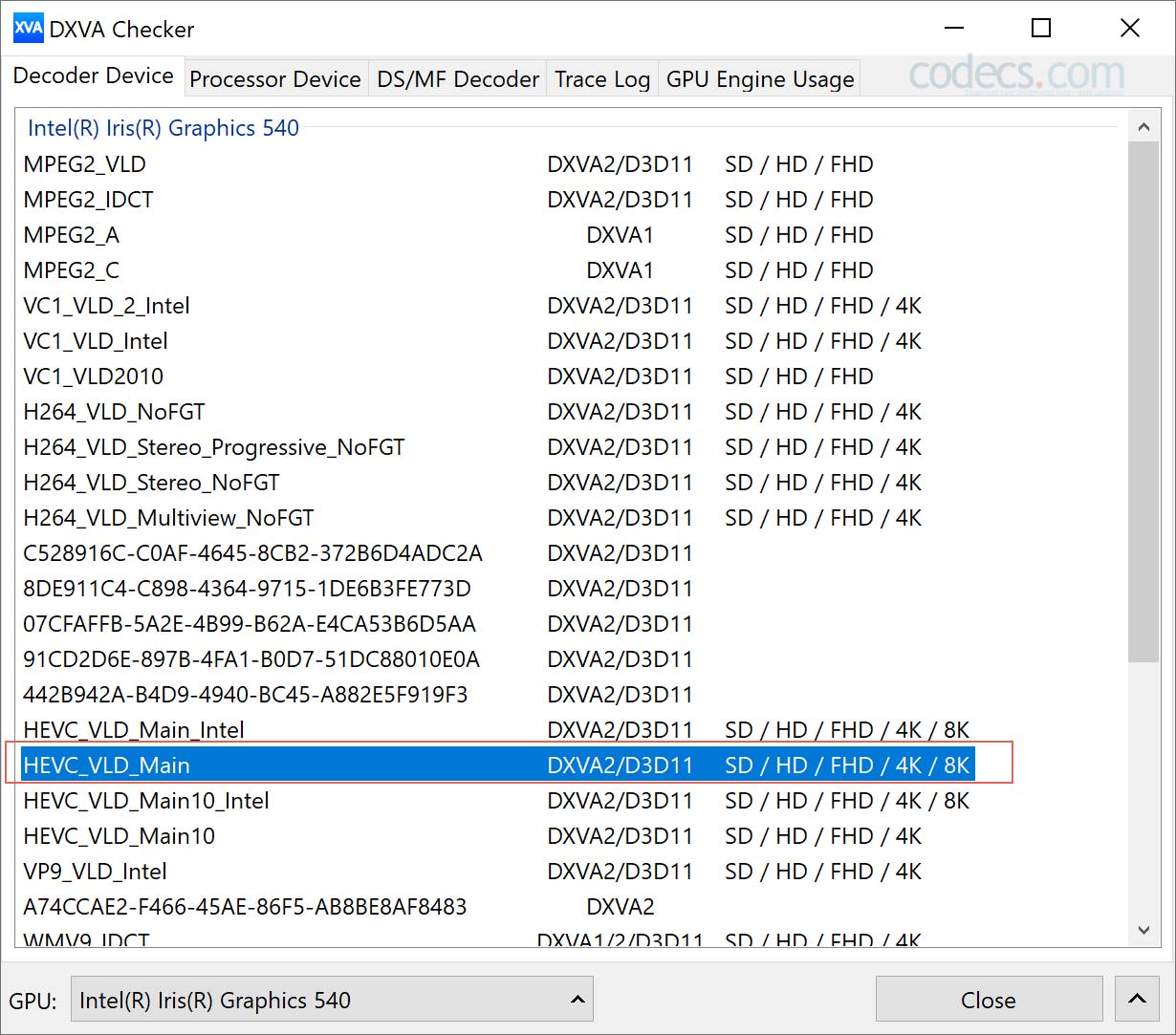
If HEVC entries are missing there but the checker says your card supports it, your graphics driver is out of date. Get the newest one from NVIDIA, AMD or Intel directly rather than through Windows Update.
Turn hardware acceleration on in your player
Supporting hardware decoding and using it are two different things. Most players need the setting switched on, and every player hides it somewhere else.
In VLC, open Tools, then Preferences, then the Input / Codecs tab, and set hardware-accelerated decoding to DirectX Video Acceleration (DXVA) 2.0. Save, and restart VLC.
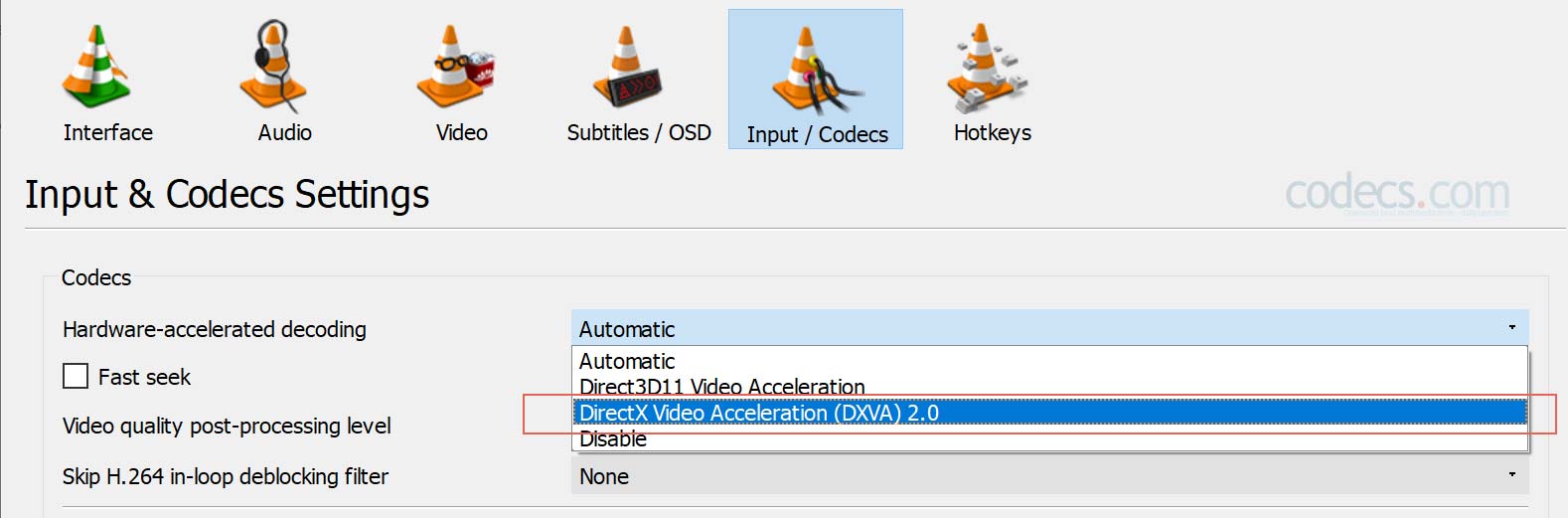
If playback gets worse rather than better, switch it back. A wrong decoding path is a common cause of black screens with working sound, and toggling it either way often fixes that on the spot.
Other players keep the same setting under different names, and all four of these decode H.265 on their own without any Windows codec.
- mpv - light on resources, which helps most on older machines.
- MPC-BE - hardware decoding sits under View, then Options, then Internal Filters.
- PotPlayer - the most settings of the four, if you like adjusting things.
- Kodi - the one to pick if you watch on a TV rather than at a desk.
Our guide to the best HEVC video players compares them side by side.
What if your PC only decodes in software?
Nothing breaks. Software decoding plays the same files using your processor instead of your graphics chip.
At 1080p almost any machine from the last decade manages this without complaint. 4K is where it shows: dropped frames, loud fans, and a laptop battery that empties in an hour.
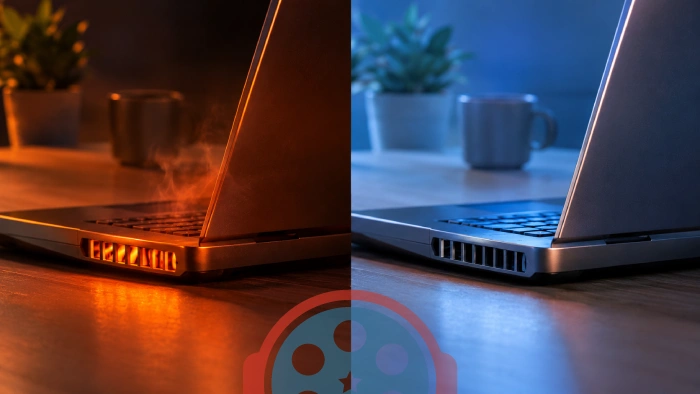
If that is your situation, three things help. Play 1080p copies rather than 4K, use a lightweight player such as mpv or MPC-BE, and close the browser while you watch.
Buying a new PC purely to watch H.265 is rarely worth it. A cheap modern graphics card fixes the same problem for a fraction of the cost.
Quick questions
Does my PC need a special decoder to play HEVC?
Windows needs one, your PC does not. Install the free HEVC Video Extensions from Device Manufacturer and every Windows app can read H.265, whatever your hardware is.
Does VLC support HEVC without any extra codec?
Yes. VLC carries its own H.265 decoder and plays HEVC on Windows, Mac, Linux and Android with nothing else installed. The Windows extension is still worth having if you want Photos, File Explorer thumbnails and Windows Media Player to handle H.265 as well.
How do I know if hardware decoding is actually being used?
Open Task Manager while the video plays and watch the Performance tab. Hardware decoding shows activity on the GPU "Video Decode" graph with low CPU use; software decoding shows the opposite.
Why does my 4K HEVC file stutter when 1080p plays fine?
Most 4K HEVC is 10-bit, which needs newer hardware than plain 8-bit HEVC. Your chip is probably decoding the 4K file in software while handling 1080p in hardware.
I get sound but a black screen. Is that a hardware problem?
Usually yes, and usually a fixable one. Toggle hardware acceleration in your player, then update your graphics driver. Our HEVC troubleshooting guide covers the rest.
Is H.265 the same thing as HEVC?
Yes, two names for one format. You will also see it written H.265/HEVC, and occasionally misspelled "hvec".
The short version
Install the free codec first, because that solves it for most people. Then check your graphics chip in the hardware support checker if 4K still stutters, and switch acceleration on in your player.
If you want to go deeper on encoding, settings and the rest of the format, the partner guide HEVC on Windows picks up where this page stops.