LibreOffice 26.8.3 is out with around 45 fixes, including better handling of PowerPoint and Excel files - and if you are still on 26.2, this is the version to move to before its support ends on 30 November.
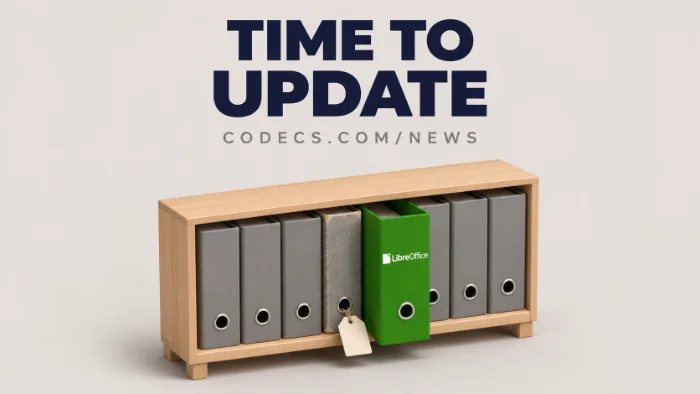
The Document Foundation released LibreOffice 26.8.3 on 12 November 2026.
It is free for Windows, macOS and Linux, and on a PC it needs Windows 10 or newer.
Updating takes a few minutes, and your documents are not touched.
What LibreOffice 26.8.3 Fixes
This is a bug-fix update, so do not expect new buttons. These are the fixes most people will notice:
- PowerPoint lists count properly. Numbered lists in PPTX files now show 1, 2, 3 instead of repeating the same number.
- Excel formulas match. The TEXTBEFORE and TEXTAFTER functions in Calc now work the same way they do in Excel.
- Big files open again. Valid documents over 2 GB are no longer wrongly reported as corrupt.
- Fewer crashes. Copying and pasting comments in Impress and Draw, pasting text into speaker notes, and rearranging pivot tables in Calc no longer crash the app.
- A quiet CPU hog is gone. A Navigator loop that kept the processor busy since 26.8.0 is fixed.
The full list is in The Document Foundation's announcement.
Still on LibreOffice 26.2? Move Now
LibreOffice 26.2.7, released on 3 November, was the last update for the 26.2 family. After 30 November it gets no more bug fixes and no more security updates.
Why it matters.
Office files are a common way to deliver malware, because people open them straight from email. An office suite that no longer gets security fixes is a risk every time you open an attachment from someone you do not know.
How to Check Your Version and Update
- Check your version. Open any LibreOffice app and go to Help > About LibreOffice.
- See if you need it. If the number starts with 26.2 or anything older, or is 26.8.2 or below, update.
- Get the installer. Download it from the official LibreOffice download page - pick Windows x86_64 on most PCs.
- Close LibreOffice and run it. The installer replaces your old version, and your documents stay where they are.
Only download from libreoffice.org.
LibreOffice is free, so any site asking you to pay for it, or wrapping it in its own "downloader", is not the real thing.
DOCX or ODT - Which Should You Save In?
LibreOffice saves in ODT by default, while Word uses DOCX. If you swap files with Word users, DOCX is usually the safer choice.
We explain the difference, and the row behind it, in DOCX or ODT? Which one you should use.
Want Something Lighter?
If you only write letters and documents, WordCraft is a free Word-style editor that opens and saves DOCX files natively. It is still an early version, so keep LibreOffice around for anything important.
For PDFs, PdfCraft from the same project can merge, fill in, sign and comment on them for free.
Quick questions
What is new in LibreOffice 26.8.3?
About 45 bug fixes, including correct numbered lists in PowerPoint files, Excel-matching TEXTBEFORE and TEXTAFTER in Calc, fewer crashes and a fix for large files wrongly reported as corrupt.
When does LibreOffice 26.2 stop being supported?
On 30 November 2026. After that it gets no bug fixes or security updates, so move to 26.8.3.
Will updating LibreOffice delete my documents?
No. The installer replaces the program, not your files. Your documents stay in the folders you saved them in.
Does LibreOffice 26.8.3 work on Windows 10?
Yes. LibreOffice 26.8 needs Windows 10 or newer, so it runs on both Windows 10 and Windows 11.
Is LibreOffice really free?
Yes. It is free and open source, with no subscription and no account, for home and business use.
The bottom line
LibreOffice 26.8.3 is a safe, quick update with fixes for PowerPoint, Excel and crash bugs. If you are still on 26.2, update before 30 November, when its security fixes stop.







Latest news comments
What readers are saying AllI was having the same error issue with the dead playlist link the other guy above did. Thank you so much for ...
Team replied News: Free USA IPTV Playlist: The American TV That Is Really Free 2 commentsInteresting development with the Fire TV Stick 4K — losing Kodi sideloading is a big deal for a lot of users. For those ...
News: The New Fire TV Stick 4K Can't Run Kodi - Here's Which Fire Stick Still Can 3 commentsBrave just enabled it by default for stable users yesterday (1.97). Not specified is chromeOS will be passively gaining decode capability too, and ...
Team replied News: JPEG XL Is Back in Chrome: What It Means and How to Open JXL Files 1 comment