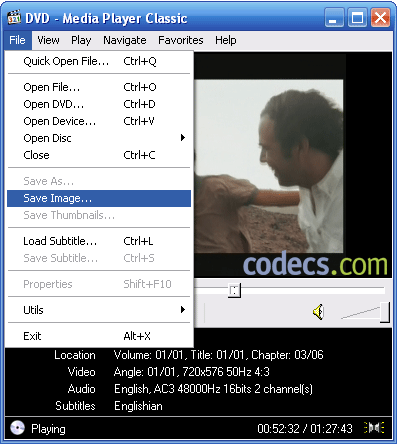
There is nothing more easy! Open the movie with Media Player Classic and choose Save Image... from File menu.
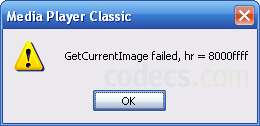
If you encounter problems - you may get the following error messages: GetCurrentImage failed, hr = 8000ffff or GetCurrentImage failed, hr = 80004005 - be sure to select the right renderer.
Click on Options... under View drop-down menu and check out the Output settings.
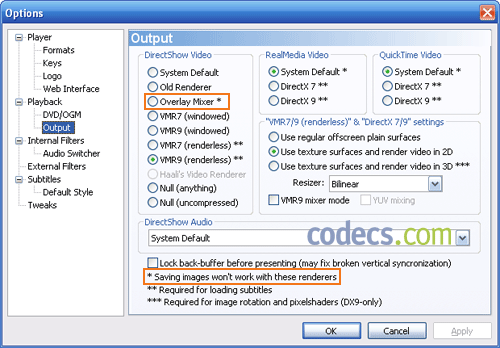
Important! Never select the Overlay Mixer if you want to be able to capture pictures from movies.
And don't forget to check the version of your DirectX!
Click Start, select Run... (WinKey+R) and type 'dxdiag' without quotes; you need at least DirectX 9.0b.




How to Download HEVC Video Extension for Free
5/5its works! thank you all!
Read More →Free Popular IPTV Playlist: Where to Get Fres...
5/5very Good i also knwo about the some best compines.
Read More →How to Use Helium Audio Converter: Convert An...
5/5@levi Yes, it works offline, it's a desktop software.
Read More →