A year ago Microsoft made Windows 11 install updates before it would let you in. The wait is now skippable - the part that replaced it is not.
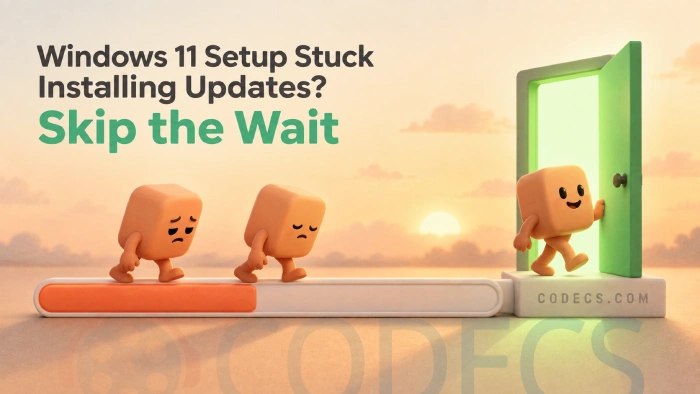
On current Windows 11, the setup screen that installs updates has an Update Later option. Take it and you go straight to the desktop.
The updates still arrive, quietly, once you are in. Nothing is skipped permanently.
We wrote about this in August 2025, when Microsoft announced that Windows 11 would start installing quality updates during setup by default.
A year later, two things have changed - and one of them is that we got part of it wrong.
Here is where it actually stands.
Who that announcement was really for
It was not for you, unless you run an IT department.
The change applied to Microsoft Entra-joined and hybrid-joined machines set up through Intune's enrollment status page - the way a company hands out a hundred identical laptops. A PC you bought in a shop and switched on at your kitchen table was never covered by it.
That distinction got lost in a lot of the coverage at the time, including ours, and it matters: the setting behind it is one an administrator ticks, and it does not exist on a home machine.
| What was said in 2025 | What is actually true |
|---|---|
| Every new Windows 11 PC will install updates during setup | Only Entra-joined and hybrid-joined devices provisioned through Intune. A retail laptop was never in scope |
| The setting is on by default | True, but only for newly created enrollment profiles. Profiles that already existed stay switched off until an admin changes them |
| You will be stuck watching a progress bar with no way out | Since April 2026 the setup update screen carries an Update Later option, on current Windows 11 installers |
| Windows 11 setup got longer | The update wait got shorter. The sign-in got longer, which is a different complaint entirely |
The good news - there is now a skip button
Windows 11 setup still pauses to look for updates, on home machines as much as managed ones. That screen is where people get stuck.
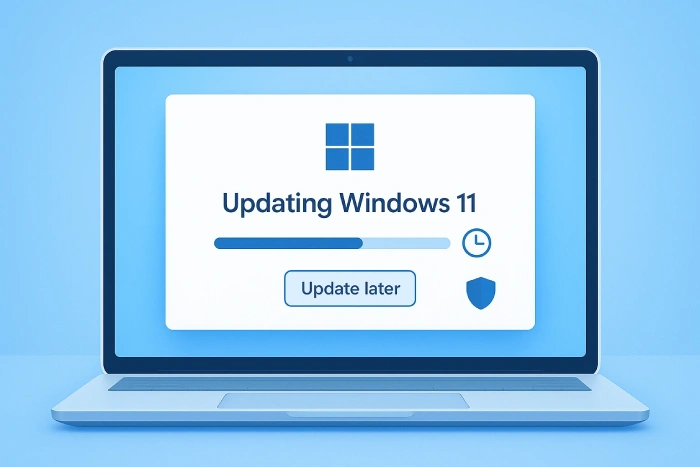
It now offers Update Later. Choosing it sends you to the desktop and leaves Windows to fetch the updates in the background afterwards.
You are not skipping the patches, only the queue. They install once you are actually using the machine, which is where most people would rather wait.
If you do not see it. The option rides along with recent Windows 11 installers and cumulative updates. An older USB stick or an ISO from a year ago will not have it, and setup will simply install the updates as before.
The bad news - the part that actually got harder
In October 2025 Microsoft closed the shortcuts that let you finish setup with a local account.
The commands that used to do it are gone, and so is the registry switch behind them. On Windows 11 Home, setup now expects an internet connection and a Microsoft account, and it does not take no for an answer.
This is the genuine endurance test, and it is the one nobody gave a skip button.
What you can do about it
Three routes work, in rough order of effort.
- Sign in, then switch. Finish setup with a Microsoft account, then go to Settings, Accounts, Your info and choose to sign in with a local account instead. Slowest at the door, simplest overall.
- Build the installer yourself. Rufus can write a Windows 11 USB stick with the online account requirement removed and a local account created for you, from one dialog while it builds the drive.
- Take the setup screens over entirely. Flyoobe replaces the out-of-box experience with its own, and covers the account, the preinstalled apps and the AI features in the same pass.
Already past the setup screens? Flyoobe works just as well on a machine that is already running - our guide to debloating Windows 11 after installation walks through the five-minute version.
Quick questions
Where exactly is the Update Later option?
On the screen during setup that says it is checking for or installing updates. If your installer predates 2026 the option will not be there and the updates will simply install as they used to.
Is it risky to skip the updates?
Not meaningfully. Windows keeps looking for them in the background and installs them shortly after you reach the desktop, so you are behind for minutes rather than weeks.
Can I still set up Windows 11 without a Microsoft account?
Not from the setup screens on Home any more. Build the installer with Rufus and remove the requirement before you start, or sign in and switch to a local account afterwards in Settings.
So why did my new laptop still take an hour?
Usually the manufacturer's own software unpacking itself, first-boot driver work, and the first full Windows Update cycle. None of that is the setting this article is about.
Does any of this affect Windows 10 machines?
No. Windows 10's own situation is a separate story, and we keep it current in our Windows 10 end of support update.
If you would rather not hand your setup screens back to Microsoft at all, Flyoobe is a free download and runs without installing anything.
Set up a new Windows 11 PC recently? Tell us how long it took.


How to Stream With VLC: Open a Stream URL or ...
5/5This is amazing! I could no longer afford cable so I cut the cord and started watching Hulu, Youtube, ...
Read More →Don't Open a .xmpeg File Before Reading This
3/5It's never a good sign when the potential malware you downloaded has the EXACT same filename as the example. ...
Read More →Free Popular IPTV Playlist: Where to Get Fres...
3/5How can you create a DSTV channels on IPTV?
Read More →