
Video Encoders
Download Video Encoders
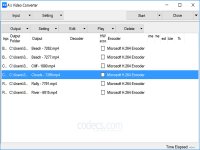
A's Video Converter 7.26.3
A's Video Converter is a powerful tool for switching between the most popular video formats while also applying some basic editing options.
30.586
DOWNLOAD
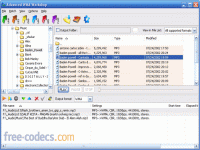
Advanced WMA Workshop 2.7.4
Advanced WMA Workshop is a complex tool enabling you to convert WAV and MP3 files to the WMA 8 format using a wide range of editing options.
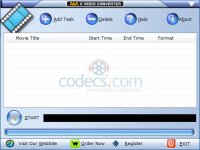
Advanced X Video Converter 6.2
Advanced X Video Converter is a tool for converting, joining and splitting video files of various formats. Other capabilities are extracting audio and images from video files.
497.040
DOWNLOAD

Aspirator 1.1.5
Aspirator is a powerful tool enabling you to convert a DVD compressed in the MPEG2 format to an AVI file, which can be in its turn compressed with various codecs (DivX 4.xx, 5.xx or XviD).

Av1ador 1.4.0 2024-08-06
Av1ador is a versatile and powerful tool for anyone looking to optimize their video encoding process.
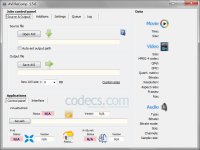
AVI ReComp 1.5.6
AVI ReComp is an easy to use and intuitive application which helps you recompress AVI files while editing and adjusting several parameters at the same time.
669.175
DOWNLOAD
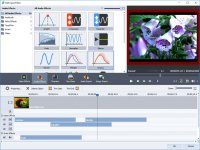
AVS Video Converter 26.0.1
AVS Video Converter allows you to switch between the most popular video formats.
40.081
DOWNLOAD
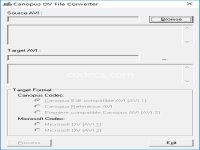
Canopus DV File Converter 1.2.1
A free utility which lets you convert between Microsoft DV AVI files and Canopus DV AVI files without any quality losses.
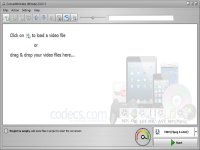
ConvertXtoVideo 2.0.0.105
ConvertXtoVideo is a fast and user-friendly application which enables you to convert between various video file formats, including BDs and DVDs.

Cucusoft Video Converter Ultimate 8.18
Cucusoft Video Converter Ultimate is a complete conversion solution enabling users to play their favorite videos on any portable device.
61.034
DOWNLOAD
DGMPGDec 3.0.0.1 / DGDecNV 2.55
DGMPGDec can be used to decode MPEG2 streams from DVD movies, Blu-rays and other types of video files.
141.886
DOWNLOAD
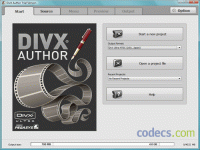
DivX Author 1.5.2
DivX Author enables you to create complex DivX videos using advanced DVD-like features such as menus, chapters, multiple audio tracks and subtitles.
DivX HEVC Encoder 1.5
DivX HEVC Encoder allows you to create HEVC/H.265 streams out of the most common video formats within the DivX HEVC profile.
82.250
DOWNLOAD
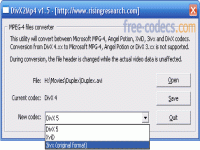
DivX2Mp4 1.6
By installing DivX2Mp4 to your computer, you will be able to convert AVI files between various MPEG4 formats, such as XviD, DivX 4 and 5, 3ivX, etc.
35.516
DOWNLOAD

Dr. DivX 2.0.1 beta 7
DivX videos can be easily created from almost any video file format on your computer by using Dr. DivX.
359.636
DOWNLOAD
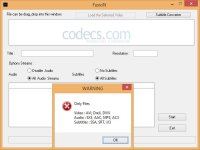
DreX Video Codec 1.8.0.4
DreX Video Codec is a multimedia converter which allows you to create DreX/AVI videos based on MPEG-4 ASP.
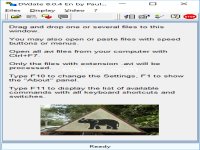
DVdate 8.3.7
DVdate is a video-processing tool which enables you to view AVI file information and handle DV video clips.
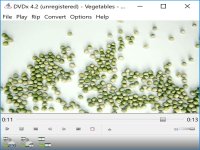
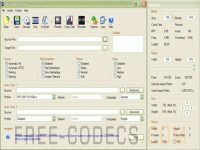
DVX 4.0.4.3
DVX is a powerful tool automating some of the most popular video tools and enabling you to create DivX and XviD videos by using DVB and DVD sources. [Development of DVX was discontinued in favor of StaxRip.]
158.354
DOWNLOAD

EasyBrake 1.0.3
Converting video files to MP4 and MKV is easier than ever with EasyBrake. This application uses the engine of HandBrake, a well-known open-source transcoder.
9.420
DOWNLOAD
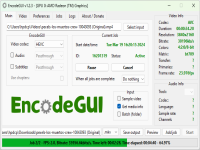
EncodeGUI 1.2.3
EncodeGUI is an intuitive encoding software designed to make your encoding tasks effortless and efficient.
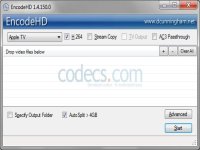
EncodeHD 1.4
By installing EncodeHD to your computer, you will be able to re-encode your media contents in order to use them on the most popular devices.
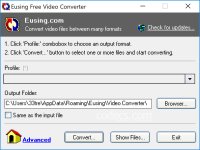
Eusing Free Video Converter 2.0
Eusing Free Video Converter represents one of the best options if you need a simple and straightforward app that can switch between the most popular file formats.

FastFlix 6.2.1
FastFlix is a free, open-source GUI front-end for FFmpeg that brings professional H.264, HEVC, and AV1 encoding - with full HDR10 and HDR10+ metadata preservation.

ffMediaMaster 1.1.1
myFFmpeg is a GUI for FFmpeg dedicated to Windows users who want to create high quality videos without using command-line code.
27.810
DOWNLOAD


